Captivate 7 - Multiple Click Boxes not working
I would really appreciate some help on this. I've been reading the forums and it looks like this pops up again and again. I've tried some of the solutions, but I can't seem to make it work.
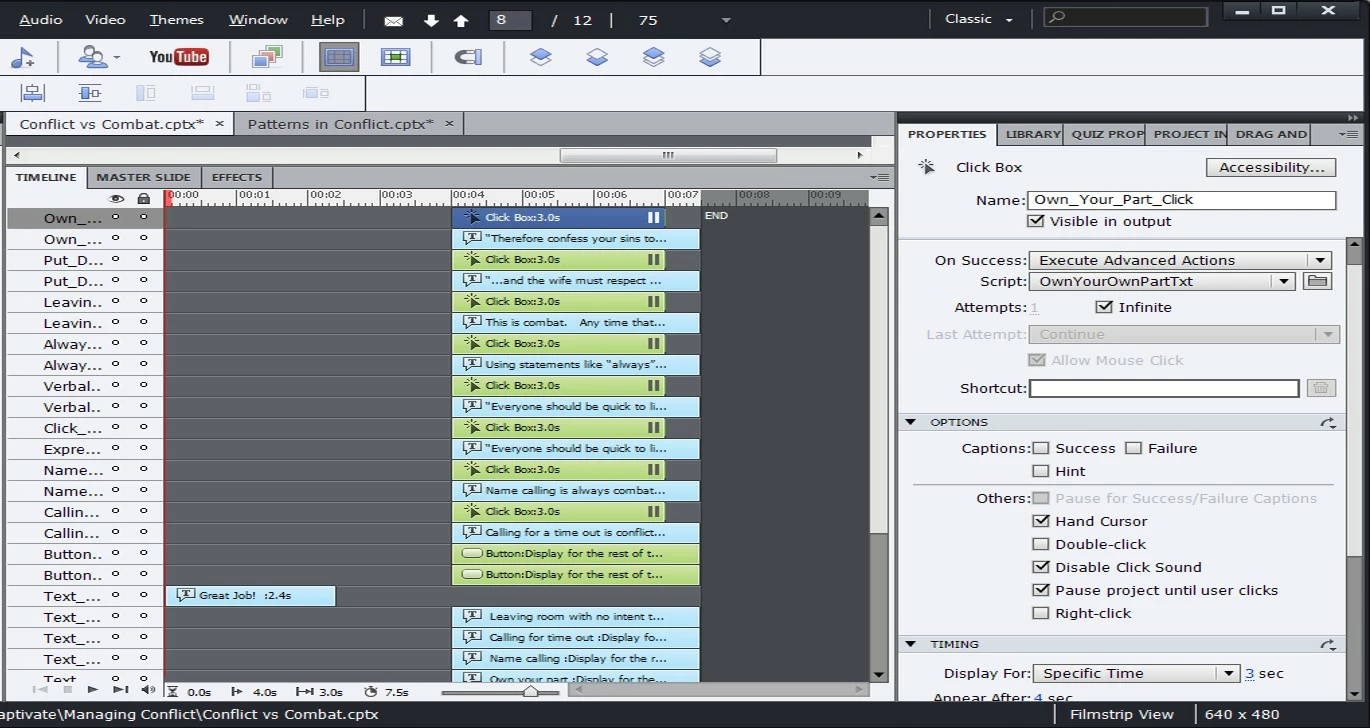
I have a slide with 8 click boxes on it. I would like for the user to click on box and then get a definition in the form of a text box. I'd like for them to be able to click on 1 box or all the boxes before they move on. I'd like for them to choose to move on with a "Continue" button that goes to the next slide.
On the preview playback, only 3 or 4 of the click boxes will work. Then, the click boxes stop working. It's not the same 3 or 4 boxes, but just the first ones that work. If I remove a pause on the continue button, it will work. Otherwise, it stops as well.
Initially, I tried to do this as a simple action. Then, I read that Advanced Actions will allow the playback to continue. The Advanced Action is 1 line that is Show and then the Text Box.
Below is my timeline. I'd appreciate help with this!
 AdChoices