

Question
Captivate 8 - ETX ASCII code in XML export - error
Hi,
When I create an XML Export from a course (Captivate 😎 and open the XML in Notepad ++, I see following strange ASCII-code (See the screenshot below).
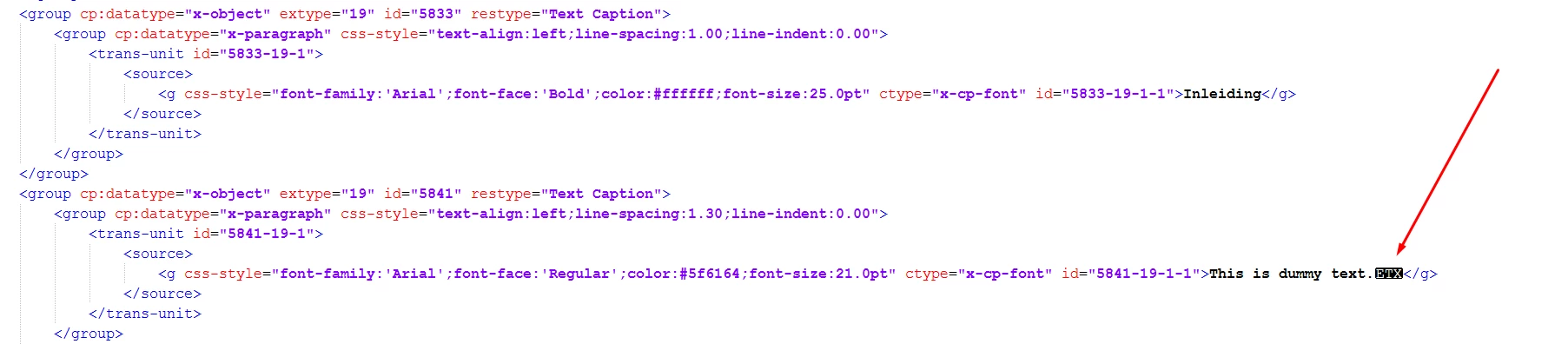
When I take a look at the text in my Captivate file. The text is properly formatted in the text caption. There are also no strange characters in the entire captivate file.
The text in my Captivate file is clean (copied without any formatting or manually typed).
So the ASCII code must me added while exporting to XML.
I know that I can remove those ASCII signs with the find and replace function, but I would like to know the reason Captivate adds those code at the end of some text.
All help is appreciated.
Regards,
W
 AdChoices