
Captivate 8 Glossary - Displaying terms with special characters
I've been reading around the forums to see if this is a global issue but haven't found any clear answers.
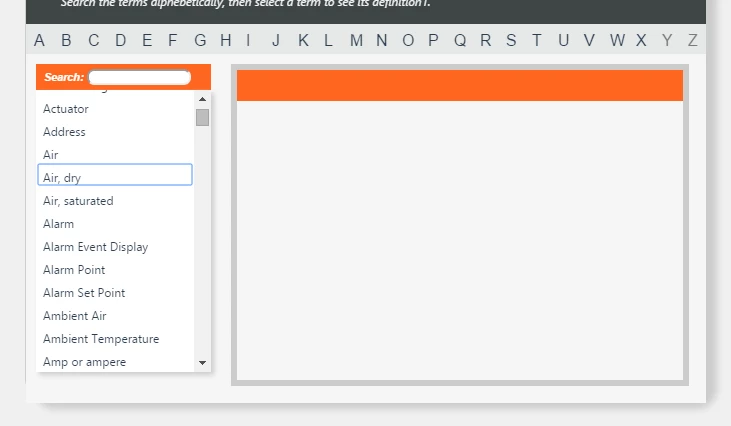
It seems that you can't use special characters like commas or parentheses within the glossary TERM and have the definition display when you click on the term. Terms with hypens have no problems displaying the definition.
I've setup a Glossary widget in a responsive project and I imported a populated XML file with terms, definitions.
I tried to replace the commas and parentheses with its associated HTML number to see if that would fix it.
I created a new widget, imported the corrected XML file but still no luck with having the terms display when you select them.
Is there a way to have glossary terms separated with commas or that have parentheses to indicate acronyms, etc.?
 AdChoices