Participant
February 19, 2015
Question

Captivate 8 glossary sizing issue

  • February 19, 2015
  • 6 replies
  • 3605 views

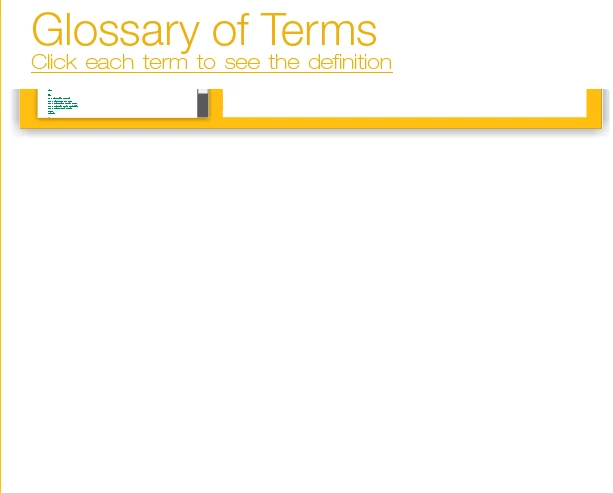
When I finish adding my definitions to the glossary widget, it displays on the slide like this. Even if I make the widget box itself enormous, the glossary stays this size. Is this is a bug or am I doing something wrong? Any help would be appreciated.  

This topic has been closed for replies.

6 replies

April 6, 2020

Did you resize the widget on your canvas and then click "refresh widget" in the Properties panel?

December 12, 2016

Is anyone working on this? I'm having this problem too and really need it to work in Captivate 8.

Participant
July 20, 2016

This seems to still be happening in Captivate 9. Are there any updates? Both the Dropbox links are giving 404s. I'm trying to import an list with over 1000 terms. The more terms that get added, the more compacted the widget becomes, until it is less than 1px high.

CarrieAnnDesnoyers
Participant
October 28, 2015

Has this issue been addressed in the Captivate 8.2 update?

RajeevAdobe
Adobe Employee
Adobe Employee
February 20, 2015

We have reported the issue to product team and as of now there is no fix available for this issue.

Regards,

Rajeev.

whitneya74264677
Participating Frequently
March 6, 2015

Has the product team projected a timeline to fix this bug?

Known Participant
March 9, 2015

Just FYI, I've spent the last hour on chat with Support and we've figured out a **temporary** workaround to this issue.  The widget functions properly in Captivate 7, and you can copy/paste the functioning widget into a Captivate 8 project.  This obviously requires you to have both versions of Captivate on your computer, but until Adobe's engineering team hurries up with the next update, there's no other way to get it to work.

merrittec
Participant
February 19, 2015

Is this in design or preview?  Try looking at in preview (either in the web browser or just previewing 5 slides).  Widgets don't appear actual size in design mode.

Participant
February 19, 2015

That was previewing it in my browser.

RajeevAdobe
Adobe Employee
Adobe Employee
March 11, 2015

Hi Jeremiah,

Could you please help me in understanding the workflow you are using to insert the glossary widget. If you will insert the widget by just adding the definitions it would work. I have tested the workflow by just adding the term and its definitions in glossary widget and it works fine.

It was a different scenario which was reported to the product team.

Regards,

Rajeev.