bingxu0927
Participant
April 8, 2019
Question

Captivate 8 - Reporting to internal server, cannot post results when failed quiz

  • April 8, 2019
  • 1 reply
  • 296 views

Hi,

I'm working on a project to host a Captivate quiz within a website. Came across one wired issue with reporting quiz results, I googled a lot and only few people had same issue while no solution provided. I really ran out of ideas and hope someone could point me to the right direction.

When user passes the quiz, the Post Results popup appears above Results slide. Server can receive the results data after user clicking the Send button.

  • However, Post Results button is never available, which means if user clicks Cancel on the popup, he/she won't be able to post results anymore.

When user fails, Results slide is displayed straightaway, no popup displayed, no data posted.

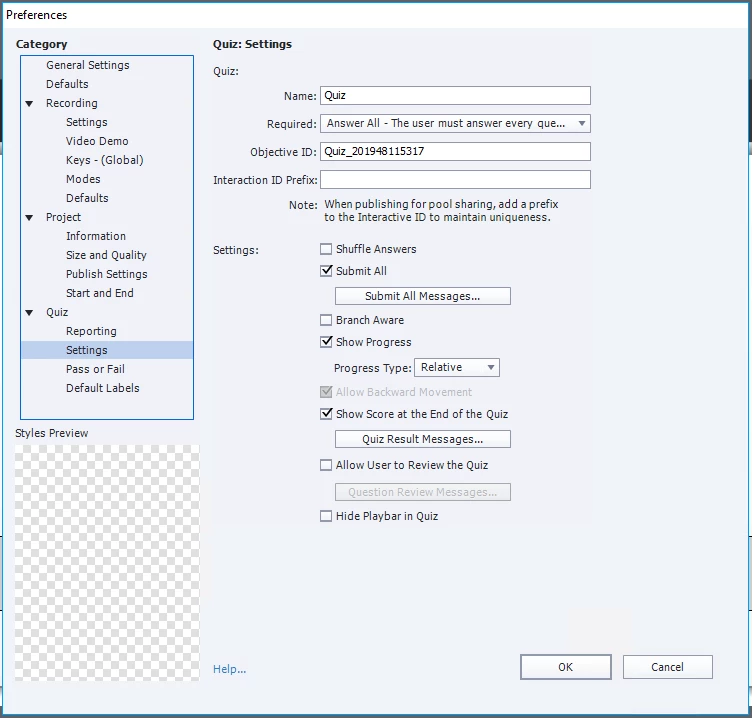
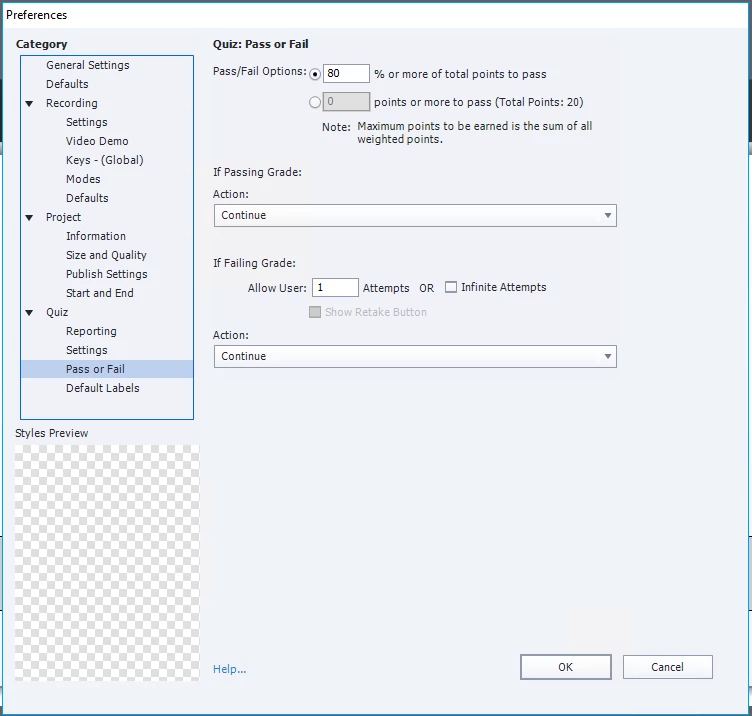
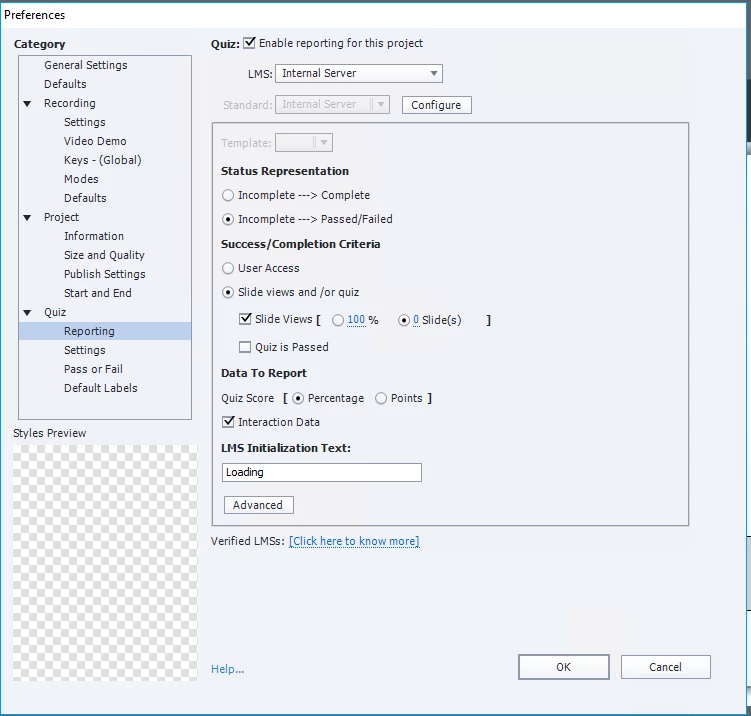
Here are snapshots of my quiz setting. Any field looks wired to you?
I found a few scenarios that work fine but does not meet our requirements.

  • If I turn on "Allow User to Review the Quiz", both passed/failed results can be posted to server -  But we don't want to allow user to review results
  • If Publish as SWF, Post Results also works fine for both passed/failed quiz - But we want to publish as HTML5

It feels like I missed some obvious configurations but I cannot work out even read through countless threads.

Any hints will be really appreciated. Thanks a lot!

Cheers,

Bing

    This topic has been closed for replies.

    1 reply

    Lilybiri
    Legend
    April 8, 2019

    Old version....

    One setting that can cause problems is the option you choose for Required (Answer All'). Set it back to 'Optional' to test. There are other ways to force the user to answer all questions.

    Do you have at least one slide after the score slide?

    bingxu0927
    Participant
    April 8, 2019

    Hi Lilybiri,

    Thanks for your prompt reply. I tried to modify from Required to Optional, but still have the same issue.

    Initially there is no slide after the score slide, I also tried to insert a blank slide but nothing changed. Any special setting required here?

    I'll try to contact our supporting team to see if I can get a newer version.

    Thanks again for your help.

    Lilybiri
    Legend
    April 8, 2019

    I posted a sequence of articles about Quizzes in the eLearning portal, but they are based on version CP2019.  The actions which you specify for Failure and Passing Grade are executed when the end frame of the score slide is reached. That is why it is recommended to add at least one (Goodbye?) slide after the score slide.

    When looking at the setup, I see that you use the Submit All option. That used to be a bit tricky in older versions. Moreover your requirement is pretty weird: no slide views, no quiz result?