New_guy1
Inspiring
December 9, 2016
Answered

Captivate 8 - RGB numbers are not staying put/working in "fill" shape settings

  • December 9, 2016
  • 1 reply
  • 279 views

How do I change the fill color in my shape?

I typed three numbers into the RGB boxes and nothing happened.

Is there a place I can input Pantone numbers perhaps?

When I go back into the dialog, my setting numbers are gone and other numbers appeared.

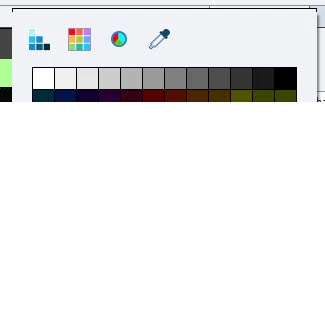
I'm using the circular icon.
    This topic has been closed for replies.
    Correct answer Lilybiri

    Every project is based on a theme, you cannot escape from it. Moreover it is considered good practice to have a consistent design, based on a color palette. That color palette can be created based on brand colors or on an esthetically pleasing combination of colors

    I start each project with defining a color palette and editing one of the themes to create a custom theme. It saves a lot of time later on if you have set up the object styles and the master slides before starting the project.

    What's in a Theme - a Template? - Captivate blog

    As for your question: I cannot check it in CP8 anymore, but do not remember such an issue (have been using it). Maybe something goes awry in your work flow?

    1 reply

    Lilybiri
    Legend
    December 9, 2016

    Sorry to post again some links. Themes in Captivate are based on a Theme color palette, which has 10 base colours, and 5 more tints for each of those 10 colors. You'll find them under the first icon in the Color dialog. The second button is showing the colors of the Swatches panel, the third one the color wheel. It is possible to change the Fill or Stroke colors of a selected shape by typing in a hexadecimal number or the RGB values and confirm that choice. Isn't this working?

    Colorful 2015 with Adobe Captivate - Captivate blog

    Theme Colors - Captivate blog

    Both blog posts were written for CP8.

    Pantone? Maybe my idea is wrong, but I see Pantone colors as colors used for painting, for printing but not for web use. Colors on a screen are in a totally different color space than colors that will be printed or painted.

    New_guy1
    New_guy1Author
    Inspiring
    December 9, 2016

    Yes. The third color wheel is changing my input.

    I'll put in

    60

    80

    100

    and I'll get back something else!

    I just tried modifying my theme by using the wheel.

    Again, I'll input numbers and they will not "stick" when I click SAVE.

    Lilybiri
    LilybiriCorrect answer
    Legend
    December 9, 2016

    Every project is based on a theme, you cannot escape from it. Moreover it is considered good practice to have a consistent design, based on a color palette. That color palette can be created based on brand colors or on an esthetically pleasing combination of colors

    I start each project with defining a color palette and editing one of the themes to create a custom theme. It saves a lot of time later on if you have set up the object styles and the master slides before starting the project.

    What's in a Theme - a Template? - Captivate blog

    As for your question: I cannot check it in CP8 anymore, but do not remember such an issue (have been using it). Maybe something goes awry in your work flow?