Inspiring
March 11, 2016
Answered

Captivate 8 – Tiny gaps between objects and end of slide?

  • March 11, 2016
  • 1 reply
  • 396 views

Hi,

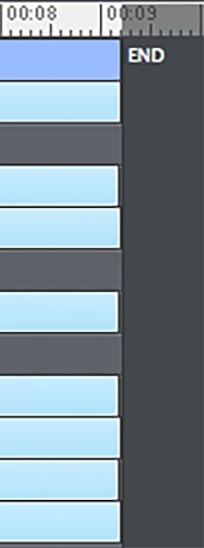
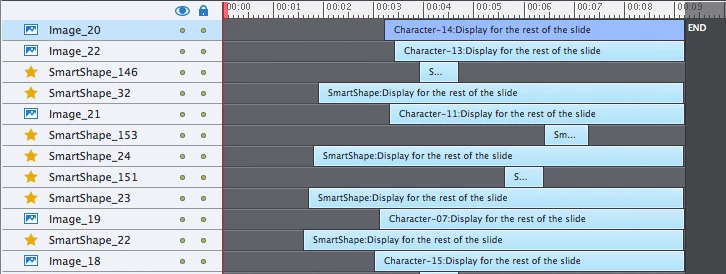
I have a selection of objects on a slide and have noticed that there is a tiny gap (less than 0.1 second) between some of them and the end of the slide.  This only applies to some of the objects. All of the objects are set to fade out (via the Timing tab) and the gaps mean they fade out at slightly different times, which is really irritating.  This seems to occur even if I manually adjust the object timings (again via the Timing tab) so that each object should be on the slide for exactly the right amount of time.

Has anyone seen this problem before?  If so – is there a way to get around it?

Thanks!
    This topic has been closed for replies.
    Correct answer _robotboy

    Did you try the usual refresh possibilities? Cleaning cache, clearing Preferences etc? If this is happening to multiple projects, it looks like a corruption of Captivate. If it is only this project, this one could be corrupted.


    I figured it out, and now I feel very stupid!


    The issue with the objects not lining up was because I had changed the zoom on the timeline, from 100% down to about 80%.  Returning it to 100% causes the objects to line up again.


    The issue with the objects fading out at the wrong time was unrelated and was because I had accidentally changed the duration of the effect from 0.5 seconds to 0.1.


    Thank you for your help anyway!

    1 reply

    Lilybiri
    Legend
    March 11, 2016

    Did you extend the timeline till the end with CTRL-E?

    _robotboyAuthor
    Inspiring
    March 11, 2016

    Yep – I've done that for all of the objects apart from the little ones that only appear for a second or two.

    Lilybiri
    Legend
    March 11, 2016

    Is it the latest version of CP8?