Captivate 8: Variables bug
More of a statement than a question:
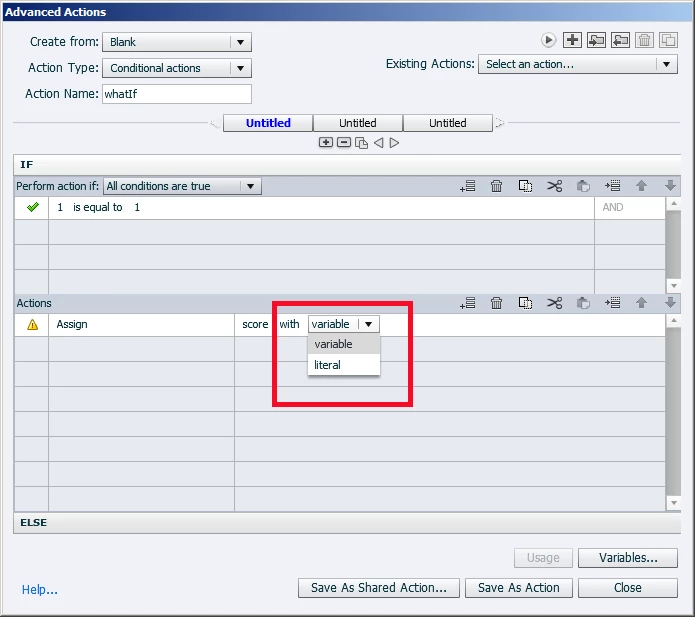
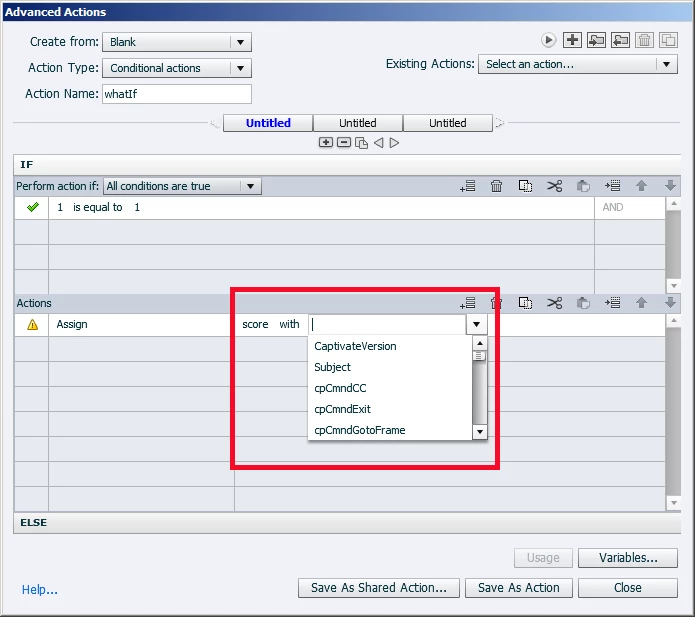
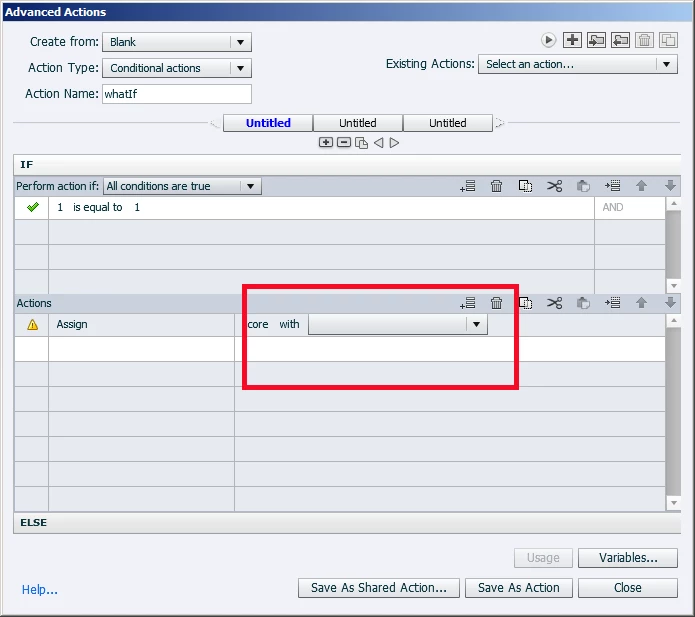
Working with variables in Captivate I keep running across an annoying problem: when you are in the Advanced Actions dialog and you are making a choice from the 'variables' drop down menu, if you make a mistake and click off the drop down for some reason (in error, such as I tend to do sometimes), you cannot get back to the variable drop down menu. See the images below: the first is me clicking the drop down successfully, the other is after I've clicked elsewhere in error (I have slight nerve damage to my right hand and occasionally my fingers click the mouse on their own). Once I've made the error, I cannot get the variable drop down to come back (see the third image). I cannot find it at all after the error is made, only the other varible drop down menu remains.
This is really annoying. I have to close this out without saving and start all over again every time it happens.
Is there any way to get the variable drop down to remain, or to find it again? Or a way to recall it once you've lost it? Clicking off makes it go away, and you cannot get it back again.
 AdChoices