deborahp95829957
Participant
May 26, 2015
Question

Captivate 8: Why am I getting a HTTP 404 Not Found error when I open my published module (HTML5/SWF)? It is stored on a web server and contains quiz (enable reporting is checked)

  • May 26, 2015
  • 3 replies
  • 964 views

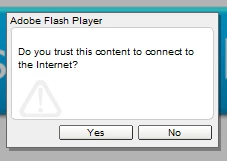
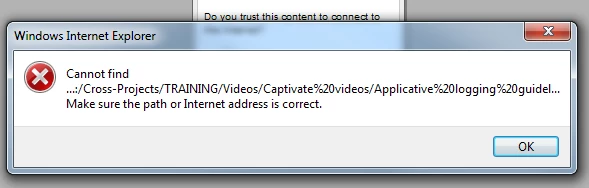
This is the two pop up I get when I open the project stored on my local drive (second one comes when I click yes, nothing happens when I click no):
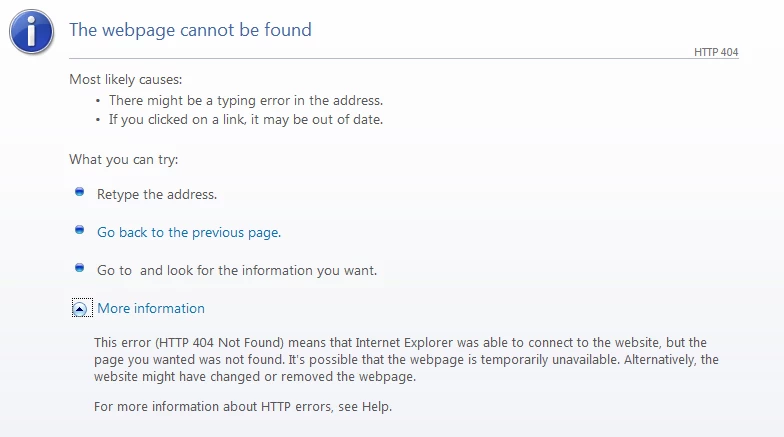
This is the error I get when I open the same project that is stored on our web server (it comes directly right after the beginning of the slide 35):
Thank you very much for your help!!

This topic has been closed for replies.

3 replies

deborahp95829957
Participant
May 27, 2015

Thank you both for your help, I have found the solution with my colleague who had designed the course in the first place. He had added an action to open another document that he had then moved in another location, that is why I got the 404 not found error.

Sorry for bothering you on something I could have solved alone and thank you again for your support!

Best Regards,

Deborah

RajeevAdobe
Adobe Employee
Adobe Employee
May 27, 2015

Is there a possibility to share your published output with us or project .

Regards,

Rajeev.

Legend
May 27, 2015

Change the location of the target file and test. Use as less sub folders as possible. For example, put it under C:/<Project Folder>.

Sreekanth

deborahp95829957
Participant
May 27, 2015

Thank you for your answer Sreekanth, I have followed your advice by republishing the module directly in my C: drive, but I still get the same error message rigt after the beginning of slide 35. Also, when I open the .htm file, I get this pop up window:

Any idea of why do I get this? (when I click ok, a blank browser window opens but nothing else happens and the module starts normally until slide 34)

I am relatively new at using Adobe Captivate, so thank you again for your help.

deborahp95829957
Participant
May 27, 2015

I have found in other discussions on this forum that this error message appeared because my course (enabling SCROM reporting) was not running from LMS.

Nevertheless, when I opened it from our web server using LMS, and when I got the 404 error message right after the beginning of the slide 35, I tried to click on "go back on previous page" and this is what I got:

And again, nothing happens when I click OK.


The weird thing is when I re-open the module afterwards, it is taking me back where I stopped the last time (so beginning of slide 35) and the rest of the module works perfectly (the quiz and so on...) I am completely lost now...