TiaRocks
Known Participant
June 30, 2015
Question

Captivate 8: YouTube Widget will not play when published to both HTML5 and SWF

  • June 30, 2015
  • 2 replies
  • 641 views

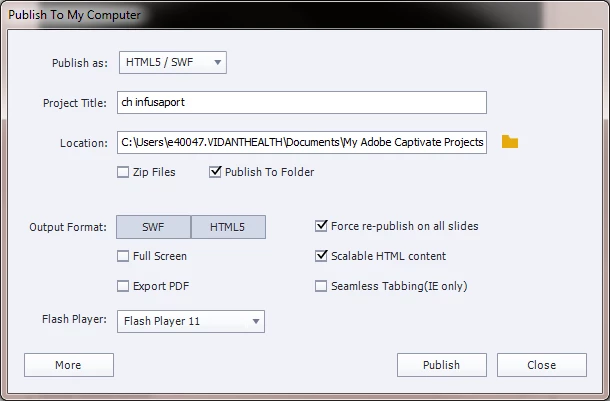
I've never had any trouble with the YouTube widget not working when publishing to just swf. Since we are a now supporting mobile and XP desktops, we are publishing to both HTML5 and SWF and checking the scalable HTML content option. The video plays fine in preview (and on YouTube). It does not play in any browser or tablet when placed on a server or on our LMS. 
    This topic has been closed for replies.

    2 replies

    warmstrong
    Inspiring
    January 27, 2016

    Has there been any development on this issue?

    I am using Captivate 8 and am able to preview the files fine. When I go to publish I just get the slide show but nothing streaming through the Youtube widget. I tried changing the video stream playback to all the different playback levels.

    It previews fine in browser setting but the moment I publish the project and check the output there it does not link to the video and I just get the slide with no video feed.

    I also tried clearing project cache and publishing again. This did not solve the issue.

    I also published as swf and hml5 but am still experiencing the same issue.

    I am at a bit of a loss how to rectify this situation.

    RodWard
    Community Expert
    Community Expert
    June 30, 2015

    This is the publish dialog. It's not going to help debug the issue with your video or Youtube widget.

    If your content is not playing on your LMS, upload the same content to SCORM Cloud and test it there.  If it works from SCORM Cloud, go back to your LMS vendor and complain. 

    If it doesn't work from SCORM Cloud then you need to look at the way you've set up the project.

    Try publishing separately to HTML5 and then HTM/SWF and upload as separate SCORMs to your LMS.  Does one work but not the other?

    TiaRocks
    TiaRocksAuthor
    Known Participant
    June 30, 2015

    I got it to work by changing the YouTube widget video playback quality to HD1080. It works in various browsers and apple devices. The widget does not appear on a Samsung Note 10 Android though.