
Participant
April 12, 2019
Answered

Captivate 9 and Windows 10

  • April 12, 2019
  • 9 replies
  • 1050 views

I recently upgraded my computer from Windows 7 to Windows 10 and reinstalled Captivate 9.

Now when I open Captivate all of my screens are cut off and I can't see all of the options available on the screen.
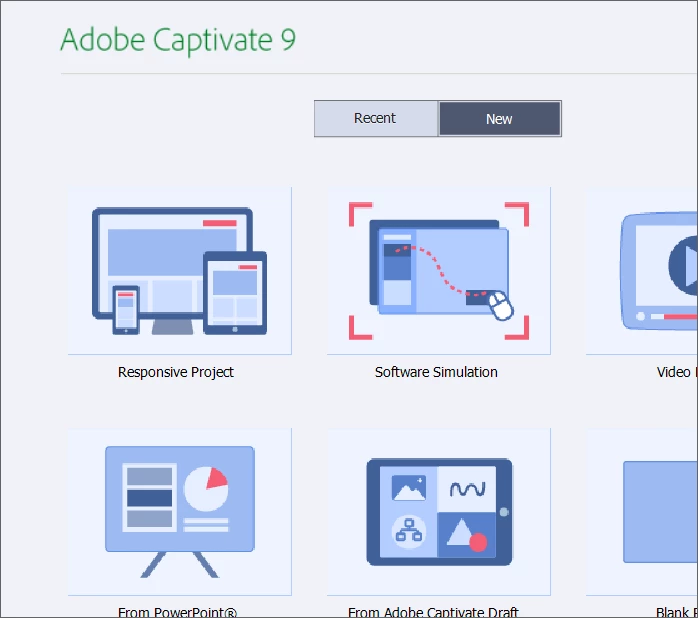
Is this an issue with Captivate 9 / Windows 10 compatibility or is it a setting in Captivate?

Appreciate any insight you are able to provide.

    This topic has been closed for replies.
    Correct answer Lilybiri

    Thank you Lily.

    I didn't realize Windows 10 changes the display percentages.

    Resolution is 1920x1080

    Custom scale factor is set.

    "Change the size of text, apps, and other items: 175%"

    As I'm still getting use to the new layouts of where to find the display settings, if this isn't what you were referring to can you point me in the right direction in the settings.

    Thank you!


    Try to lower the display setting, maybe 150% will be OK.

    9 replies

    Lilybiri
    Legend
    April 12, 2019

    This has nothing to do with Captivate but with the display set up of your monitor. What resolution do you have on the monitor and what is the display percentage? CP9 didn't handle retina screens very well. If you decrease the display percentage which has probably been set to high, you'll see the whole UI again.

    Participant
    April 12, 2019

    Hi Lily,

    This issue was not happening when I was on Windows 7 and using Captivate 9 with the same monitors. This only happened after I upgraded to Windows 10. No other changes were made.

    Lilybiri
    Legend
    April 12, 2019

    I did read your question, and I know that Win10 tends to change the display percentage, which Win7 did not. Hence all my questions.

    John T Smith
    Community Expert
    Community Expert
    April 12, 2019

    This may not be your exact problem, but the only idea I have

    Adjusting font size for a high DPI display https://forums.adobe.com/thread/2171036 see reply #2

    -and https://forums.adobe.com/thread/2263440

    Participant
    April 12, 2019

    If there is a size option in Preferences like you suggested, I can't see it....