
Captivate 9 apply effect not working with drag/drop in HTML5
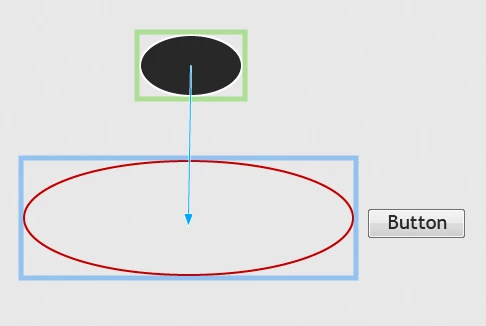
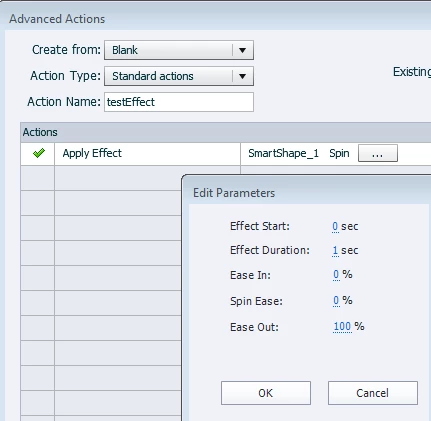
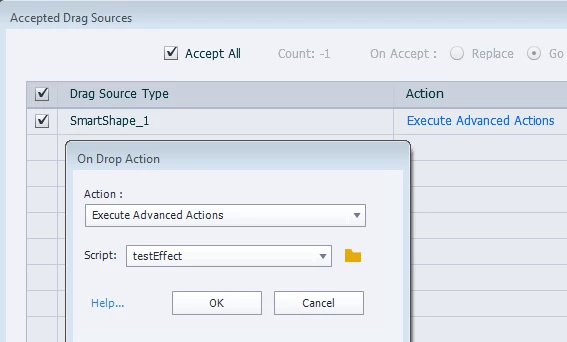
I am trying to use advanced actions to apply effects to dragged objects in a drag/drop. No applied effects are working if a drag/drop interaction is on my slide in HTML, although they do work perfectly when viewed in SWF. I have tried viewing as both preview HTML and as a published file. To test if my slide is broken or if this is a more general issue, I have tried:
1. clearing cache
2. rebooting
3. creating new blank non-responsive project with only one slide
4. triggering advanced action with a button without the drag/drop on the slide
5. triggering the AA through object actions within a drag/drop
6. triggering the AA by a button with a drag/drop on the slide but without actually dragging the object
7. removing the drag/drop and triggering the AA with the button
8. recreating the drag/drop and testing with both button and dragging
Results:
Without the drag/drop on the slide the AA works fine and my effect (spin, all default settings) works when triggered by the button
With the drag/drop on the slide the effect does NOT work when triggered by the button before dragging
With the drag/drop on the slide the effect does NOT work after dropping on the target
Viewed as SWF the effect works as intended, with or without the drag/drop on the slide.
Is this a limitation of HTML?
All suggestions are welcome!
Captivate 9.0.2.437, Windows 7
 AdChoices