
Captivate 9 Audio Pop Screen Issues
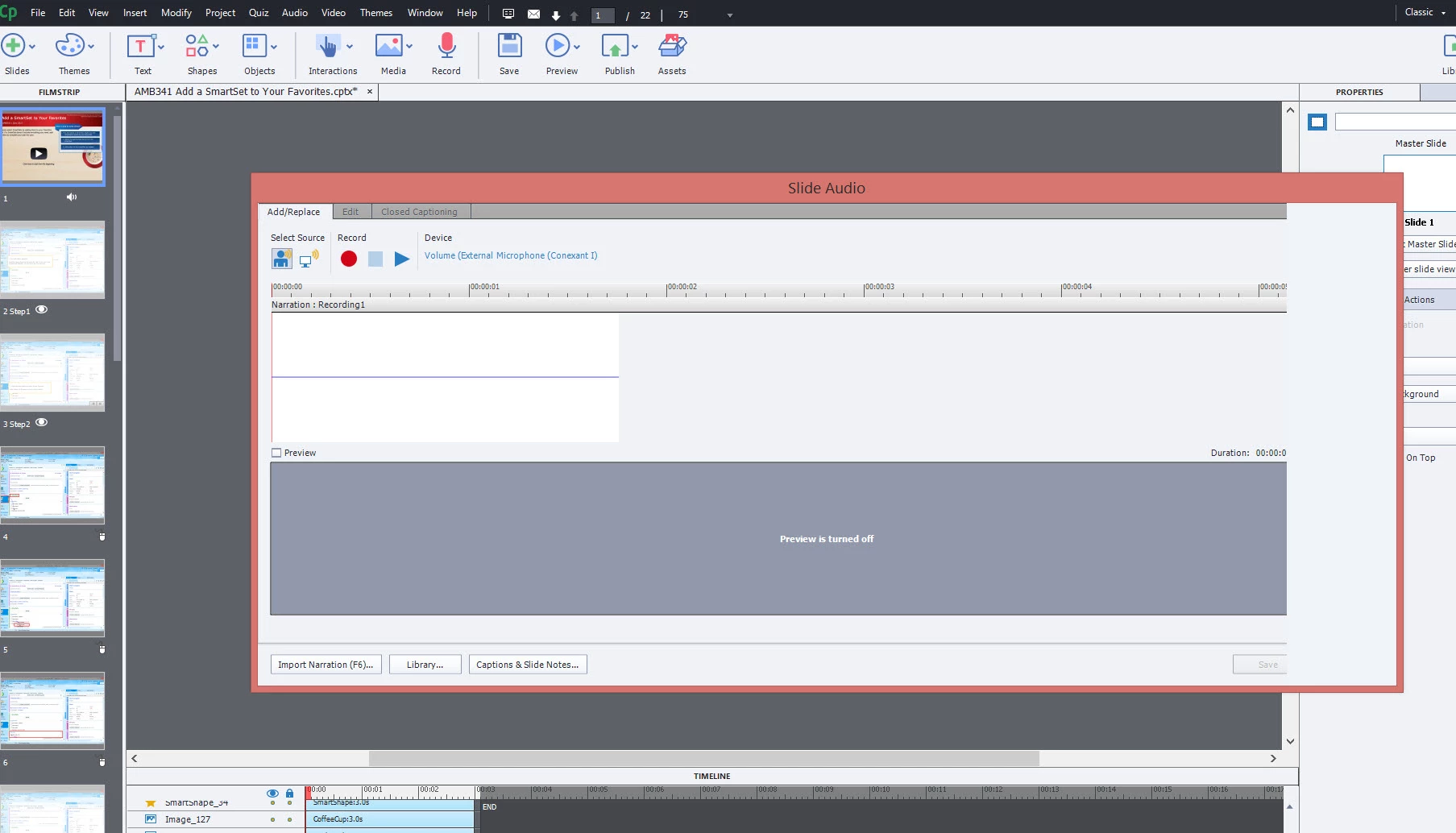
When I attempt to do anything with audio and the audio pop up screen opens, it cuts off the far right side of the box and I am unable to close the box. Once the pop window is open, I am also unable to click "close window" on my taskbar. So I have to log out of my computer and log back in. It does not matter if I am attempting to record, drag and drop, or import audio. I also have 2 screens at my desk and lately when Captivate opens, it goes across one screen and into the other. I have to resize it whether I am only on my laptop or docked at my desk. (Not sure it that has anything to do with it). I have recently had Window10 put onto my computer per my office so not sure if that is the issue since I have had other problems with Captivate since receiving Win10. Has anyone had this issue? Any help would be greatly appreciated since I am at a stand still at this moment. Thanks!
 AdChoices