
Participant
October 9, 2015
Question

Captivate 9 audio stuttering when I save as video (*mp4)

  • October 9, 2015
  • 2 replies
  • 476 views

I record software simulation in captivate that I then save as *mp4 so that I may bring it into Presenter 11 and incorporate into a powerpoint-based lesson.

My problem is that my mp4 video has horrible stuttering and is unusable in my Presenter lesson.  Audio does not have the problem when viewed in captivate.

What settings, steps can I take so my software simulation video is usable?

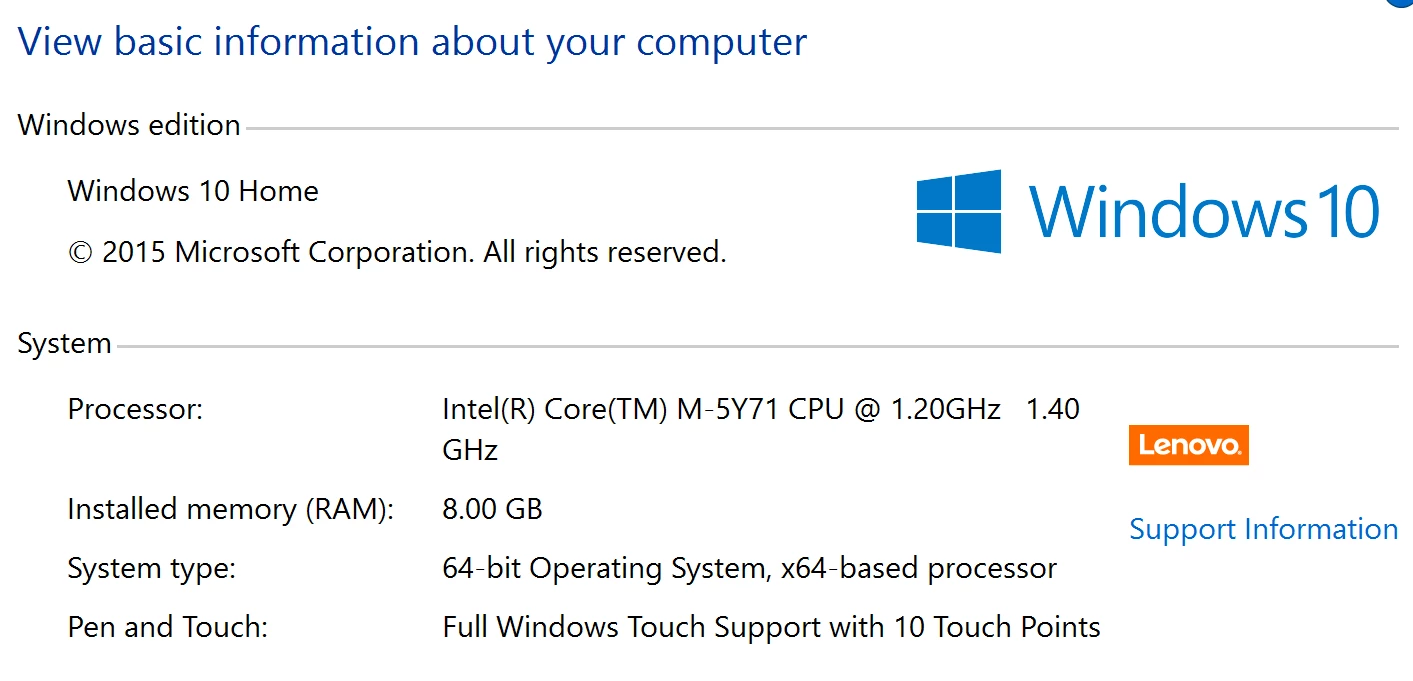
New computer... do I just need more computing power?
Thank you,

Sherry

This topic has been closed for replies.

2 replies

June 29, 2017

The video in my Captivate 8 module had a stutter.  I had resized it to fill more of the screen.  When I re-inserted it an kept it as it's original size, the stuttering went away. 

RodWard
Community Expert
Community Expert
October 10, 2015

It could be your system isn't powerful enough to decode the video.  Try getting a colleague or friend with a better computer to play the video and see if that works better.

Your issue also could be connected with needing to update your video driver software.  I see you've updated to Windows 10.  Perhaps you need to check with Lenovo to see if they have any recommended drivers for Win10 for your model.