
Known Participant
June 14, 2018
Answered

Captivate 9: captions on slide with video

  • June 14, 2018
  • 1 reply
  • 389 views

hello

I have a captivate file comprised of several slides, each containing a video. How do i add closed captioning to these slides?

The videos were created in Camtasia Studio 8 and include captioning, but the captioning does not transfer over to Captivate (as Captivate can only import a .mp4 file and the captioning in the Camtasia file is included in another file that the .mp4 points to).

I don't see a 'closed captioning' option on the slides that contain a video. I must include closed captioning in my project as this is a requirement.

If anyone can help me address this question, I would very much appreciate it.

Marion
This topic has been closed for replies.
Correct answer Lilybiri

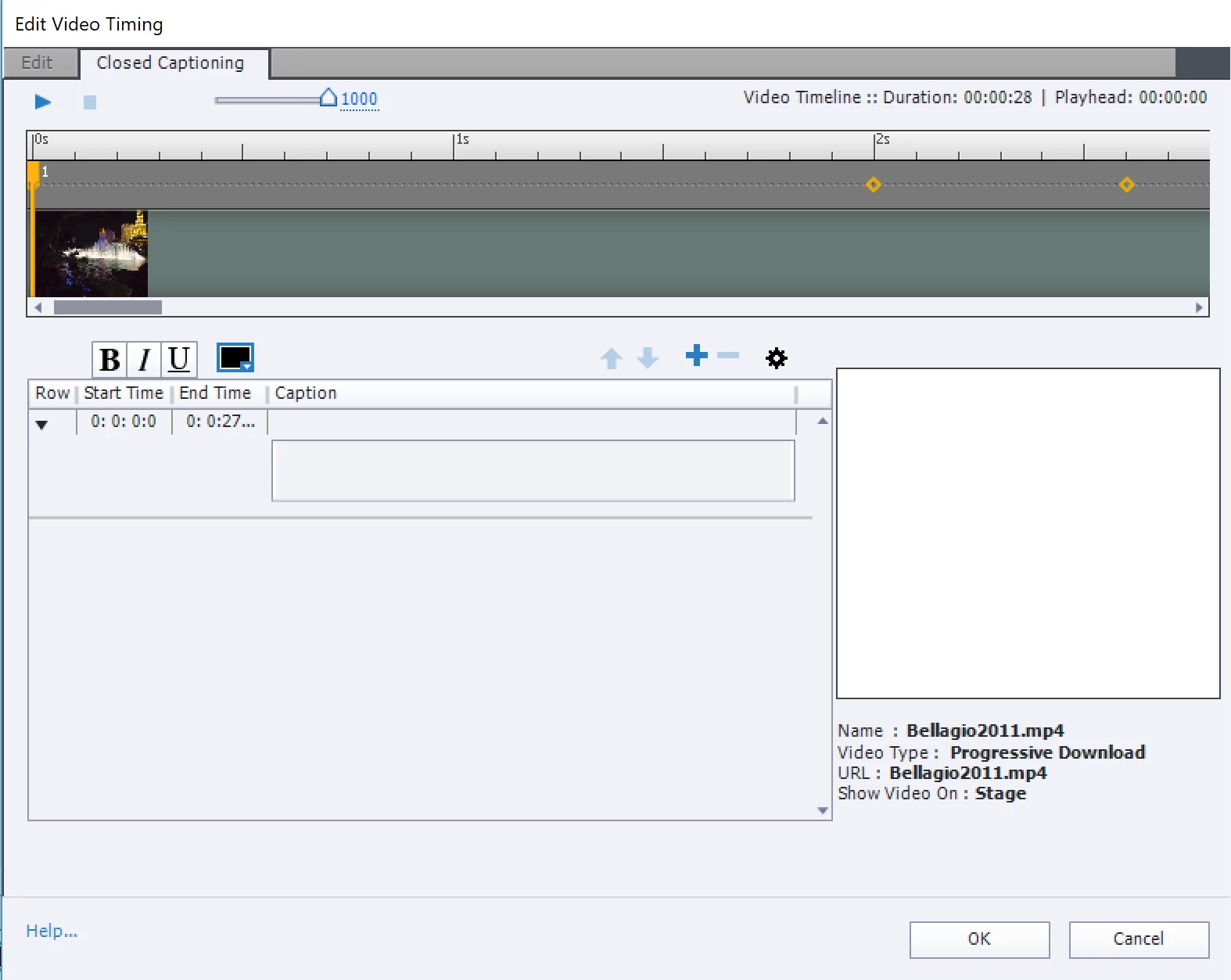
The sceenshot is from CP2017, but the workflow is the same in CP9:

  • Insert the video as multislide synchronized video, have the slide duration increase to the length of the video
  • Open Video, Edit Video Timing,
  • Click on the second tab Closed Captioning

1 reply

Lilybiri
LilybiriCorrect answer
Legend
June 14, 2018

The sceenshot is from CP2017, but the workflow is the same in CP9:

  • Insert the video as multislide synchronized video, have the slide duration increase to the length of the video
  • Open Video, Edit Video Timing,
  • Click on the second tab Closed Captioning

Minka316Author
Known Participant
June 14, 2018

Thank you!  Instructions work.

Have a great day, Marion

Lilybiri
Legend
June 14, 2018

You're welcome!