Known Participant
November 21, 2015
Answered

Captivate 9 Ease In Alignment Issue

  • November 21, 2015
  • 2 replies
  • 577 views

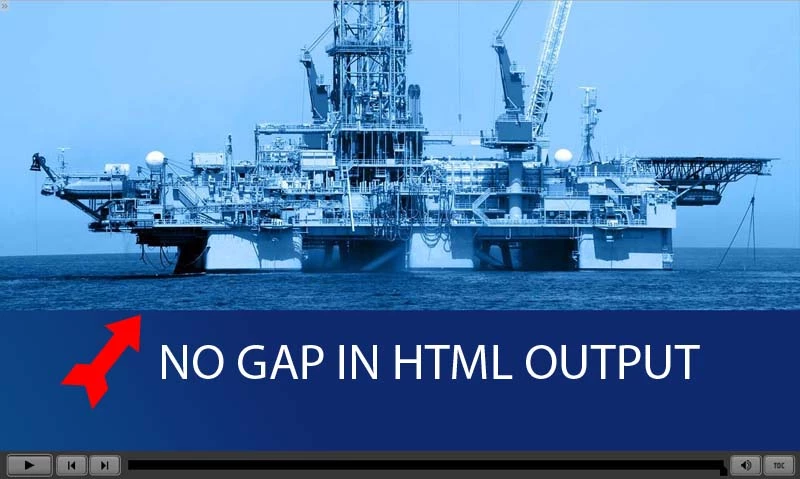
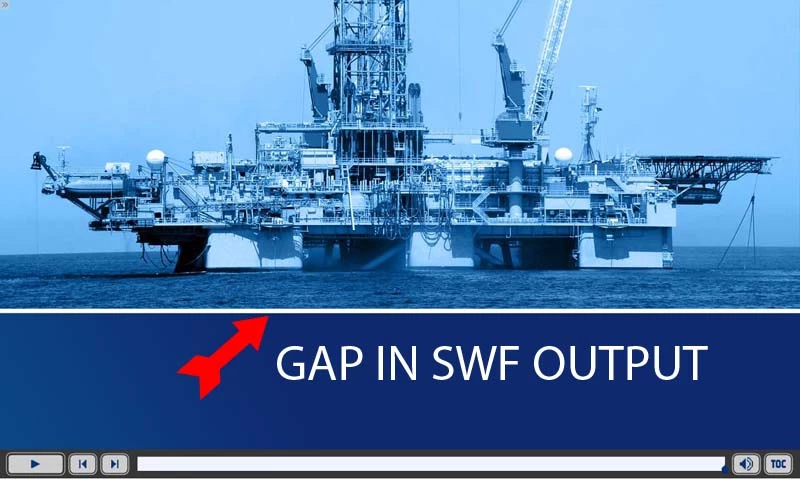
I'm having an issue with the ease in animations in Cap 9. The images do not end up where they are placed in the published SWF, the fall short by around 20px. However, in the HTML they behave exactly as you would expect and end up where they are placed on the slide. I checked this behavior in Cap 8 and it works fine in both types of output in that version, so this is something new to Cap 9. I've also tried it from multiple installs and the same issue arises. This happens with all the ease in animations (top, bottom, left, right) regardless of the duration of the animation or the amount of ease. Is anyone else finding this bug and is Cap team aware? Hopefully they work it out because its brutal to have to try to get the effect to look good in both types of output as it is.

I've added example images below to illustrate the issue.
This topic has been closed for replies.
Correct answer Lilybiri

Yes, and it fixed that problem with effect in SWF (was one of my first bug reports). Try it out: Hot fix | Adobe Captivate 9 issues

I also asked for the settings of the effect? Already in CP8, problems occurred when the duration of an effect was less than the default duration, especially for effects applied by advanced actions. Since you told that your issue was not happening for CP8, I don't think it is due to duration.

2 replies

Lilybiri
Legend
November 22, 2015

Did you install the hot fix?

What are the settings for the effect?

MarkWFD
Inspiring
November 22, 2015

Is there a hot fix available?

RodWard
Community Expert
Community Expert
November 22, 2015

I think this is a known issue with motion effects in Captivate 9 if you change the default effect duration to anything below the default.  We are expecting the issue to be resolved in future updates.