Participant
February 18, 2016
Question

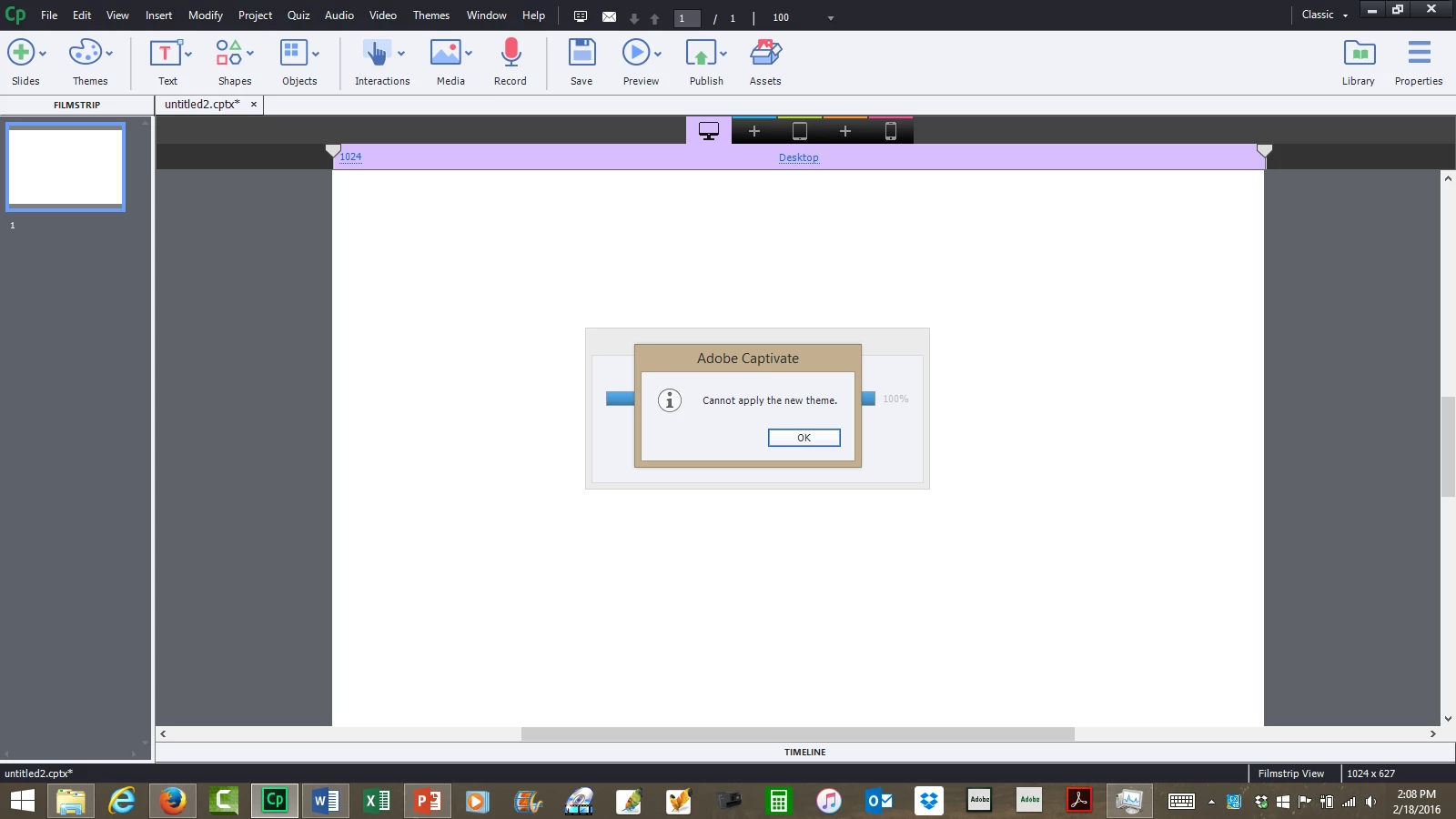
Captivate 9 - get error message when selecting theme (any theme)

  • February 18, 2016
  • 2 replies
  • 279 views

I get the following error message when trying to load any theme from the ribbon.  'cannot apply the new theme". It has worked in the past.
    This topic has been closed for replies.

    2 replies

    Lilybiri
    Legend
    February 19, 2016

    AFAIK Adobe doesn't use ribbons at all, that is only on MS UI.

    You mean the Dialog box for Themes? Which theme did you want to apply? Are you sure it is a responsive theme since you prepare such a project? Do you run Windows 'as administrator'?

    tamisocalAuthor
    Participant
    February 19, 2016

    I do mean the dialogue box.  I ended up closing other applications and rebooting without opening Adobe Pro and Powerpoint (those were open before) and I was able to add new themes.

    Thanks for your questions and help.

    RodWard
    Community Expert
    Community Expert
    February 19, 2016

    Were you using Responsive projects in the past? 

    tamisocalAuthor
    Participant
    February 19, 2016

    Yes
