
Participant
June 14, 2016
Question

Captivate 9 in Windows 10

  • June 14, 2016
  • 4 replies
  • 3100 views

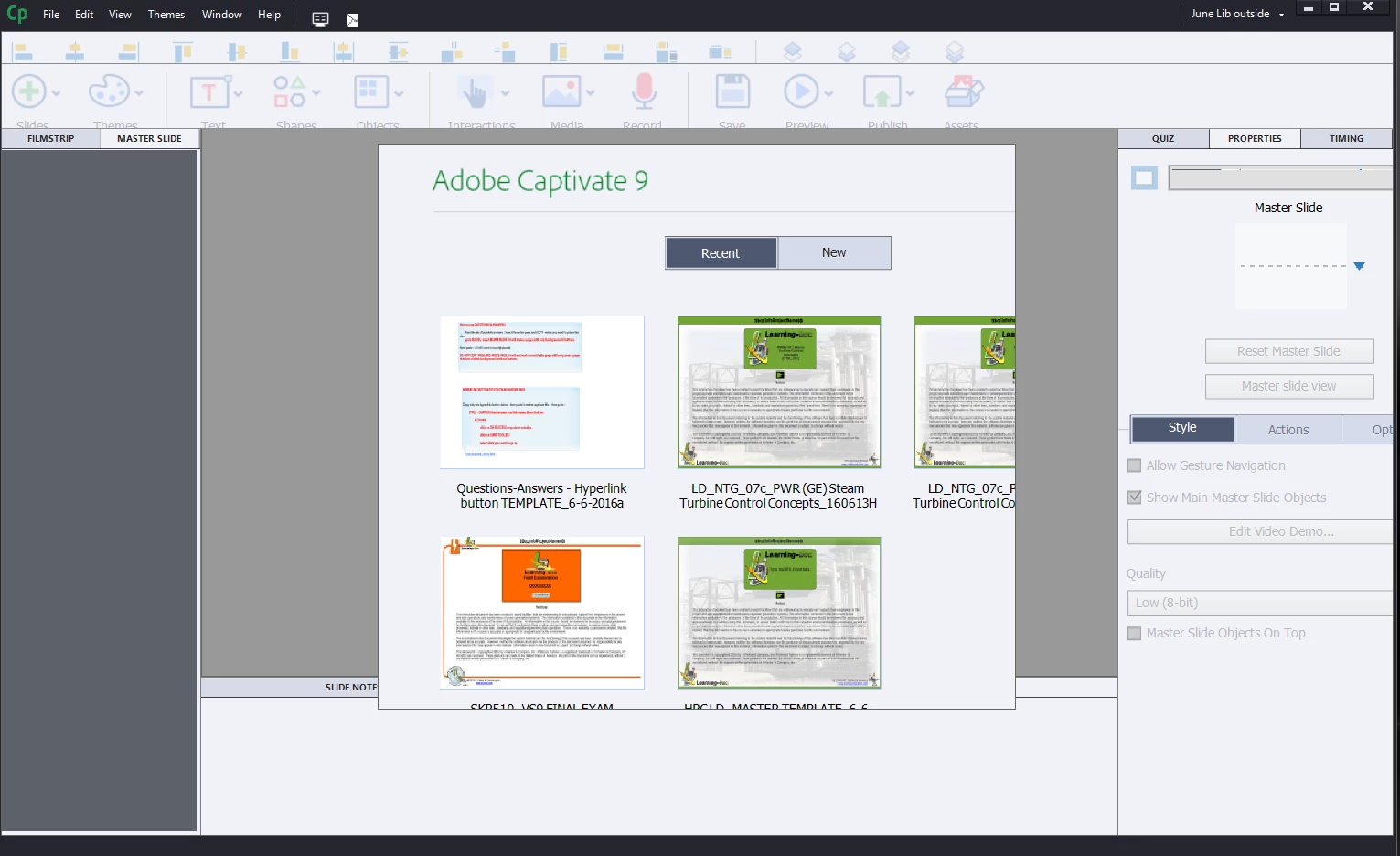
Just updated to Windows 10.  When I opened up Captivate vs 9, it whole appearance is different.  The start screen is very large, and missing navigation buttons, including the browse button.  Also, on the Filmstrip & Master Guide the scroll bars are missing also.  On the right side of Captivate the Tabs: under Properties, the Option tab ins cut in half.
    This topic has been closed for replies.

    4 replies

    reneedj6
    Participant
    September 26, 2016

    Did you find a workaround?  I'm on a Surface Pro 3 / Captivate 9 (v9.0.2.421) and have miniature menu fonts as well.  Changing the resolution in Win 10 display settings minimizes everything else, therefore is not a permanent option.

    ReJP

    Lilybiri
    Legend
    September 26, 2016

    I am on Surface Pro 4, font size set to 200%. Captivate works fine with the

    exception of some tiny cursors.

    reneedj6
    Participant
    September 26, 2016

    How did that affect the rest of your windows apps?

    Renée JP BS, MBA

    chebly9Author
    Participant
    June 14, 2016

    The problem has been solved - Had to fix the Adobe Captivate 9 (64Bit) Properties - Compatibility tab, (run this program in compatibility mode for Windows 7

    Lilybiri
    Legend
    June 14, 2016

    Really? That sounds not correct, sorry. Captivate 9 is the first version that plays well with Windows 10. I am using it with that version on both my laptop and Surface Pro. Those have a retina screen. If you go back to compatibility mode you'll lose the feature that it can run on retina screens. Did you check the resolution, and more specifically the % for font size?  That is mostly the cause of what you showed in your screenshots, because Win10 tends to make that % high like 175%. Put it back to a normal 125%.

    Erik Lord
    Inspiring
    June 14, 2016

    Agreed, it's almost surely a Windows 10 setup issue. It likes to assume 'big' in case you're on a tablet, or something. Check your display resolution...

    Lilybiri
    Legend
    June 14, 2016

    Which resolution do you use on the monitor? What is the percentage set for fonts: 125, 150, 175?