
Participating Frequently
July 6, 2016
Question

Captivate 9 - Installed Adobe_eLearning_Asset_LS21.exe, Assets do not appear

  • July 6, 2016
  • 2 replies
  • 905 views

My Captivate 9's character assets are empty after saving Adobe_eLearning_Asset_LS21.exe to C:\Users\Public\Documents\Adobe\eLearning Assets and intsalling the add file.  I don't know what I'm doing wrong.  I reopened Captivate 9 after the installation and when I open Characters within the Media tab, this is what I see; every category is empty, not just Assets:
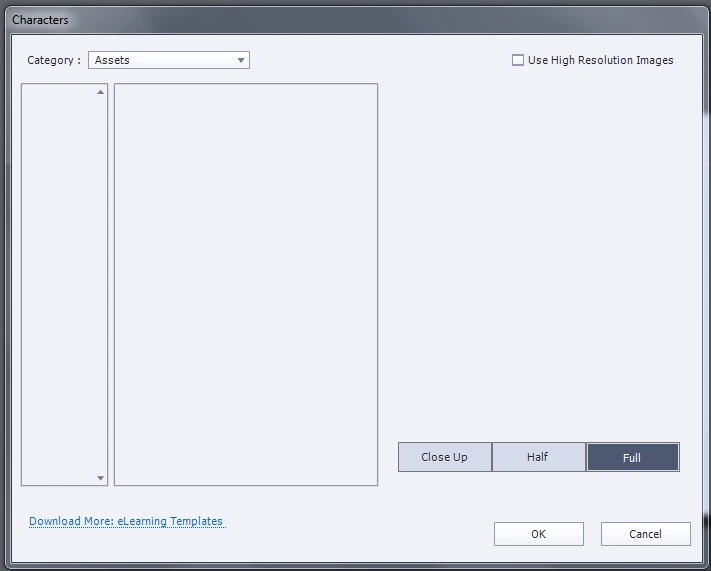
Am I missing a step?  As you can see I have the file saved to the correct pathway:
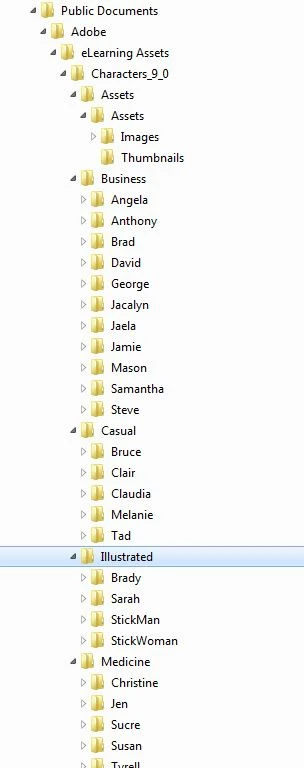
  :

Your help is greatly appreciated. Thank you.

This topic has been closed for replies.

2 replies

Lilybiri
Legend
July 6, 2016

If you are on Windows, can you check if the Characters were installed in this path:

C:\Users\Public\Documents\Adobe\eLearning Assets\Characters_9_0

chwawa5Author
Participating Frequently
July 6, 2016

Hi Again,

I appreciate the input and it did upload to C:\Users\Public\Documents\Adobe\eLearning Assets\Characters_9_0 .  That's why I don't know why they aren't available in the application when I click Media --> Characters. 

Captiv8r
Legend
July 6, 2016

Hmmm, you might double-check. If memory serves, what you downloaded first was a package that kind of got "unzipped". And after that happened, you found among the unzipped files an actual installer package that needed to be run to actually perform the installation of the assets.

Cheers... Rick

chwawa5Author
Participating Frequently
July 6, 2016

Hi Rick,

Thanks for the quick reply.  I appreciate your help on this but I'm not sure that what you describe will work in my situation.  It seems that I need to import these files into the appliation even though the program indicates they will automatically appear within the Media tab in Captivate.

Let me see if I can recreate the steps I took.

This is the downloaded application file that I installed the Assets from:

Double clicked on this .exe file and while it was installing the progress window popup appeared.  After it was installed the eLearning Assets folder was found in the Public Folders pathway.  When I open all the folders, there are no zip files or other links for any further installation.  See below:

All the folders contain different types of content depending of the folder, which is what is expected.  For example when I open this pathway, C:\Users\Public\Documents\Adobe\eLearning Assets\Characters_9_0\Business\Steve\Images\high, here's an example of the images within this folder:

So this is why I'm perplexed to why these aren't showing up and linking to the application when I open the Media tab --> Characters. 

Please advise if there is still something I should have done.

Thanks again.