elizad15014209
Participant
December 28, 2015
Answered

Captivate 9 installed but persistent display problems

  • December 28, 2015
  • 2 replies
  • 530 views

Everything in Captivate appears too small to see so it is impossible to use it. Changing the computer display setting does not work; I already modified the .ini file. What can i do next?

This topic has been closed for replies.
Correct answer masemm

Thanks very much for your help so far.

1. Unchecked and re-checked the Project Expiry box - did not help

2. Ran CleanPreferencesWin with Cp closed - assumed it worked because there was nothing in the recent files list - did not help

I'm driving out there today to see if i can find anything else - do you have any more suggestions please ?

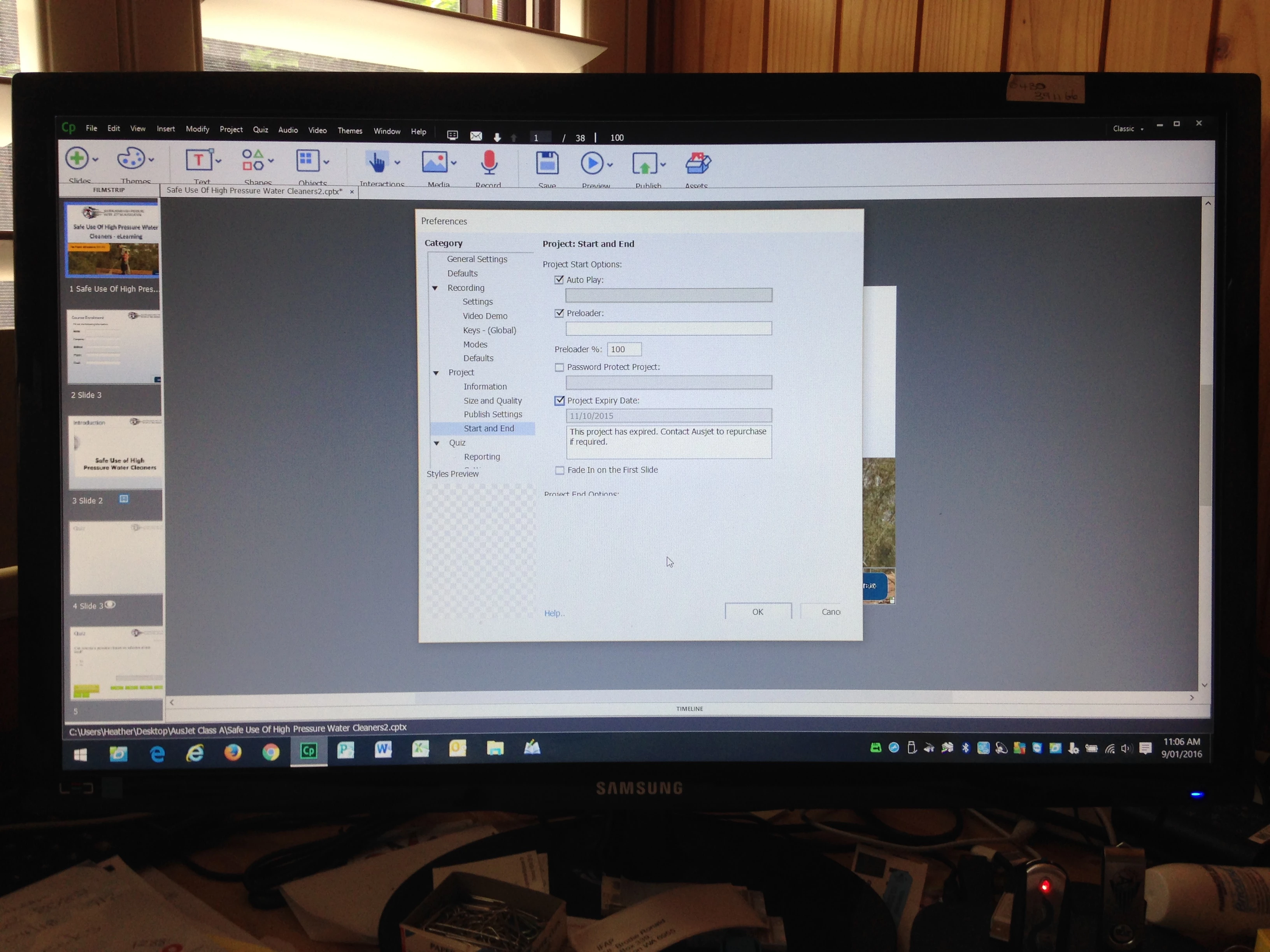
See image below - no calendar button

Problem Fixed:

Computer display setting was set to 175%. 

I set it to 100%.

Calendar button is now back. Also fixed some other display problems in Cp.

Thanks again

2 replies

masemm
Inspiring
January 8, 2016

I think I have a similar problem.  This image was sent to me from someone trying to set a project expiry date.  There is no calendar button on the right hand side to select the date.  She lives about one hours drive from me so I have limited access but was wondering if there is anything I can check or do to fix this.  She has Captivate 9 (latest update) and just updated to Windows 10.  Everything was ok when I visited a couple of months ago.

Thanks

Lilybiri
Legend
January 8, 2016

This question is totally different from the one posted by the OP. It has nothing to do with a screen display being too small? You should have posted in a new thread.

Was this project first created with a trial version and this project got an automatic expiry date one month after creation?

masemm
Inspiring
January 8, 2016

‌Thanks for the quick reply.   The project was created around the time when the licence was purchased so what you say could be  possible but I thought the project expiry only affects what you publish and not the source .cptx file.

Apologies for not starting a new thread.  I am new to forums and thought it would be better to add to what i thought  was a similar issue.  Should I repost in a new thread?

Lilybiri
Legend
December 28, 2015

Is this Captivate 9 on a retina screen? If you upgraded, did you delete the

Preferences? If not, please use the CleanPreferences file correponding

with your OS. You can find it in the utils subfoldet of the installation

folder. CP has to be closed. Previous versions do not support retina

screens.