
Captivate 9 - mailto: links not appearing if text box contains variable (HTML 5)
Hi,
If I create a mailto: link using text that contains a variable it is not displayed in the HTML 5 output. The text is there, and the link works, it is just not visible.
Here is the slide in Captivate:
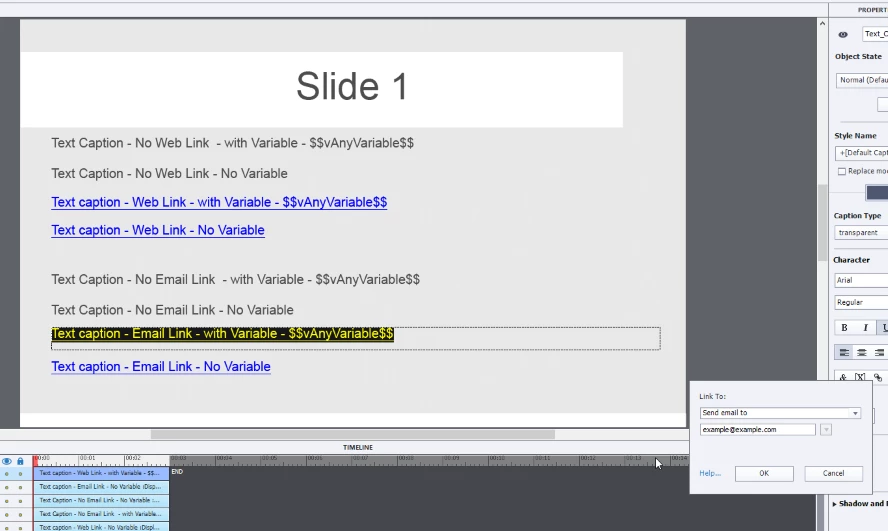
So the slide should output 8 lines - the bottom 2 of each set of 4 should be links. The first are web links, the second are mailto: links.
The output in a browser is:
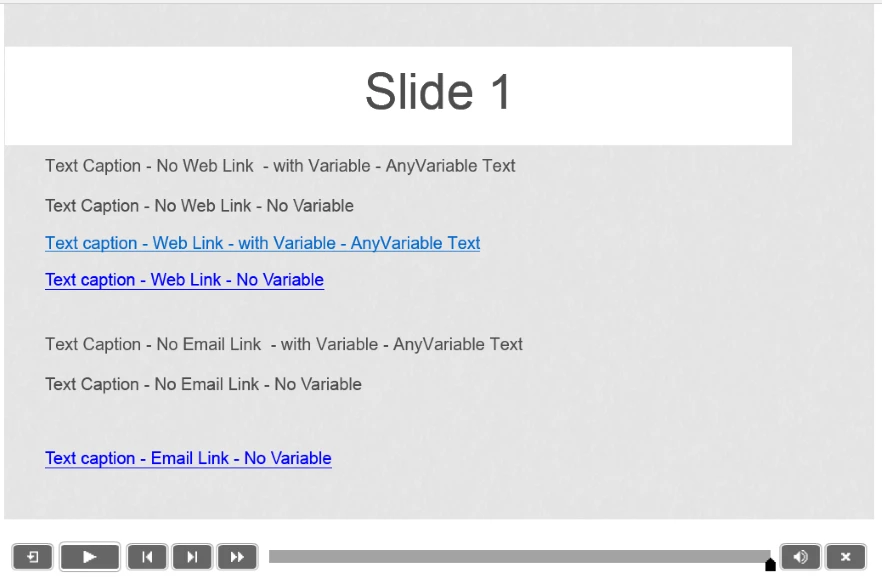
As you can see the Email link with the variable is not being displayed. Does the same on the iPad:
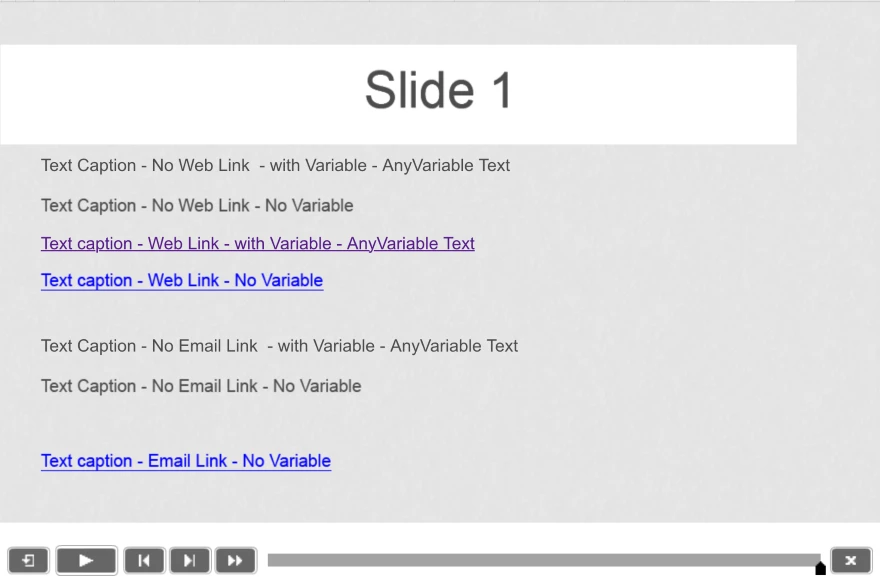
The link is there though, you can click in the area it takes up it in the browser (or tap it on the ipad) and a new email is created.
Inspect source shows:
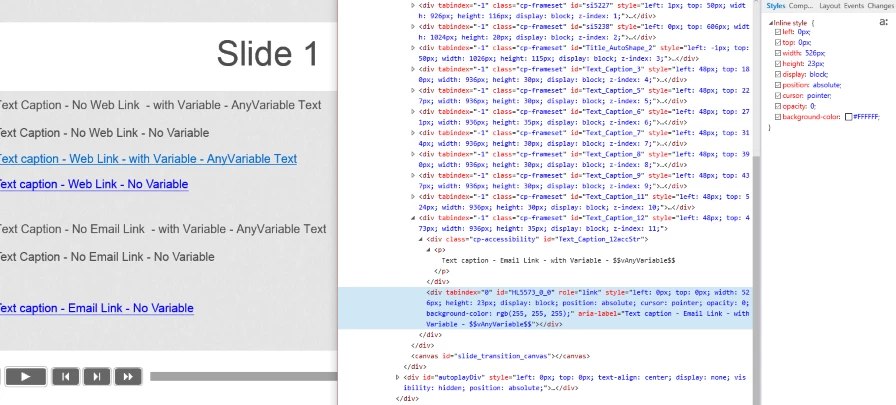
Does anyone else get this problem or know how to fix it?
I think I must be missing something obvious? Any help or suggestions appreciated.
This is a fresh install of Captivate 9 - no preferences changed or custom template used. Just a new project.
Captivate 9.0.0.223 on Windows 10 Build 10240


 AdChoices