


Participating Frequently
June 2, 2016
Question

Captivate 9 projects open with text missing

  • June 2, 2016
  • 10 replies
  • 5727 views

I did the online (subscription) upgrade from 7 to 9 last summer. Ever since, my projects open with all the slides, captions, buttons, etc intact EXCEPT that they are missing all the text! I have to click on each item in each slide to get them to display again.  An example of the filmstrip showing two slides that are missing their text is below.  I know there is a page header and text within the captions and quiz object, but they will not appear (or be publishable) until I click each and every one.
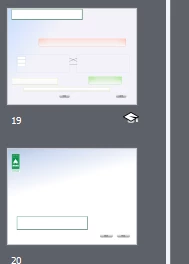
This did not happen in version 7.  I have not had many projects since the upgrade but am getting busy again and need to fix this.  Any ideas?

    This topic has been closed for replies.

    10 replies

    Participant
    June 8, 2022

    I am experiencing the same issue on my mac os Mojave. I am using adobe captivate 2019. I noticed these issues were from as far back as 2017...it's now 2022. 

    Was there a fix to resolve this issue? I would love to know as my project is overdue, and I have no more hair on my head left to tear out!

    RodWard
    Community Expert
    Community Expert
    June 9, 2022

    If you are on a Mac, you should ideally have Captivate 2019 version 11.8, not an earlier build.


    So, please check the actual build on your version by going to Help > About Captivate

    Terence321
    Participating Frequently
    December 6, 2018

    I'm having the same or a similar issue. I believe it happened after I cleared the cache, which was shortly after I monkeyed with fonts.

    Here's what I see. That text should read "CLICK NEXT TO CONTINUE."

    To fix the issue, I clicked in the font dropdown in the Character section and selected the font. The text reappeared and all seems normal so far. Unfortunately you have to do this on every slide. Though doing it for one text field on the slide appears to fix all the others.

    moyco
    Inspiring
    December 19, 2017

    This same issue just happened to me when I installed 2017 on my Mac. Now I can't open any file on any version of Captivate without the fonts disappearing. Ridiculous.

    moyco
    Inspiring
    December 20, 2017

    Update: it turns out I can open any Captivate file (v8, v9, or 10) other than the project I need and everything is fine. It isn't the project, because everyone else on the team can open those files with no problems. Interestingly enough, if I save one of those files with missing fonts and someone else opens it, they also see the same problem (no fonts showing). So it's definitely something on my system causing the problem but only with one project (50 files with advanced actions, custom quiz programming, and several hundred individual slides)

    We have re-installed Captivate (cleared all preferences and caches), re-installed the OS, and re-installed all Adobe cloud apps with no success. Next and last option is to wipe my hard drive and start over...

    andrewm12676484
    Participant
    September 9, 2018

    I have been having this same problem and I found that if I start a new project and copy all of the slides into the new project (rather than save as a new project) the problem goes away in the new project.

    Participant
    May 19, 2017

    Hello, I have a very similar problem. The difference is that just the contents of the question slides don't show up. Everything else is working pretty fine. Some users are experiencing this kind of issue, but others don't.

    Could this be a browser cache issue?

    nancyb455
    Participant
    May 16, 2017

    I, too, have this problem but only on the occasional project.  So it isn't Admin rights or where I'm saving my files.  I can't find anything consistent but sometimes I will open a project I've had no trouble with before...and all the captions are there, but blank.  I have to click on them to make them appear.  Sometimes they are blank in the filmstrip too.  Often I can see them in the filmstrip but I can't see them on the slides.  And sometimes, even if I can see them in the project, when I run the preview, the captions are blank.  Incredibly irritating.

    RodWard
    Community Expert
    Community Expert
    May 16, 2017

    How often do you clear your Project Cache?

    nancyb455
    Participant
    May 17, 2017

    Pretty often, really. I had 4 small projects in there when this issue occurred.  And again, wouldn't that affect all of my projects?

    (Thanks for the response.)

    Inspiring
    November 1, 2016

    Attn: Adobe Captivate Developers

    I am having this same disappearing text issue for over a week now. I have tried all the suggestions in this forum going back to 2013 with NO success. This my first project developed from scratch using CP 9 (9.0.0.223). I have used all CP versions 5 thru 8 (except 7) and developed much more complicated projects than this current 55 slide one and have never had this type of problem before. This current project was 80% complete before the disappearing text problem reared its ugly head!

    I am working to finish this project today and never have to open this file again   and have to go thru and click every slide element to make it appear on the slide. However I do have 3 more projects in this series under development that have been based on this template. These other 3 projects are NOT yet afflicted with the disappearing text!!!!

    I am not expecting a response .....just registering a recurring problem for Captivate users.... !!!!!!

    Lilybiri
    Legend
    November 1, 2016

    Would love to know what is causing that disappearing text, something I never could reproduce myself.

    Just popping in to tell that you are using the very first release of 9. Already 2 patches were released since that first one, the present version number is 9.0.2.437.

    jfdoyle33
    Participant
    February 9, 2017

    Hi - Found this thread after experiencing this issue multiple times with the latest version of Captivate 9 - particularly with quiz-related elements. 

    Turned out to be a mysterious re-positioning issue in my case; for example, multiple-choice question answers were repositioned with a top value of -3200%. After changing this value back, the objects displayed where expected.

    Not sure about root cause; noticed in one case the container object for the quiz text answers could be included in a selection of objects but not be shown as selected like other objects, creating surprise movements - although this did not explain a shift to -3200%! Am unable to invest time to pin down root cause, but hope this info. helps a few people minimize headaches.

    Good luck!

    Participant
    October 19, 2016

    I am having this same issue.  However, the issue for me has nothing to do with an upgrade.  I am on Captivate 9.

    Mine is a project I had been working on for weeks.  I added an interaction that I downloaded from the Assets area.  It worked great.  I was in the process of adding a rollover caption to an object in another slide when Captivate displayed the following error and shutdown.

    When I restarted Captivate, I experience the same issue "my projects open with all the slides, captions, buttons, etc intact EXCEPT that they are missing all the text". I can make it appear again if I click on all of the objects in every slide.  However, the problem is actually more complex than this.  I clicked on all of the objects and continued creating my project.  I hit "save" at the end of the day and went home.  When I opened up the saved file today, once again, the text has disappeared.  This is a serious productivity issue. Is there a fix for this?

    I should also mention that this problem is serious because when you preview the project, the text also does not show up there.  While I have not actually published the project, I have no reason to believe the text will show up in the published project if it doesn't show up in the preview.

    RodWard
    Community Expert
    Community Expert
    October 20, 2016

    How long since you Clear Cache by clicking the button in Preferences?

    Your issue could be due to an overloaded Cache folder.

    If that doesn't work, try resetting the Preferences folder.

    Participant
    October 20, 2016

    Thanks. I tried both suggestions and unfortunately, netiher option fixed the issue.

    Participating Frequently
    June 15, 2016

    Doesn't help - I did 'save as', then applied a different theme.  It looks like hell because of different font colors & sizes, of course, but then I saved, closed the project, exited Captivate, launched Captivate, opened the project - the same things were missing from the display. 

    One other thing to note is that this particular project was originally created from a couple slides imported from Powerpoint and the background seems to be locked down -- it didn't change when I tested a different theme.  But I don't think that's the problem because the missing-text behavior has also occurred in other projects that were not based on imported background (powerpoint or otherwise).

    I actually can't afford the time just now to do the upgrade that Lilibiri suggested, so am coping by not closing the project, just saving often & leaving it all open from one day to the next, which I imagine brings its own risks, as I haven't rebooted in several days. Would really like a solution....

    RodWard
    Community Expert
    Community Expert
    June 15, 2016

    Where are the Default Location folders in Preferences pointing?  Are the folders youv'e chosen for Project Publishing and Project Cache located on your own PC hard drive?

    Participating Frequently
    June 15, 2016

    Publish and Project Cache are both pointing to the C:\ default folders that were set up in the initial installation.

    Participant
    June 14, 2016

    I am seeing this same behavior. I had a few smaller projects we needed to combine into a single SCORM file, so I started a new project and copied the slides from the smaller projects into the larger project. I did this, and then previewed and published with no issue. However, when I close the combined project and then re-open it all my quiz item text and smart shape text is gone. When I click to that slide, and click on where the text should be, it re-appears, but I still can't preview in HTML5 in browser, I get a message "Publish failed" and when I try to publish, I get the same message. When I preview in browser it works, and when I copy and paste the entire project again into a new file, it works (until I close and re-open the project). I've cleared my cache. I've closed and re-opened captivate. I'm using Cap 9.0.0.223. This hasn't happened to me in other projects and I've used copy and paste many times. Oddly when I duplicate the slides with missing text in my broken project, the text shows back up but still doesn't preview or publish. I've even re-copied the sections from my large project as smaller projects, and this bug is repeated in those (works once and then when I re-open, it's broken.)

    I'm including an image so you can see how filmstrip shows the text but the project has it missing. This is infuriating and also an unacceptable bug. I've been able to replicate it now 4 times in different projects. All the projects were created in Cap 9 from scratch using a Cap 9 created theme.

    Lilybiri
    Legend
    June 2, 2016

    These are upgraded projects, right? Do you have the same problem when you create a new project in Captivate 9? I'm asking this to verify if it is an upgrade issue?

    Which theme did you use? Can you check the used object styles, especially for the color of the characters? Which font was used in the original file?

    When you updated Captivate did you follow the instructions to clear the Preferences and Layouts folders?

    Can you check the exact version number: it should be 9.0.1.320

    Participating Frequently
    June 2, 2016

    The early projects were upgraded, yes, but now I'm working with brand-new projects.  I made a new theme based on a couple (simple) Powerpoint slides, but many of the objects I'm putting in were created back in the version 7 theme. --- but once I insert a text caption (for example), I'm changing it back to a stock style on the Properties tab.  I'm not changing the font properties (Calibri Light, black)

    The missing text even occurs on stock items like the pick Failure Caption and standard quick objects (the first slide visible in my earlier screen shot).

    I don't recall for sure if I clear Preferences and Layouts, but it sounds familiar. If there's no harm in doing it again, can you summarize the steps?

    Currently I'm running 9.0.0.223

    thanks!

    Lilybiri
    Legend
    June 2, 2016

    Your screenshot is very small, couldn't see anything clear there.

    Please upgrade to 9.0.1.320 to start with. Before installing the upgrade, clear the Preferences. There is a CleanPreferences file in the subfolder Utils under the installation folder of Captivate. You can also clear the Layouts folder in the Public documents. I don't know if you are on Win or Mac. You'll lose customisation, so be sure to keep your custom themes in a safe place. More details:

    http://blog.lilybiri.com/cativate-8-dot-0-1-install-keep-your-customisation

    Calibri light is not a very good idea, it is not a websafe font at all. (and a typical MS font...).

    You have to check the object styles, which are part of the theme. Upgrading themes over two versions, with pretty much changes since CP8 (where responsive projects and a refurbished UI was introduced^can create those problems. Did you try one of the new themes to see if they have the same problem?