
Captivate 9 Quiz Alignment issues
Hello All,
I am having quite a bit of trouble and am unable to find a solution anywhere on the web (so far).
Let me explain the situation:
I created a master deck for my company and put everything into the right color schemes and everything in the Master Deck looks perfect.
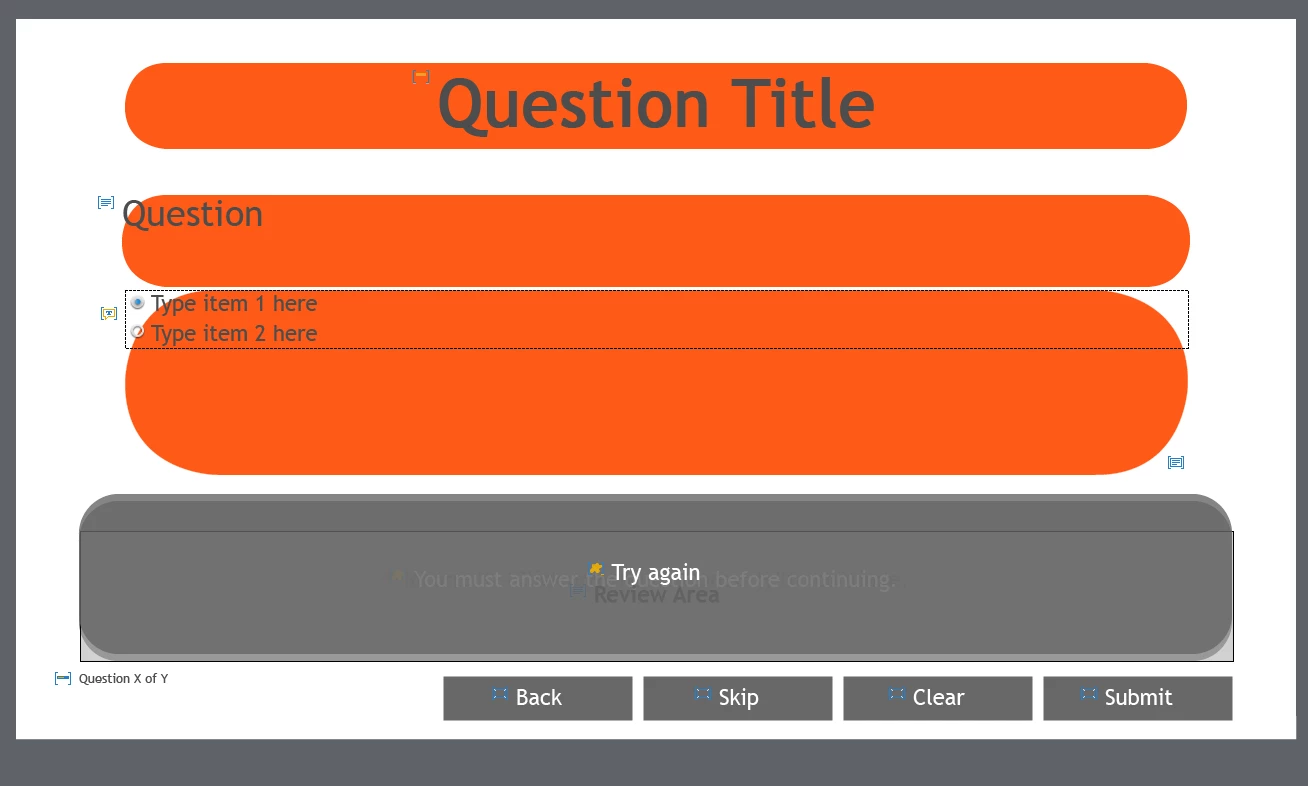
However when I add multiple choice or true/false quiz slides to a new project the answer alignment is overlaid and cannot be adapted.
After I noticed this, I went back to the master slides and tried to change the alignment there before trying to add the slides to a new project.
Once again the A/B answers where overlaid and I was unable to move either to a different location.
Attempting to grab the answer box and moving it causes all other objects and shapes from the slide to warp out of shape while the overlaid answer boxes remain exactly the same.
The master slides that are effected are: MCQ, T/F, FIB, Sequence and MCQ, T/F, FIB, Sequence2
My version number is: 9.0.1.320
Thank you in advance for any and all help.
Sincerely,
Sean
 AdChoices