
Known Participant
January 8, 2016
Answered

Captivate 9 Responsive layout - Maximum "slide height"

  • January 8, 2016
  • 2 replies
  • 1471 views

Hi,

We are creating a responsive design course. for the layout in mobile view; the problem we are facing for the work area.

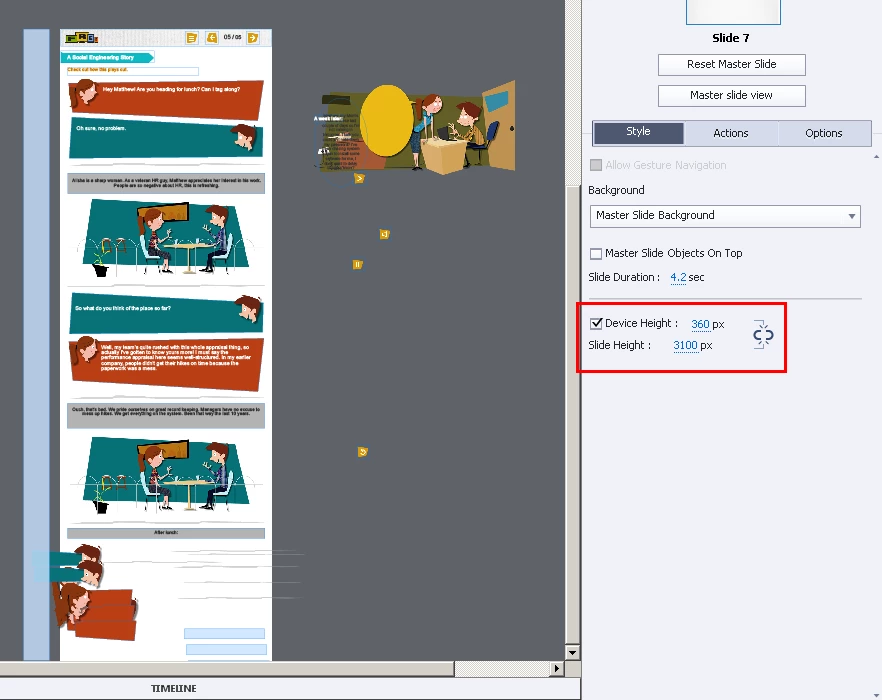
We have set the Slide Height to 3000px, however the work area displayed where we can actually utilize layout maximum of 1900px.

Let us know the maximum work area for responsive mobile layouts.

Please find attached the screenshot for the slide height settings with screen area displayed.
Thanks,

Mayuresh Saka

    This topic has been closed for replies.
    Correct answer RodWard

    I understand your view, but you may be forgetting that Adobe now has several different products all targeted at creating content for HTML5 and mobile devices.  Most of those other products DO create scrolling pages (Adobe Dreamweaver, Muse etc). 

    So I don't think you will find Adobe all that amenable to the idea of redesigning Captivate to work this way when it already has a sold niche established with presenting content using a slide-based methodology.

    However, I don't actually work for Adobe (or at least they don't pay me to answer these posts) so you may turn out to be correct and we'll see scrolling HTML5 slides in Captivate 10.  Who knows?

    2 replies

    Lilybiri
    Legend
    January 8, 2016

    For responsive projects, especially for mobile, it is normal to have a height that is bigger than the browser window height, but do you really want the user to scroll down so much? Most browsers on phone do not have a height that exceeds 640px, 3100px is 5 times that size.

    RodWard
    Community Expert
    Community Expert
    January 8, 2016

    I think you are approaching this the wrong way.  You need to think of Captivate content as being like PowerPoint slides, not as being scrolling web pages.

    Captivate is not designed to be used the way you are trying to use it.

    Known Participant
    May 20, 2016

    I respect you a ton, Rod, but I think it's not "approaching this the wrong way." I think Captivate needs to get outside the limitations of PowerPoint Slides, and it's entirely appropriate for Captivate to help create scrolling web pages, especially for flow charts, process training, etc. Especially since the limiting factor on mobile browsers tends to be the width, the height needs to be unrestricted.

    The methods for delivering training content are breaking out of the the "text and graphic on a page" presentation style. I'm hoping that the next iteration will allow the design interface to scroll all the way down to the preferred slide height as set by the designer.

    RodWard
    Community Expert
    RodWardCommunity ExpertCorrect answer
    Community Expert
    May 21, 2016

    I understand your view, but you may be forgetting that Adobe now has several different products all targeted at creating content for HTML5 and mobile devices.  Most of those other products DO create scrolling pages (Adobe Dreamweaver, Muse etc). 

    So I don't think you will find Adobe all that amenable to the idea of redesigning Captivate to work this way when it already has a sold niche established with presenting content using a slide-based methodology.

    However, I don't actually work for Adobe (or at least they don't pay me to answer these posts) so you may turn out to be correct and we'll see scrolling HTML5 slides in Captivate 10.  Who knows?