

Captivate 9 Rollover always on top or Front
Problem:
I cannot get a rollover image to move to the back of a slide, when the slide is played.
Details:
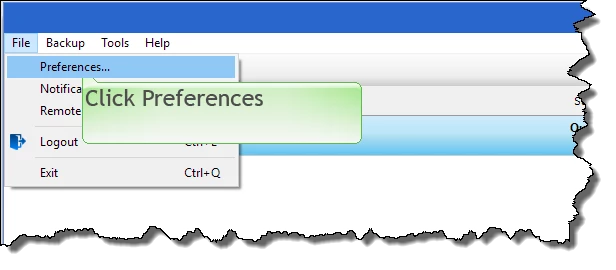
I have added a rollover image and a text caption. The text caption is using a “Halo Green” callout with a pointer or tail pointing to the area of the screen where I want a user to click.
The desired effect is that when the user moves their mouse over the area to click, the rollover image is shown, simulating what it looks like in real life.
All of the above works fine, with the exception that the rollover image is always displayed as the top most or front view and therefore covers the text caption.
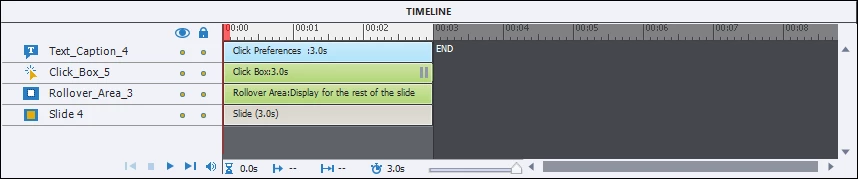
I have right-clicked on the rollover image and chosen Arrange > Send to Back. I have also right-clicked on the text caption and chosen Arrange > Send to Front.
When looking at the slide it looks correct (with the rollover image in the back), but when the slide is played, the rollover image is displayed on top and covers the text caption (see image below).
I have done this many times with previous versions (Captivate 4), but now with Captivate 9, it doesn’t seem to work.
How can this be fixed?
 AdChoices