
Captivate 9 .svg Files used in Shapes Mysteriously Display other .svg Files from Library?
Aye, caramba!
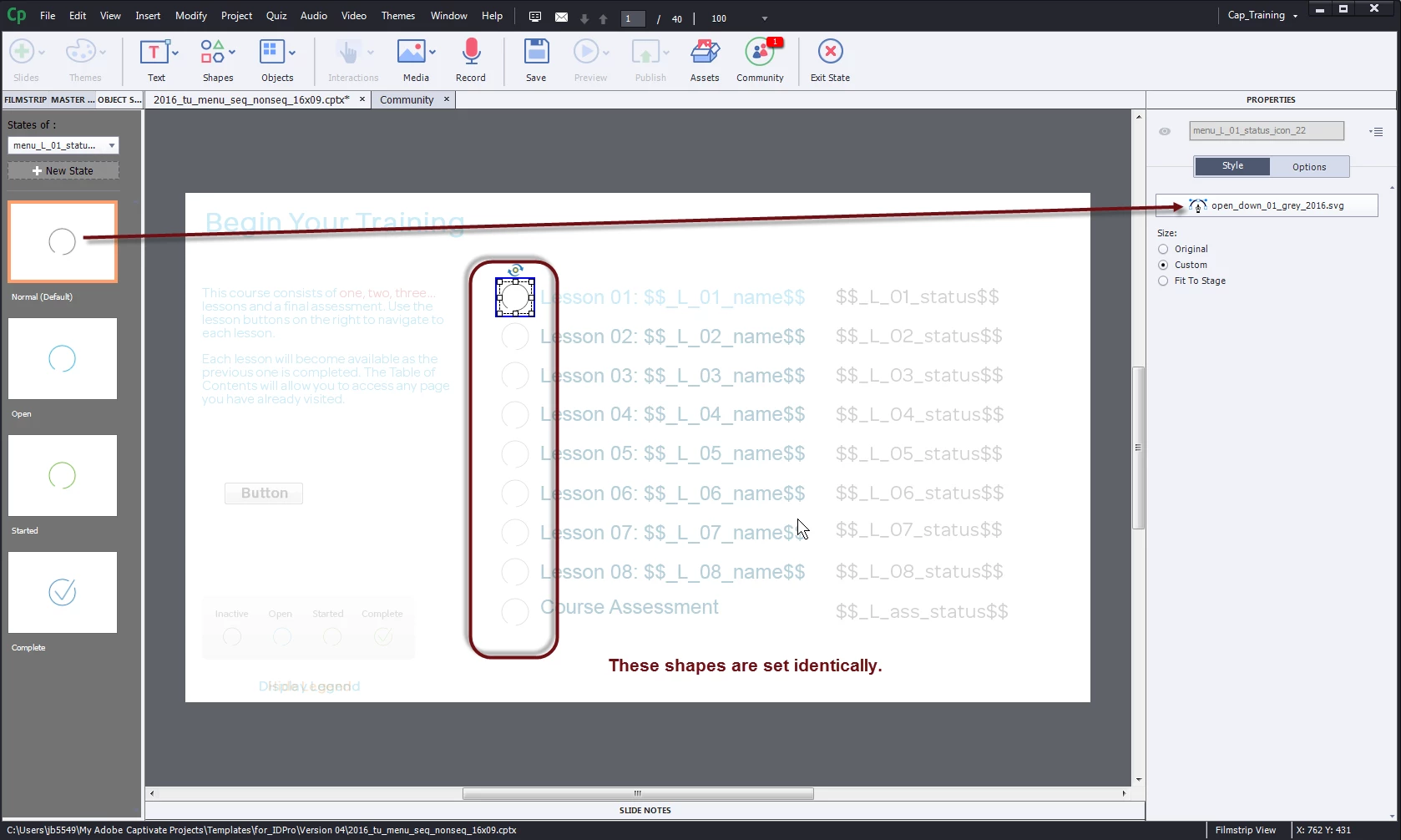
Ok, so working in Captivate 9.0.2.421, I have a slide with multiple shapes (duplicates of the first one I created.). The shape has four states, each state a different .svg file. There are a total of nine copies of this shape.
I have several dozen .svg files imported to the library, but I'm only using four within this shape.
I have an advanced action that checks a variable, and based on the content of the variable changes the state of the shape to show the .svg file (which I'm using as an icon). I've been having issues with these shapes mysteriously displaying .svg files that I didn't put into them whenever I try to preview or publish the course, so I go back to this slide to see if I made a mistake.
I check each shape in State View, each state of each shape shows exactly what I wanted, so I figure it's a little craziness. In order to ensure that I get the .svg file I want I go back through each one of the nine shapes and individually reset each state of each shape to exactly the .svg file I want (that's 36 resets, for those keeping score at home).
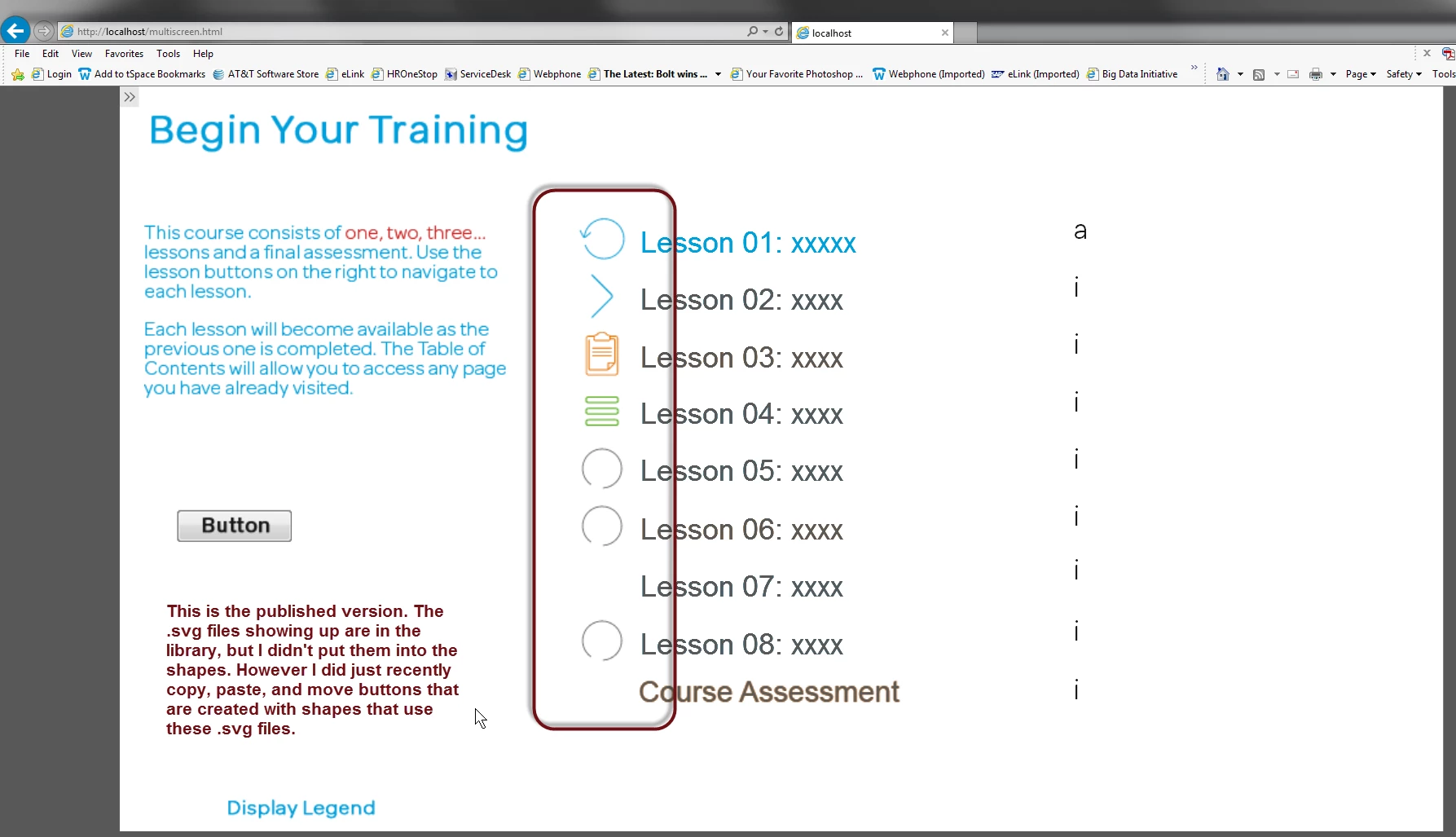
So I have all of these shapes all set, the files saved, and I'm working on another slide. I move some buttons around, copy and paste some from one slide to another, and then publish the file to .swf + html5, and view the course from localhost.
The last four .svg files I touched are showing up in my shapes, but when I check them out in Captivate my shapes still show what I put there. So Captivate is publishing out .svg files that I did not bring into my shapes. Captivate appears to be displaying the contents of the last few items I put onto the clipboard, instead of whatever I put into the shapes.
I've already filed a bug report, but I figured I'd document this here as well.
 AdChoices