
Known Participant
May 18, 2017
Question

Captivate 9 to Captivate 2017

  • May 18, 2017
  • 2 replies
  • 868 views

Hello,

I have recently upgraded working Captivate 9 projects into the recent Captivate 2017 version. However the published projects won't play well as how it used to when published from the older version (9).

I am prompted with a flashing Captivate 9 preloader coupled with a consecutive-non stop clicks. Strange since I published the package using the 2017 version.

Attaching underneath necessary screenshots:

The error:
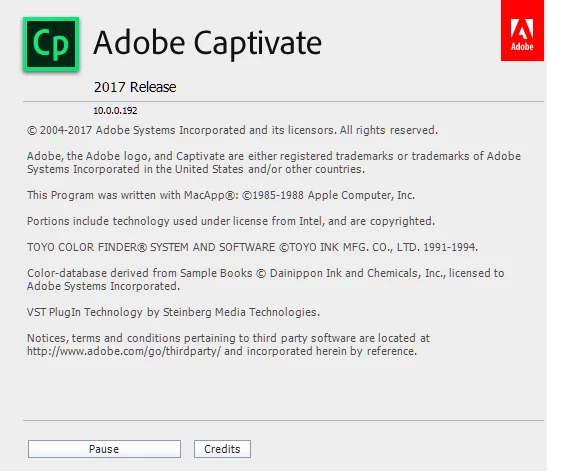
Current version used:
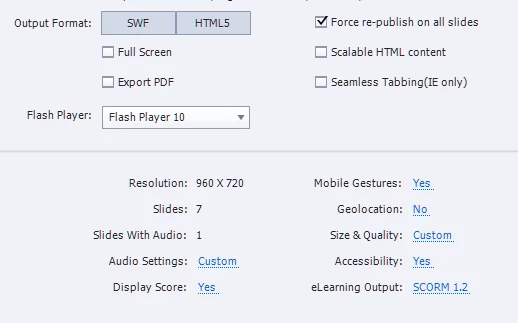
Published settings:
Looking forward for your responses.

I tried reverting the file, but it seems not supported.

Regards,

Alvin

    This topic has been closed for replies.

    2 replies

    Known Participant
    May 18, 2017

    The names of the buttons is not certainly the root cause. Tried changing them to basic names (a...z) but to no avail.

    These 5 buttons/smartshapes serves as the navigation control, thus they are inserted on first slide and properties are set to Rest of the Project.

    If 4-5 of the buttons' timing set to Rest of the Project, the error is visible. However setting 1 to 3 of the buttons'  timing to Rest of the Project and leaving the other 2 to Rest of Slide/Specific Time, then there is NO error.

    Is this a bug?

    Lilybiri
    Legend
    May 18, 2017

    It only happens with upgraded projects, not with new projects in 2017? Are you talking about a responsive or a normal project, please? Timing for rest of project is not possible in Fluid Boxes, but since this is an upgraded project, even when responsive it would be in Breakpoint View work flow. Because I want to double-check your problem, have to know which type of project you are working on?

    Known Participant
    May 19, 2017

    For this reported case, yes this is limited to upgraded project(s). These are normal projects. 'Im willing to share the project, specifically the slide where the problem is coming from for further analysis and investigation.

    RodWard
    Community Expert
    Community Expert
    May 18, 2017

    This sounds like there may be some corruption on one of your slides that has occurred during the upgrade of the file to the new format.

    I suggest you try hiding groups of slides and republishing to see if hiding some section of the project will fix the issue.  If you can fix it this way, then narrow down further which slide or even which object might be causing this.

    Known Participant
    May 18, 2017

    Why it gets corrupted? I have tried redoing the upgrade by still same problem.

    Is there any list/documentations on the configurations/settings/assets that aren't supported in the newer version?