

edealfredo
Participating Frequently
April 14, 2020
Answered

Captivate Advanced Actions 2019

  • April 14, 2020
  • 1 reply
  • 877 views

Hello!


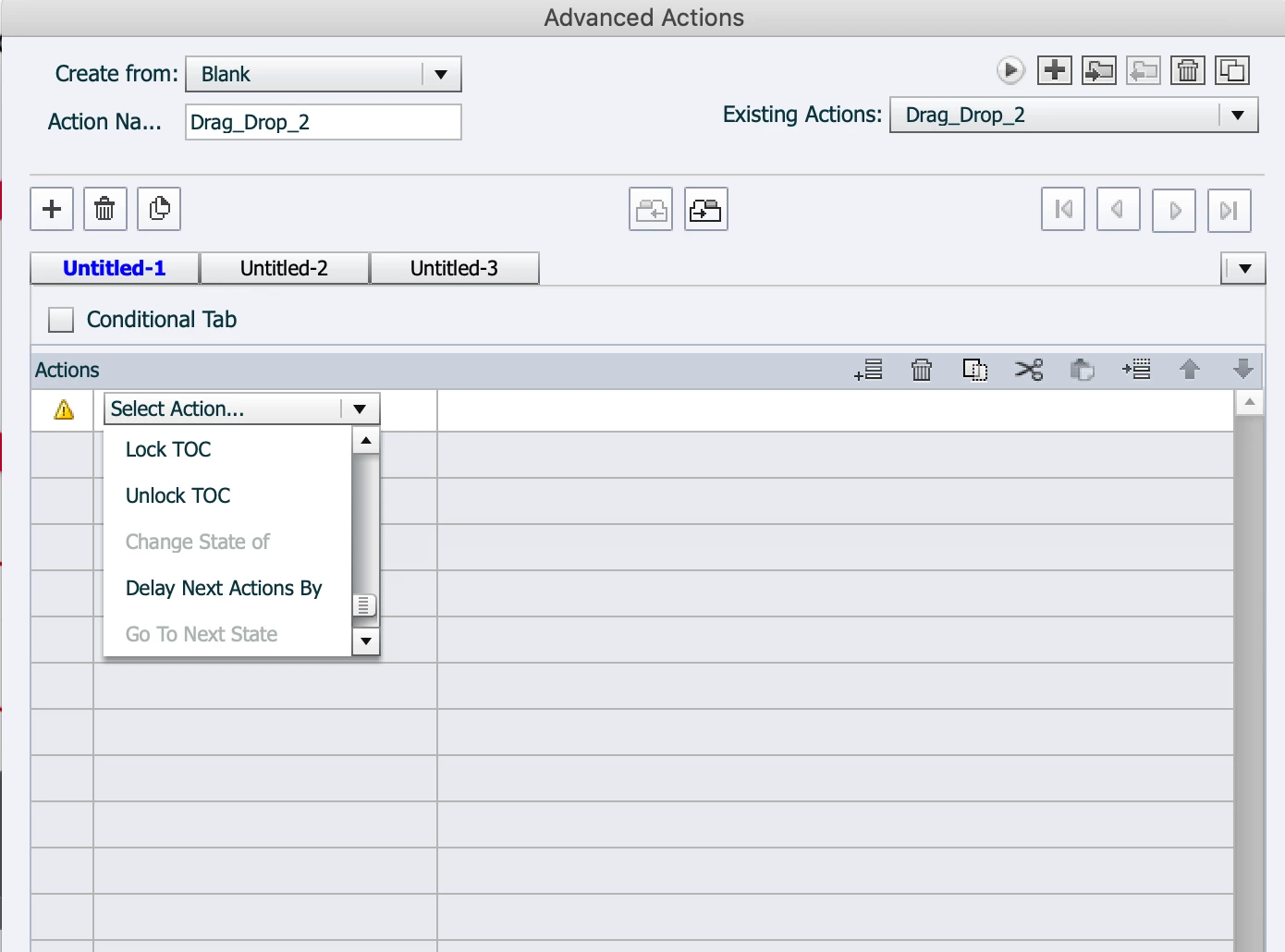
I am trying to execute advaced actions with buttons in the 2019 Captivate and for some reason when I try to excute it the option "Change State Of" is greyed out and I cannot use it. Could anybody help me with this issue? 


Thank you! 
This topic has been closed for replies.
Correct answer Lilybiri

What you show is an interactive object with InBuilt States, not custom states. InBuilt states happen in a specific situation. Add a custom state  and the commands will appear.


More information:

http://blog.lilybiri.com/about-state-commands-and-a-progress-bar


1 reply

Lilybiri
Legend
April 14, 2020

Normally this means that you do not have any multistate object.

What do you try to do? I see in he action name that you are busy with Drag&Drop? 

edealfredo
Participating Frequently
April 14, 2020

So, even when I try to create a new advanced action, it is still greyed out. I am also working with mutliple state objects. Basically what I am trying to accomplish is that when the user is done with that first module (see the icon) when they are back to that main menu that button/image becomes grey showing what they have accomplished so far. 

Lilybiri
LilybiriCorrect answer
Legend
April 14, 2020

What you show is an interactive object with InBuilt States, not custom states. InBuilt states happen in a specific situation. Add a custom state  and the commands will appear.


More information:

http://blog.lilybiri.com/about-state-commands-and-a-progress-bar