


Captivate: Continue Button on Results Slide is not working
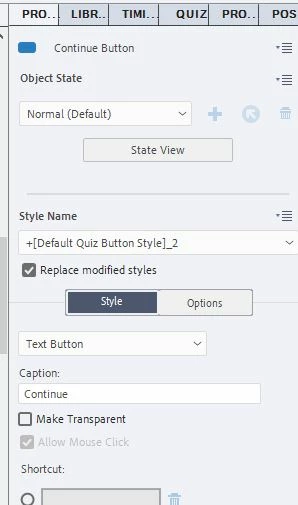
I've seen the posts similar to this from 2014, 2015, etc. I have Captivate 2019. I inherited the CPTX file in which the Continue button was transparent, positioned off the stage / slide, and unused / unpublished in the LMS. I now need to enable the Continue button by changing the style and position on the quiz results slide. It publishes fine, and the Continue button now appears at the end of the SCORM. I also checked the Publish Settings > Quiz > Pass or Fail. It is set to continue on pass and continue on fail. And pass is required with multiple attempts allowed. I checked the settings for the Continue button, and "Allow Mouse Click" is enabled, though shaded.
However, in the LMS, the Continue button merely changes color / appearance on a down click but no action results from it as expected. I also checked it in the Preview, and the same problem occurs. I can click on it, but the Continue button has no impact. Why doesn't the Continue button work as expected (i.e. closing the SCORM at the conclusion)? How can I solve this, please? Thank you!
 AdChoices