carriebrown
Known Participant
August 17, 2021
Question

Captivate course not marking as complete

  • August 17, 2021
  • 3 replies
  • 1443 views

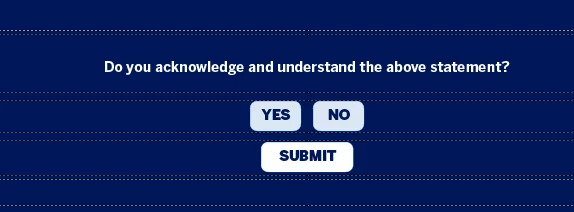
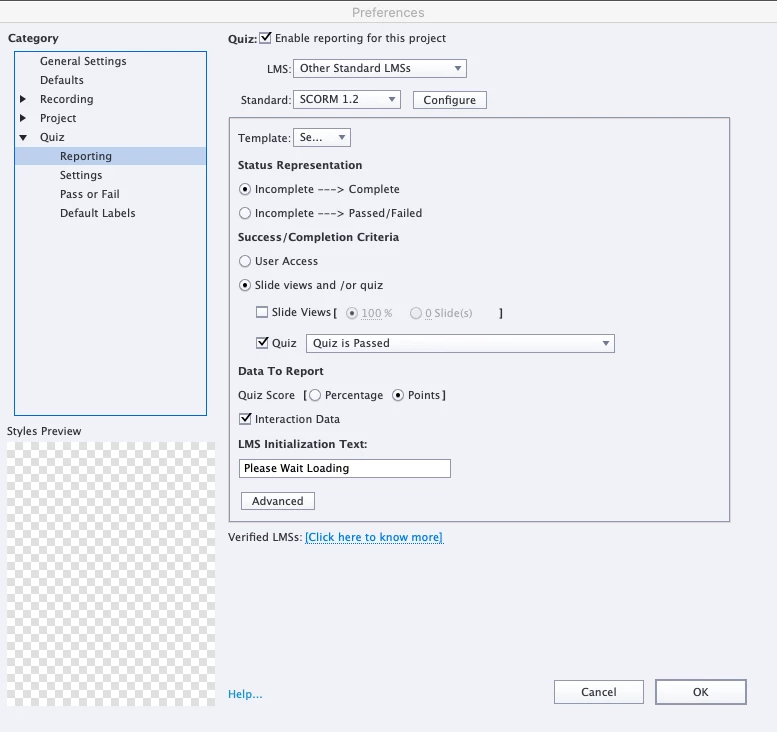
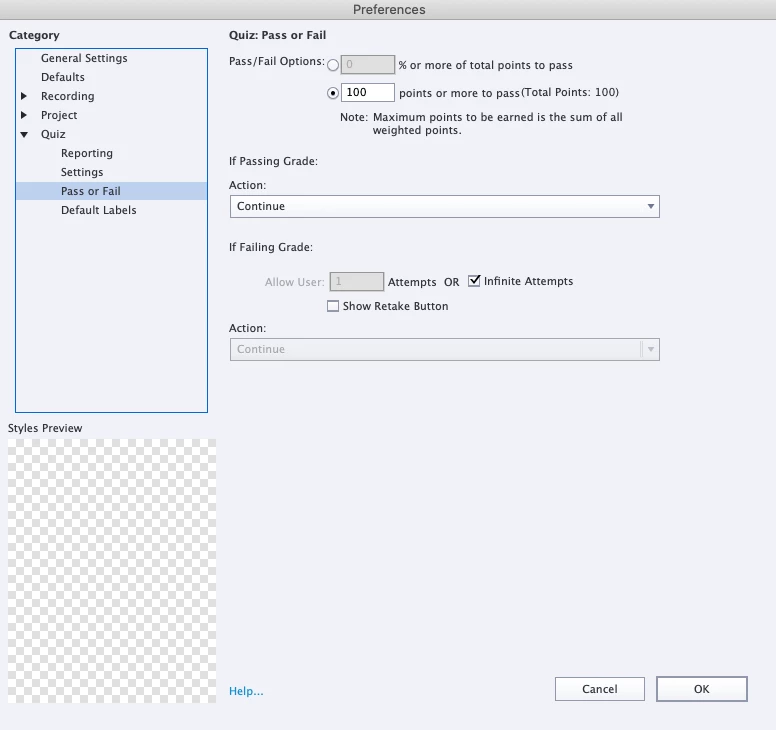
I have created a course with yes and no buttons and submit. Yes is set at 100 points and no and submit not set to report. For some reason the course is not marking as complete at all, even if yes is clicked - it is still saying in progress/incomplete. Basically I want the course to mark as completed if Yes is clicked and in progress/incomplete if no is clicked. How can I get this to happen? My settings are attached.
    This topic has been closed for replies.

    3 replies

    Lilybiri
    Legend
    August 18, 2021

    Please, avoid to post a question multiple times. You may ignore that the people answering on this forum are users who spend free time trying to help other users. It is rare to see staff members here. Understand that it is annoying to see the same question being repeated over and over again. Similar to Rod I already offered you a solution, which you even claimed to be successful in another thread.

    colorito_elearning
    Participating Frequently
    August 18, 2021

    He can ask whatever he would like.

    RodWard
    Community Expert
    Community Expert
    August 18, 2021

    Is this now the third time you have posted this same question in this forum?

    carriebrown
    Known Participant
    August 18, 2021

    Thank you for your help - did you have a solution that might help? 

    RodWard
    Community Expert
    Community Expert
    August 18, 2021

    I have already been giving you solutions in the other threads you posted about this same issue.

    colorito_elearning
    Participating Frequently
    August 17, 2021

    I'm going to make an assumption here that when "no" is clicked, it's because the learner doesn't agree to and/or understand something in the material and needs to go through the course again? If so, this is what I would do:


    Set it so that "No" takes learners back to some pre-determined area within the course (ex: the start screen). This is accomplished by setting the action on the "No" button to "Jump to Slide xx". At the same time, I would add an extra slide to your course that is only accessible by clicking the "Yes" button. The action you'd set for the "Yes" button is "Go to the next slide". On the following slide, I would put some sort of message along the lines of "Thanks for completing this course! You may now close your browser window".


    In addition, you'll need to click the "Slide Views" checkmark above and set it to either 100% or whatever the maximum number of slides are within the course. By adding this extra slide and keeping the slide view passing criteria at 100%, you will accomplish what you described above.


    Lilybiri
    Legend
    August 18, 2021

    @colorito_elearning  Be careful with 100% slide views, which is not to be trusted for all LMSs.  There are much better solutions as have been explained in parallel threads with the same question from the same user.

    colorito_elearning
    Participating Frequently
    August 18, 2021

    Do you enjoy telling everyone they are wrong? You seem to really take pride in shooting down everyone's ideas. You've done this to me multiple times on other threads, and not just to me. You tell everyhone "they are being confusing".