taram11338501
Participating Frequently
February 13, 2017
Question

Captivate Crashes after Publishing MP4

  • February 13, 2017
  • 2 replies
  • 610 views

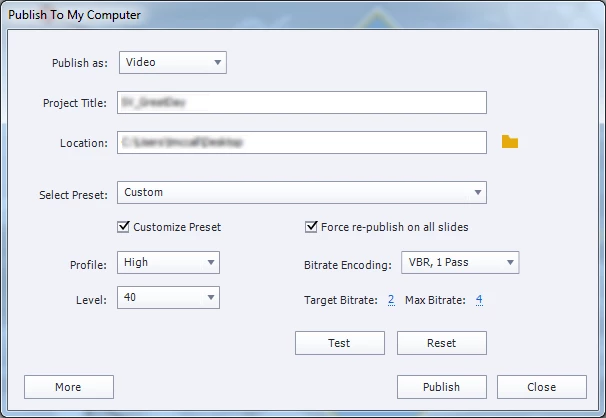
I am using the following settings...

The MP4 publishes, but sometimes audio sounds off...then I get this message:
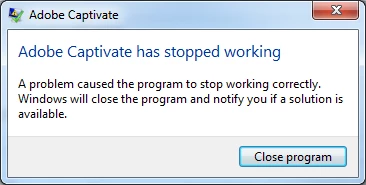
I can't imagine everything is working properly when this happens...I only have one slide I am testing right now.  I am afraid to build out the whole project then not be able to publish.

Thanks in advance for help!

This topic has been closed for replies.

2 replies

Paul Wilson CTDP
Community Expert
Community Expert
February 14, 2017

If you aren't already, you may wish to ensure that you are running Adobe Captivate with administration rights. This is particularly important when performing certain activities that involve video capture or publishing.

Paul Wilson, CTDP
taram11338501
Participating Frequently
February 14, 2017

How do I know that?  I am currently using the 30 day trial to see if my company is going to purchase the tool for permanent use, so I am a total newbie. 

Lilybiri
Legend
February 14, 2017

Depends on the OS you are using? You do not need full Administrator rights, just the right to Run as Administrator for the Captivate application. Since you mention a company, this will probably mean that you have to talk with the IT people in your company.

How big is the cptx-file? The original size/resolution was very big, which is not always a good approach. You have to take into account how the course will be deployed and what the average screen resolution is used by the participants in the course. If it is deployed in a LMS, that LMS takes up some of the real estate (pixels) of the screen, if you use a playbar, that will add at least 19pixels in the width, if you use a TOC in separate view it will add at least 250px in the width etc... That means that a width of 1600px will rarely be available to the users. Since Captivate is mostly bitmap based, rescaling a project will always lead to quality loss as well.

Fine that you updated to the last release, but did you read the Release notes: clean preferences, delete some public/shared folders?

Lilybiri
Legend
February 13, 2017

Which version are you using? Exact number please, you can find it under Help menu, About Captivate.

Latest version is 9.0.2.437.

taram11338501
Participating Frequently
February 13, 2017

I checked & needed to update (so I am using 9.0.2.437), but it still crashed.  I just re-scaled the project to 1200x735 from 1600x980.  Is that a known issue...publishing errors based on project size?  If so...what is the max I can do & have it publish successfully?