


Avgoustinos1917
Known Participant
July 17, 2020
Question

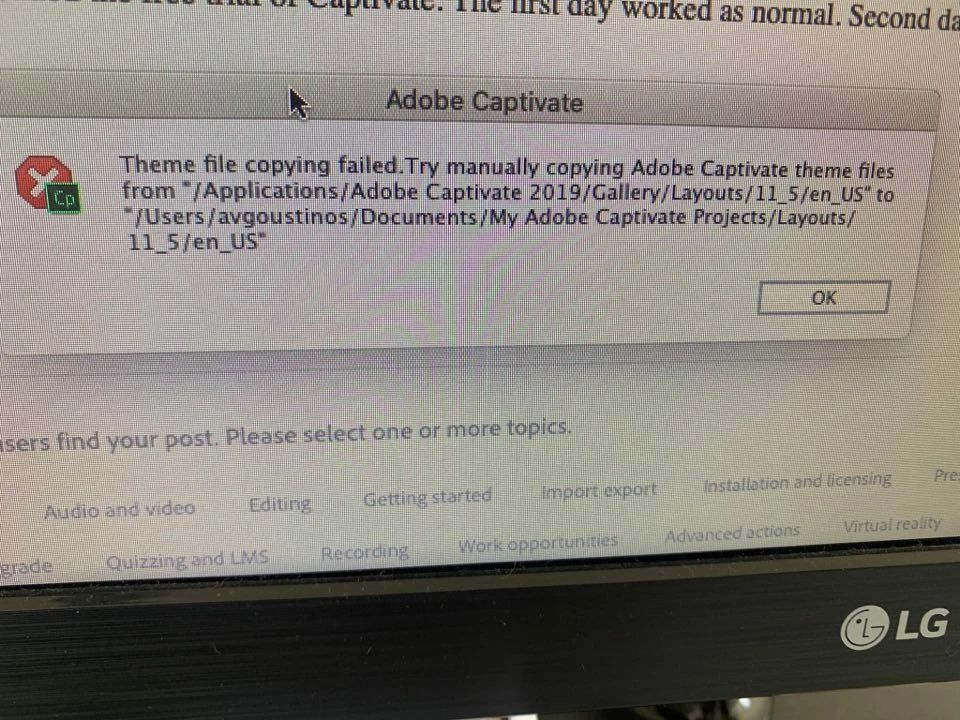
Captivate crashing on start up

  • July 17, 2020
  • 2 replies
  • 480 views

Hello guys,


I have downloaded the free trial of Captivate. The first day worked as normal. Second day is crushing giving me this warning...

Any ideas will be helpful.

Many thanks

    This topic has been closed for replies.

    2 replies

    Participating Frequently
    July 17, 2020

    Hi,


    I am from Captivate support team. I have just emailed you to discuss the crash issue you are facing. Please reply back to the email and we can connect to troubleshoot the issue.


    Regards,

    Mayank

    Avgoustinos1917
    Known Participant
    July 24, 2020

    Hello Mayank,


    Issue resolved by fully formatting my Mac and space on disc created, hopefully this will continue.


    I have another question though - I want to create a custom gradient colour for my slides background although I can only see a few colors available, any ideas? 


    I couldnt find anything in the web...


    Many thanks, Avgoustinos

    Lilybiri
    Legend
    July 24, 2020

    I am not Mayank, and this is not related to the topic of your thread at all.

    A Captivate project is based on a theme. Each theme has object styles, master slides, theme colors, theme fonts and a skin (eventually also Recording defaults). If you want a background which is a gradient for all your slides to start with, you can use a gradient as Project Background. Or you can choose to have the Main Master filled with a gradient. Or you can have a gradient for some daughter slides...


    Mostly you'll have to look at the Fill button. You can choose between three types of fills:

    • Solid color
    • Gradient
    • Image (or texture).

    If you choose Gradient, you can use one of the available gradients, or create a custom gradient. It is similar to the way you can create gradients in Photoshop, but doesn't have all the power of custom gradients in Illustrator.


    Lilybiri
    Legend
    July 17, 2020

    Why do you duplicate the original post to which I have answered several times? Don't understand...

    Avgoustinos1917
    Known Participant
    July 17, 2020

    To get more advices. I'm new here so any advise is welcomed. Shall I delete it? 

    Lilybiri
    Legend
    July 17, 2020

    This is only frustrating for other users like me to get duplicates.... Please do not do that. Your first question and thread is still online, makes no sense to repeat it, will only make people angry.

    I already got an answer from the staff, someone will contact you on the original thread or by PM.