Participant
May 21, 2020
Answered

Captivate - cuts off fields and buttons on right side

  • May 21, 2020
  • 2 replies
  • 529 views

I downloaded the trial version of Captivate and I am working through various tutorials. I have noticed that the content of some windows is cut off on the right side. Below are two screen caps — 
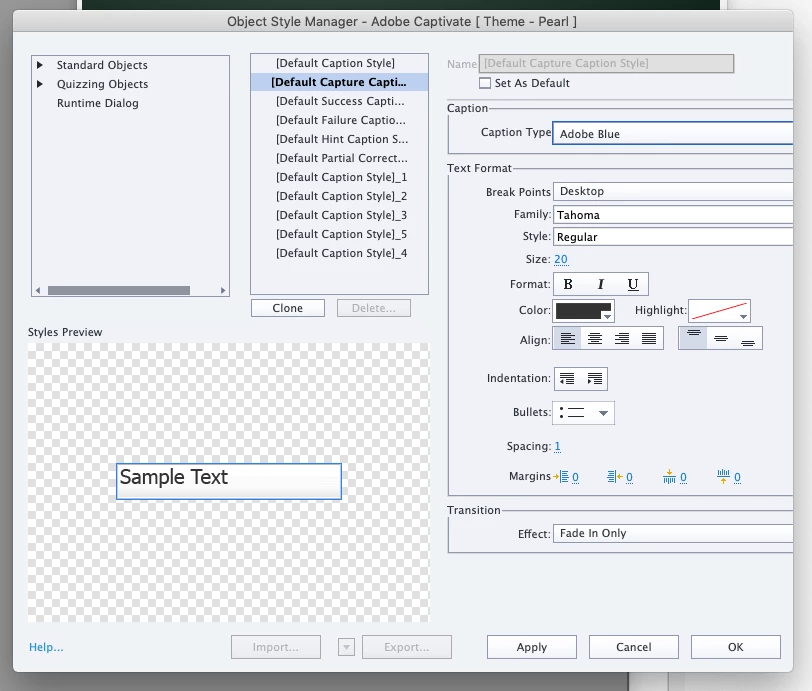
 

I am using Captivate 2019, 11.5.4.613 (the free trial right now) on a Mac, 10.14.6.

Is this a known issue?

Thanks

    This topic has been closed for replies.
    Correct answer jimb27430424

    Problem solved—
    I often work with projects in 10-15 languages and I had one font name that was unusually long. I removed that one font and everything displays correctly now. Somebody from Adobe got back to me and one of the things he mentioned was a long font name. That put me on the right track.

    2 replies

    jimb27430424AuthorCorrect answer
    Participant
    May 22, 2020

    Problem solved—
    I often work with projects in 10-15 languages and I had one font name that was unusually long. I removed that one font and everything displays correctly now. Somebody from Adobe got back to me and one of the things he mentioned was a long font name. That put me on the right track.

    Paul Wilson CTDP
    Community Expert
    Community Expert
    May 21, 2020

    It looks like you are using a Mac. Check your Scaled resolution. Selecting larger text instead of the default setting in your Built-in Retina Display in System Preferences can have an adverse effect on windows being rendered correctly. Try returning it to the default setting and see if that fixes your problem. If not ask for help from Adobe. You can email them at CaptivateHelp@adobe.com.

    Paul Wilson, CTDP