Known Participant
May 17, 2018
Answered

Captivate Drag and Drop_Narration Audio Question

  • May 17, 2018
  • 1 reply
  • 434 views

Hi

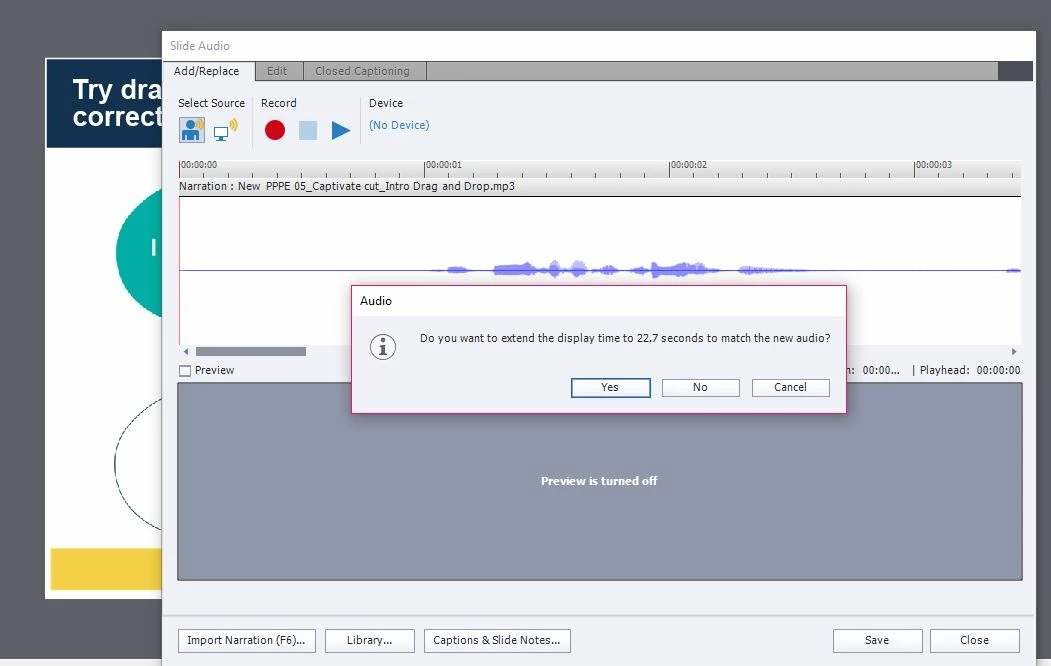
I have created a simple drag and drop exercise to which I need to add a audio narrative - the audio is 24 seconds long.  When I import the narrative to my slide I'm asked if I would like the slide to extend to the length of the narrative. If i click 'no', my audio cuts off and if i click 'yes' it actually makes my slide much longer than the length of the audio even though visually on my timeline they appear to match.... so the learner is sat looking at a blank screen.....??

Any help would be very much appreciated,

Thanks

Kim
This topic has been closed for replies.
Correct answer Lilybiri

Hi Lilybiri

Thank you - I've recreated it.... see screenshots below...

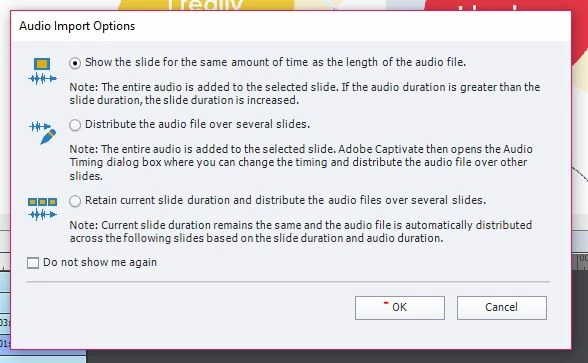
This is the audio option I selected...

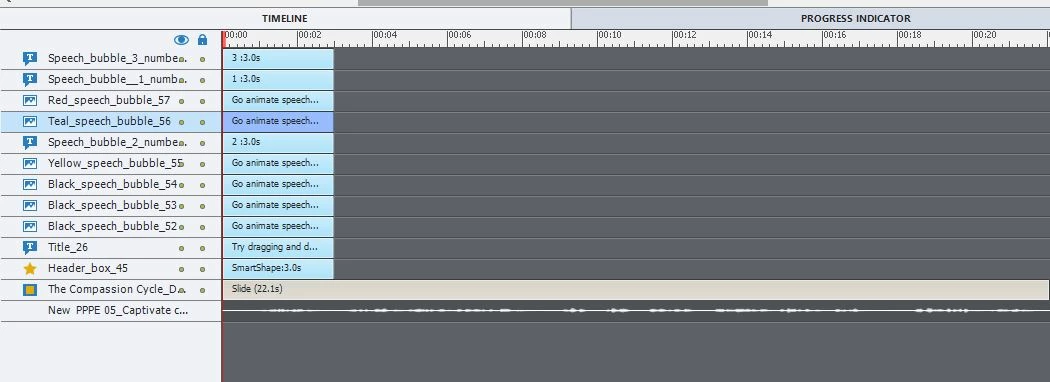
Here's my timeline...

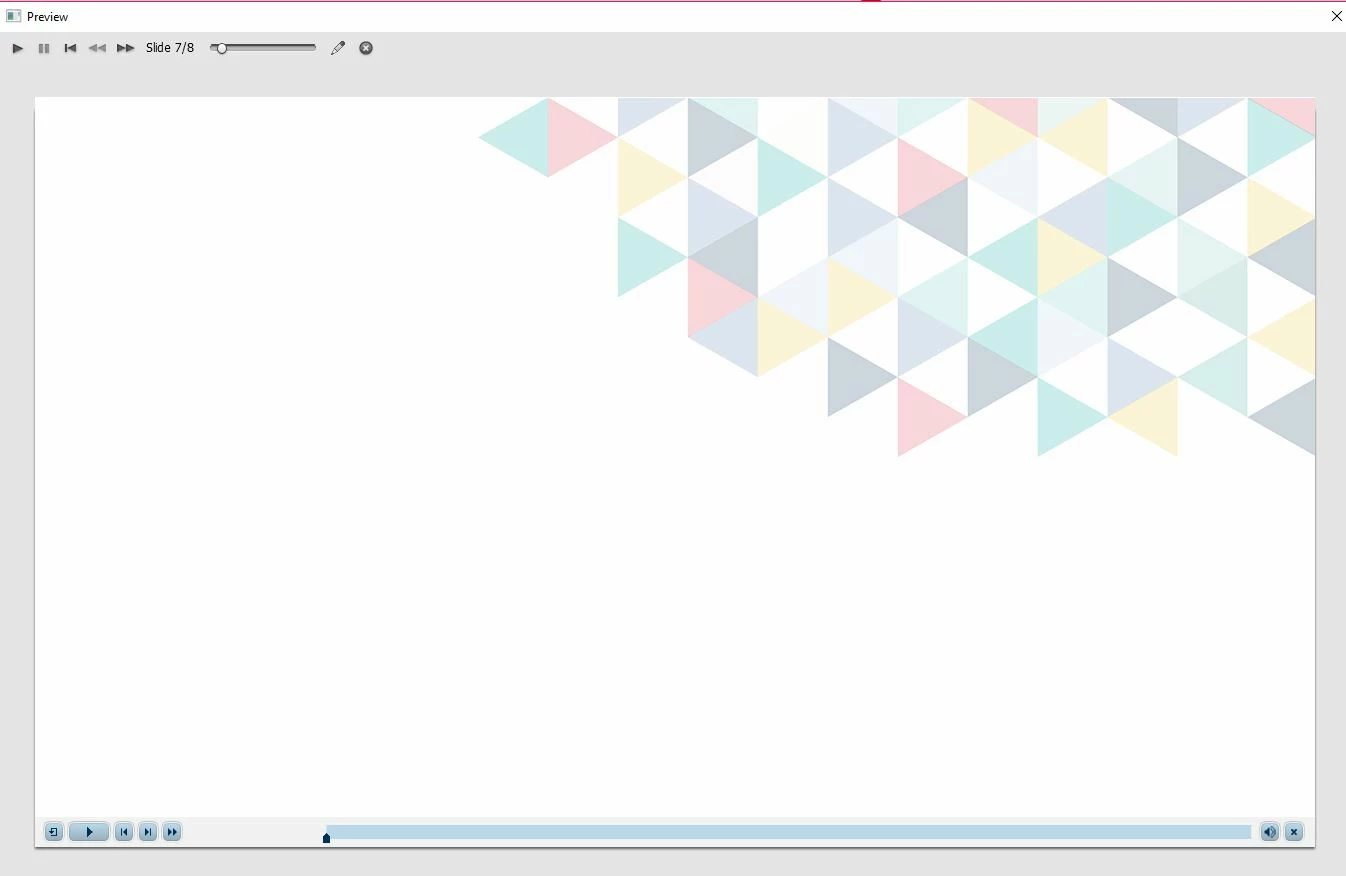
Screen after audio completes which sits there for 21.81 seconds.... 

Obviously by looking at the timeline that's what you expect to happen due to setting the slide duration to the same length of the audio.  However I'm confused how the audio finishes but the slide remains for another 21.81 seconds....

Thanks

Kim


You have to select all objects on the timeline, and use CTRL-E to show them till the end of the slide.

Secondly go to the Actions tab on the D&D Panel and change the option Pause after under Others to about 21seconds

Eventually you can change the Actions On Success and On Failure (which is really After Last Attempt if you have more than one attempt and the D&D is validated) from 'Continue' to 'Go to Next Slide'.

1 reply

Lilybiri
Legend
May 17, 2018

Can you please post a screenshot of the timeline?

A D&D slide, whether scored or not, is pausing at 1,5secs. This pause will not pause the slide audio (you do use slide audio from what I see). That pausing point is not visible on the Timeline.  You have silence in the beginning of the ausio clip, don't know aout the rest (would have trimmed the sliences). When the D&D is submitted, the actions defined to happen On Success and eventually after Last Attempt (wrongly indicated as Failure) will be done. The default action is Continue. If you keep the setup as described, that means that the learners will have to wait for the inactive part of the timeline (after 1,5sec) before getting to the next slide. I never heard about a blank slide, appearing, reason why I ask to see the complete timeline with all objects.

Known Participant
May 17, 2018

Thank you, I've actually worked around it by duplicating the slide, removing the interaction from the first slide but applying the audio and leaving the interaction on the second slide once the audio has finished :-)

Lilybiri
Legend
May 17, 2018

It is a pity that you didn't post the timeline. It would have been possible to offer another, maybe better solution. But that is up to you.