September 30, 2011
Answered

Captivate in Browser issue

  • September 30, 2011
  • 2 replies
  • 1643 views

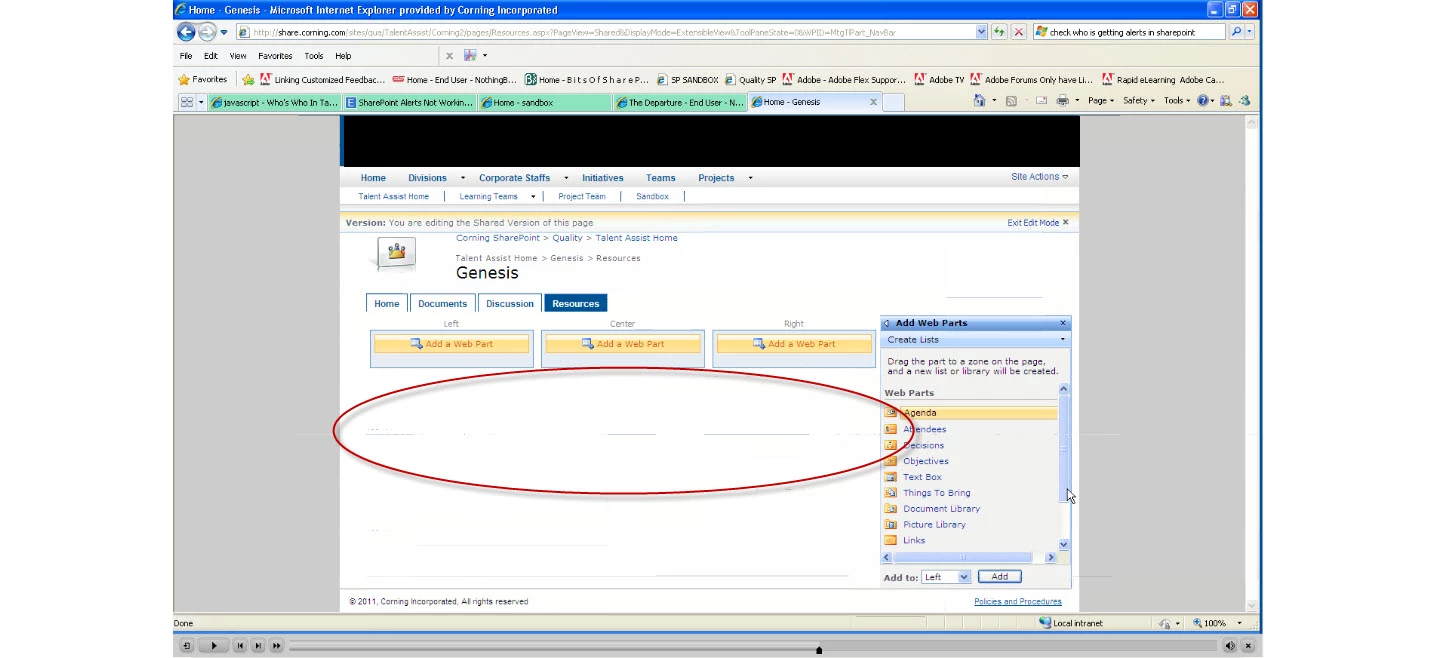
So, I did a software simulation in Captivate 5.5 of a process in SharePoint. So, then when I was done was upload it into a help library in sharepoint. The movie looks beautiful when I look at it in my files. But when I click on it from the library in SharePoint it opens in the same browser and I am getting blue lines here and there. I am using IE8. Does anyone have any ideas or suggestions on what I could try to make it look nicer. I already upped the Quality to high-24 and it has had no effect.

This topic has been closed for replies.
Correct answer RodWard

I'm not sure. My laptop (which most people have) is 1360x768, but my monitor is 1440x900. Most people have monitors, but they also use the laptop screen when they away from their office. Is it better to do it in a smaller resolution?


You may have missed my drift.

What is the MINIMUM monitor resolution of your target audience? 

You need to find this out because it's irrelevant what size monitor YOU have or even what the maximum resolution available on most laptops is.  The critical thing is what your users are running and how small (not how big) you need to make your content in order to leave room for browser toolbars, chrome, playbars etc.

Your local unfriendly IT dudes are often able to quote the results of scripts they run when user's log into the network and give you a breakdown of all users by monitor resolution.  If you can't get this info, then you need to either survey your audience yourself, or just assume a given monitor resolution and work for that.  If you get it wrong and use one that's too big, you'll be deluged with complaints from users on 1024x768 monitors that cannot see your content or reach the navigation buttons on your playbar.
2 replies

Participant
October 12, 2011

Lisa, if you resize your browser, does the problem still occur ?

What happen if you use Firefox instead of IE ?

Known Participant
September 30, 2011

We have found that Advanced Project Compression can cause this, and also if you are displaying it in a browser window that is a smaller size than the published swf. When we launch our captivate swfs in a browser window that is the same size as the swf, the lines are not as bad, or are not there at all.

October 3, 2011

HI. Thanks for the information. What would be the best size to use for projects if the user will be viewing in browser?

Thanks.

Lisa

RodWard
Community Expert
Community Expert
October 3, 2011

That depends...What is the minimum monitor resolution of your target audience?