


Legend
May 31, 2024
Question

Captivate Interface elements are too small

  • May 31, 2024
  • 1 reply
  • 384 views

Hi


I am using Adobe Captivate Classic 11.8.2.254 version on Windows 10 OS.


My resolution is set to 1920 x 1080 and size of text, apps, etc. is 100%. But Captivate UI elements are extremely small. Is there a way to increase their size?
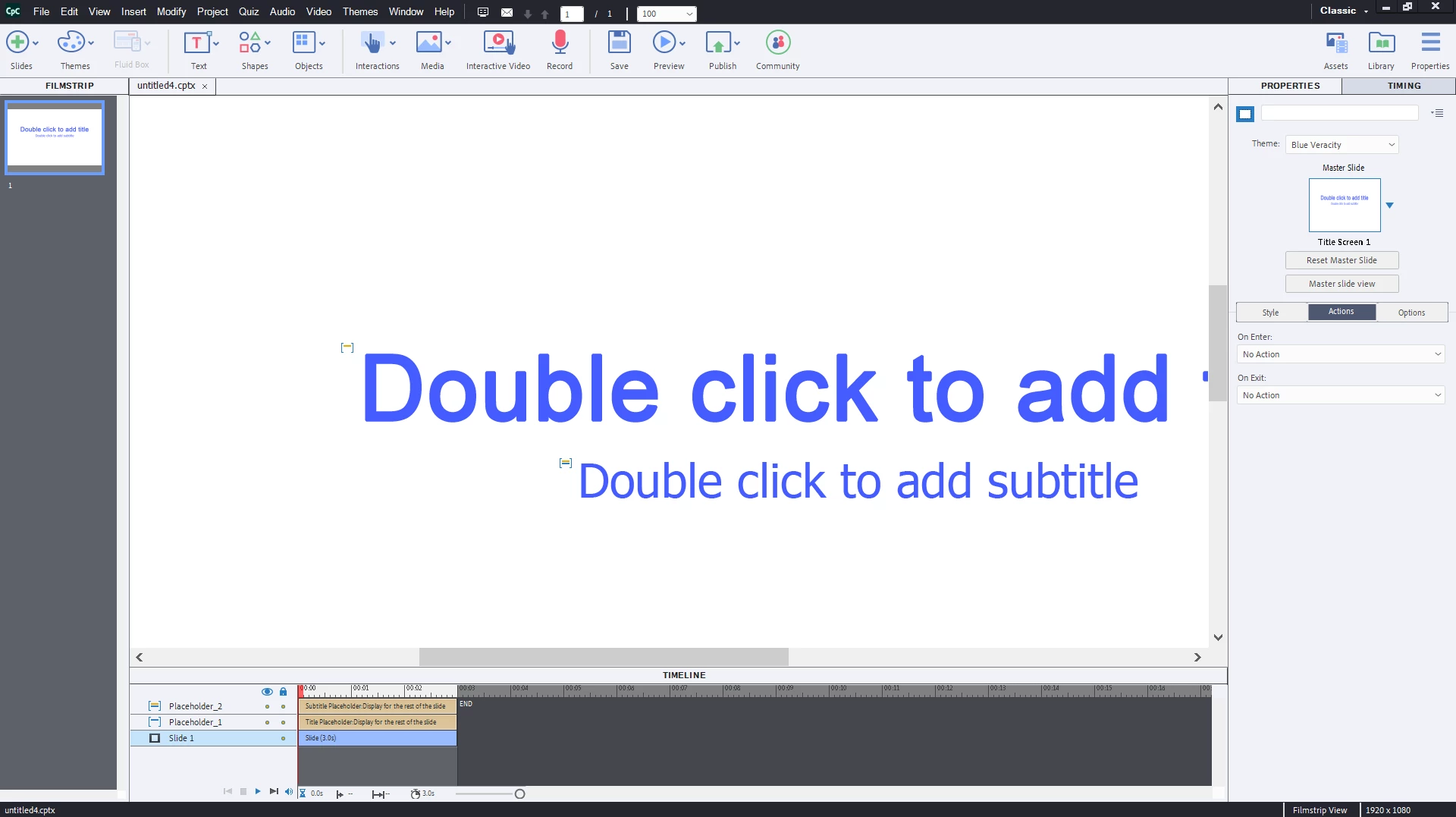


Please advise.


Sreekanth

    This topic has been closed for replies.

    1 reply

    Lilybiri
    Legend
    May 31, 2024

    There is an update, just FYI, to 11.8.3.8.

    It is indeed very bad on your screenshot, compared with what I see on my Surface Pro. Are those settings for resolution and display percentage the recommended ones for your screen? I think you'll have to play a little bit with the combi resolution/display percentage, it can be improved. It looks like this for me:

    Resolution and percentage were set to the recommended ones: 2736x1824 & 200%.  I think that you can see the difference. There are still some tiny elements especially in the Timeline, but it is readable. BTW, new version 12 has very tiny elements as well, and you cannot customize the workspace at all.

    Legend
    May 31, 2024

    Thanks Lieve for your reply. 


    My laptop's recommended size for apps 150%. It was very small even then. But I set it to 100% as per a reply to a similar query on these forums and it didn't make any difference. Since that solution was older version, I was hoping that there will be a better one for current version. 


    Recommended resolution is 1920 x 1080 and I have that right.


    I am updating to the latest version. Hope it will solve the problem. Next, I will upgrade to Windows 11 and try.

    Lilybiri
    Legend
    May 31, 2024

    You need 100% if you want to do a software simulation, one of the possible workflows. I am on Win11 with 11.8, but have 11.5 on a Win10 system, and always use the recommended settings. The Win10 system has even a bigger display resolution.