


Participant
June 6, 2023
Question

Captivate Publishing Issue

  • June 6, 2023
  • 2 replies
  • 120 views

Hello,


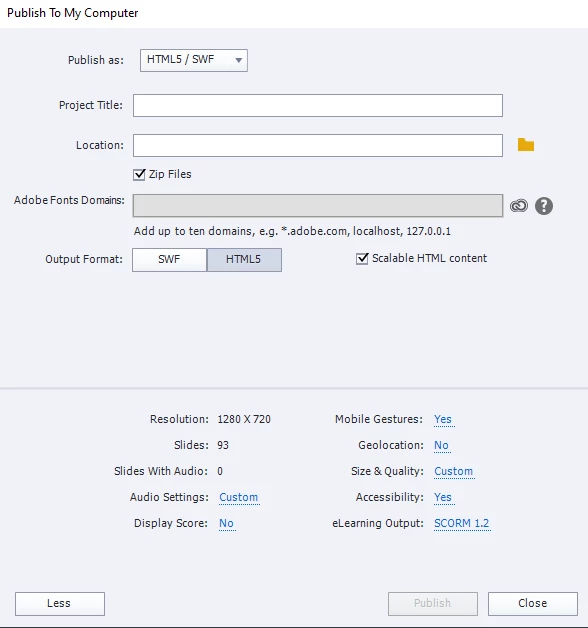
When uploading a course's SCROM file to my LMS, I get a "Request Error" notification. I've uploaded many files to my LMS before with no issues. All export settings are the same for this file as the others without any problems. Here is a picture of the publish settings:
    This topic has been closed for replies.

    2 replies

    RodWard
    Community Expert
    Community Expert
    June 7, 2023

    Some LMSs reject SCORM packages that contain empty folders. 


    To test whether this is the case with your LMS, extract the Captivate SCORM zip and go through the published content looking for any folders that contain no files.  The ar, callees and vr folders are the most likely candidates.  If you find empty folders, either just remove them, or add a dummy txt file into each folder.


    Once there are no empty folders, you need to zip the content again to create the SCORM package, but remember that you must do this so that the imsmanifest.xml file is at the root level of the package, otherwise this is not a valid SCORM.

    Lilybiri
    Legend
    June 6, 2023

    No strane characters in the Project Title?