Captivate recorded background changes
I think this issue is similar to the one reported here in cap 6, but not sure:
Re: Captivate 6 - Edit recording issue
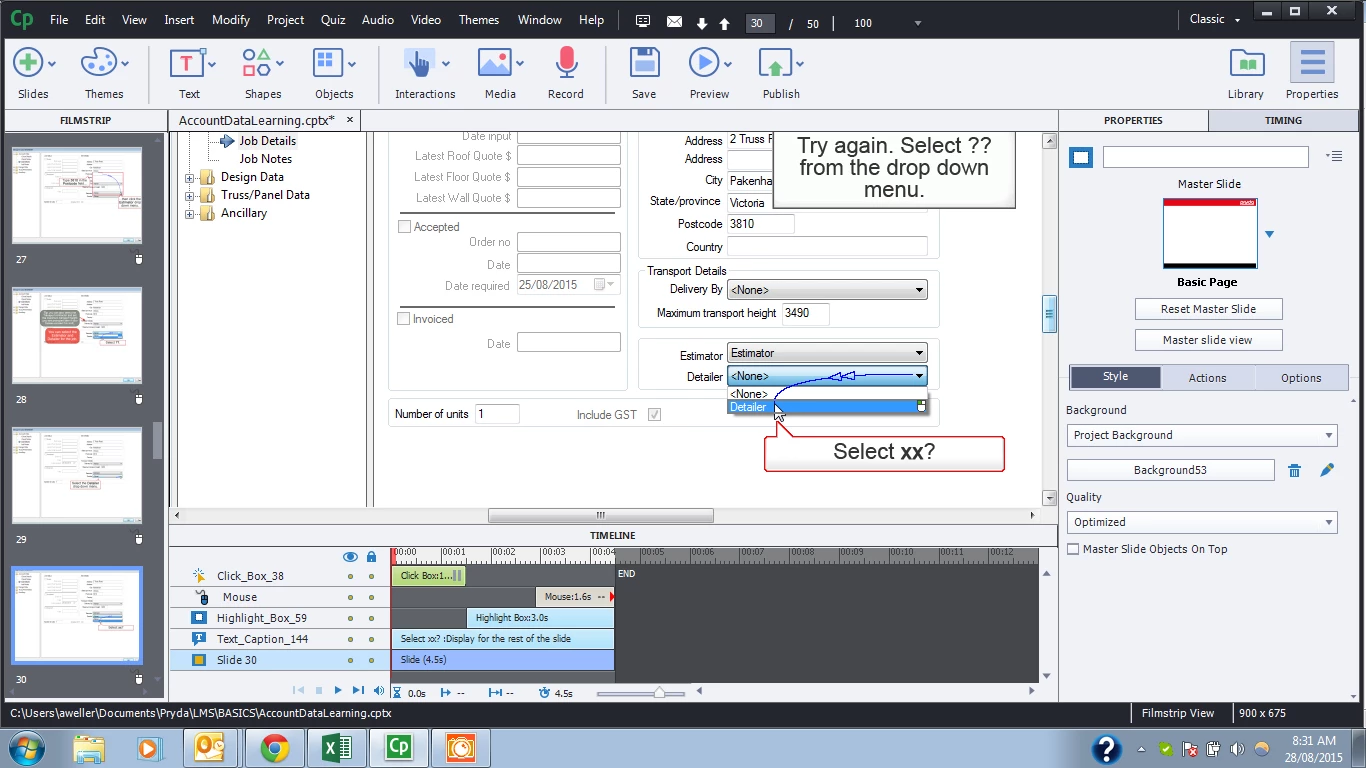
Basically I record a simulation in cap 8. On some, but definitely not all slides, the background image is different when previewed to what is shown when editing.
Here is the slide as recorded:
Here is the slide in preview. Notice the selected field in the drop down is the <None> row, not the "Detailer" row.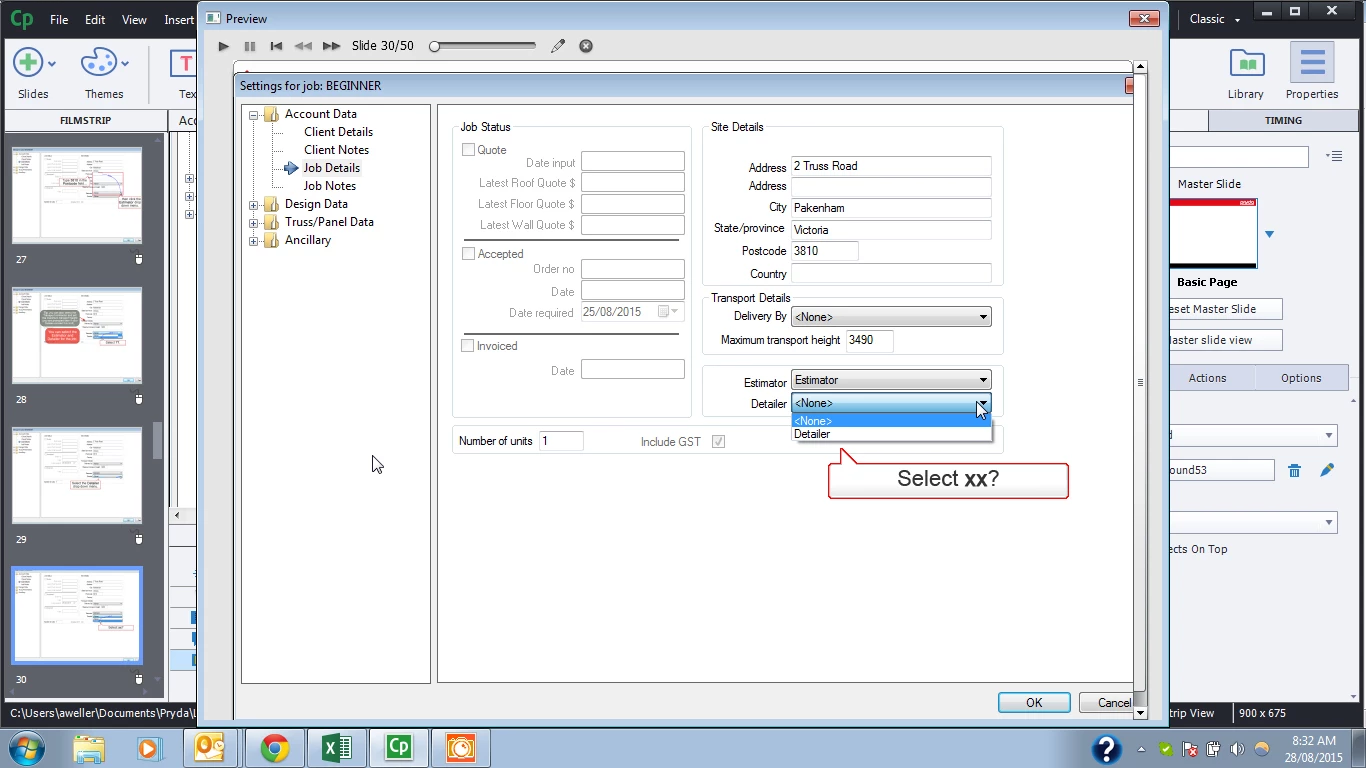
Lastly, here is the slide when I delete the background. Note the piece of image on the slide, that I cannot get rid of. I cannot select it... it is not shown on the timeline. changing master slide has no impact.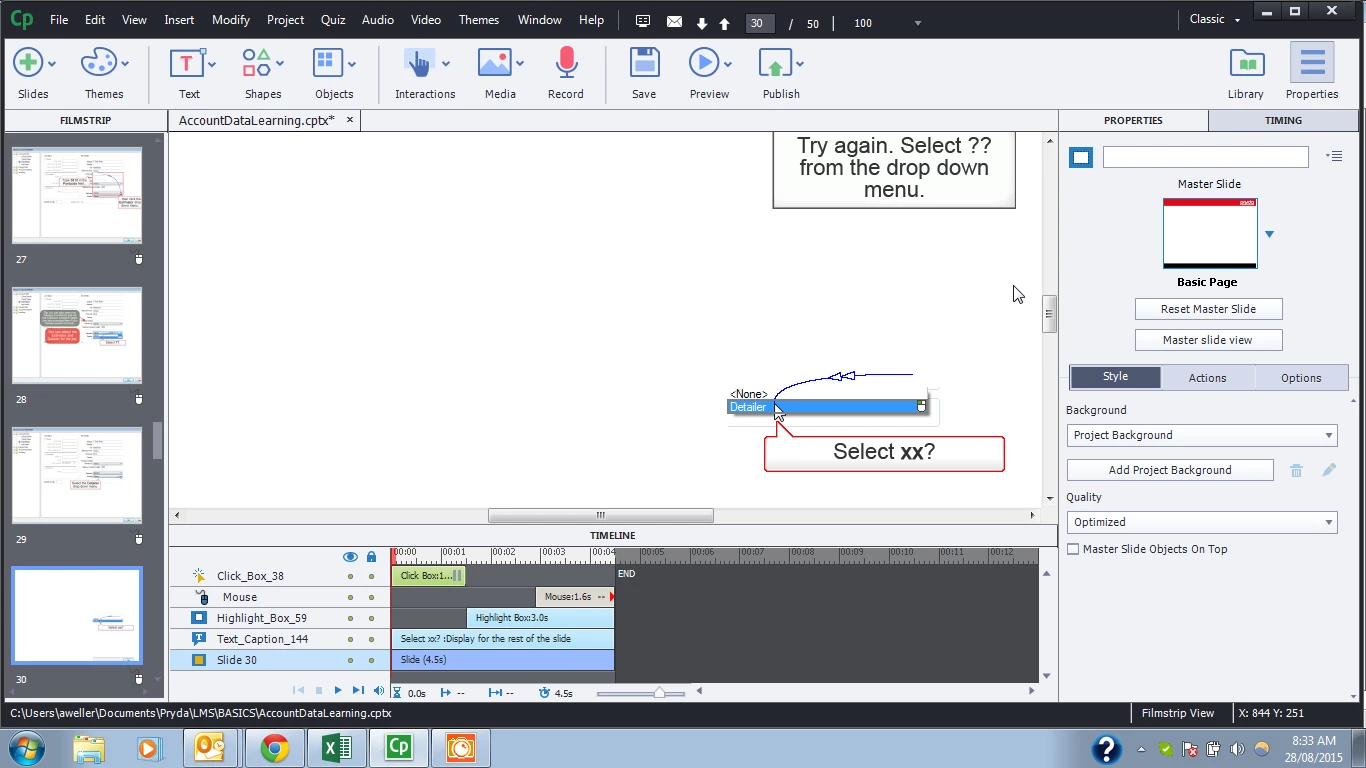
I have tried inserting a new background but that piece of background seems to take precedence, so I need to create a new slide to get rid of the problem.
Has anyone else experienced this or have a better workaround than adding a new slide?
 AdChoices