Inspiring
April 19, 2016
解決済み

Captivate settings exporting for Succesfactors LMS

  • April 19, 2016
  • 返信数 1.
  • 440 ビュー

Hi,

My client use the Succesfactors LMS which is compatible with Captivate. I made a project with Captivate 9. You can see my LMS settings in the images below:
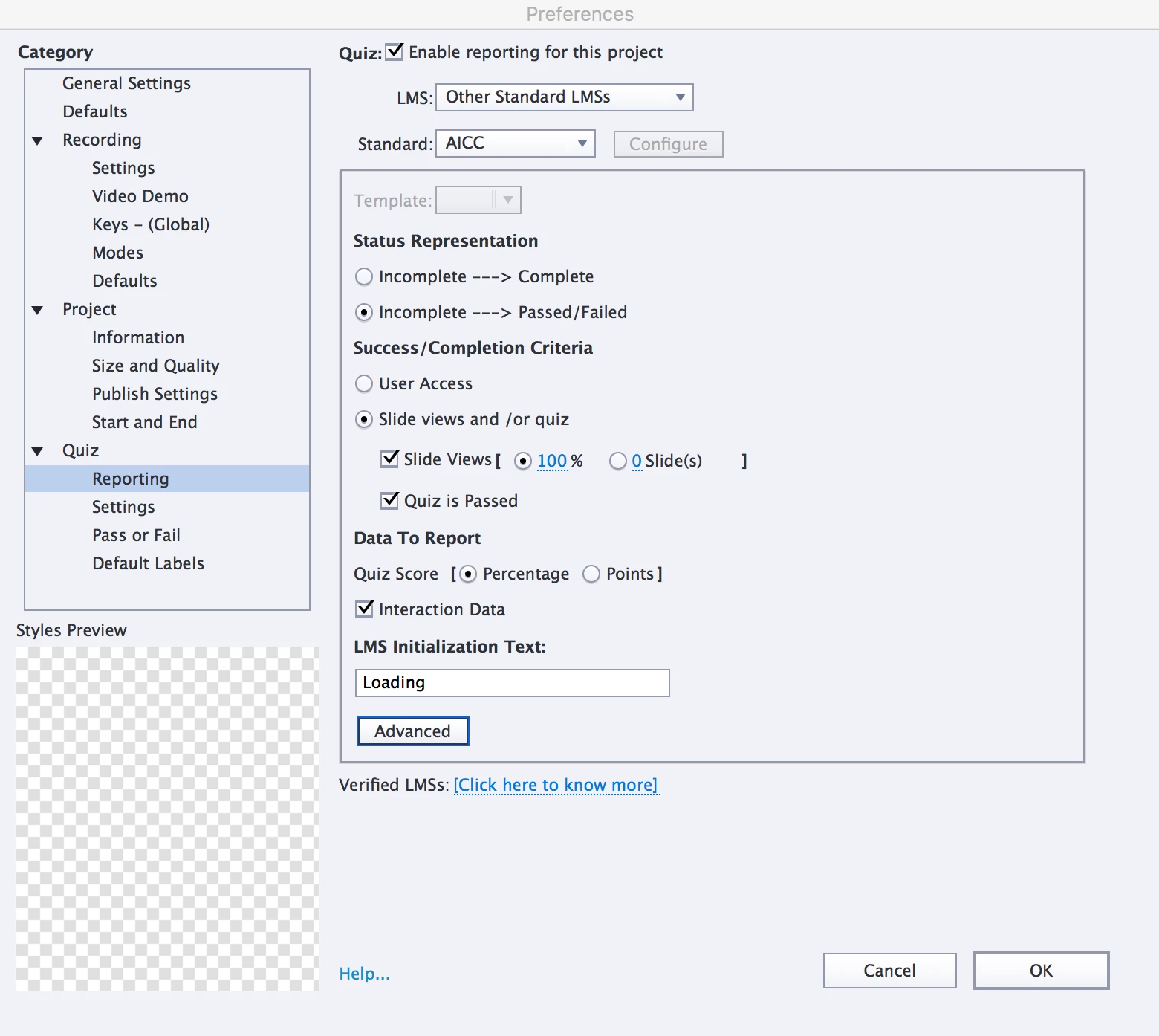
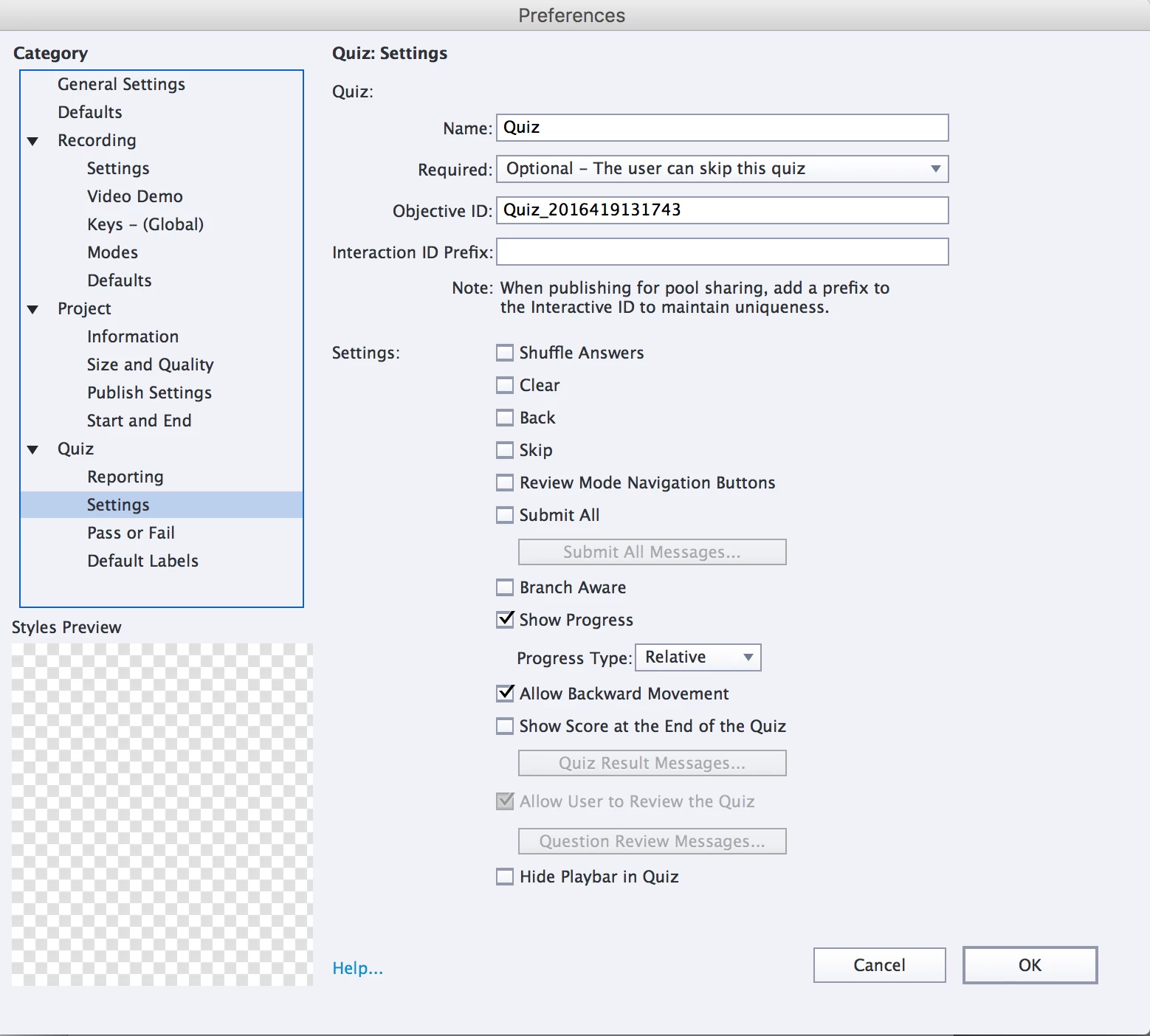
My client says the following problem shows up when he tries to upload my published file:
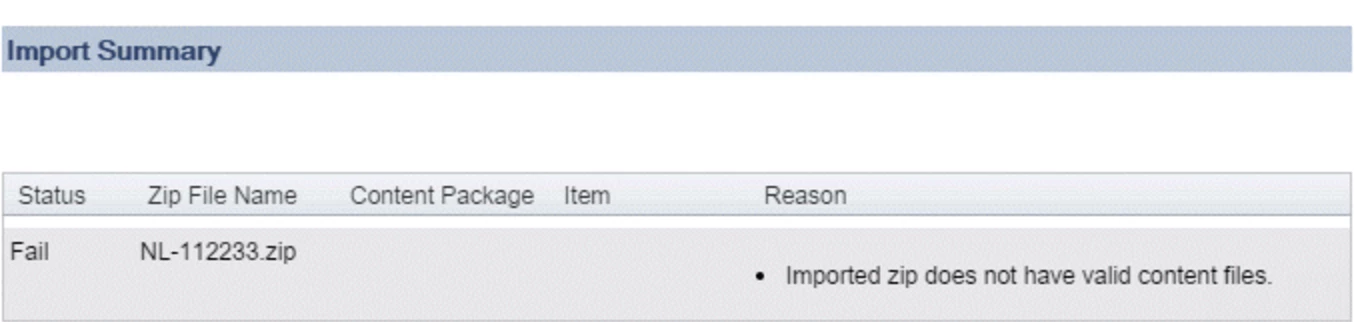
I tried some different settings but they all won't work. Does anyone can help me out on this one?

このトピックへの返信は締め切られました。
解決に役立った回答 Newblend

My client already has the solution. The problem was the map structure. The following map structure didn't work:

.ZIP File

.Projectname

- All captivate published files

The LMS could not found the XML manifest.

The mapstructure has to look like this so the XML manifest is directly in the .ZIP File

.ZIP File

- All captivate published files

返信数 1

Lilybiri
Legend
April 19, 2016

Can you try to upload the published SCO-folder (zipped folder) to Scorm Cloud to see if it is functional there, to see if the issue is with Captivate or with the LMS?

BTW I would never put that slide percentage at 100%.

Newblend作成者解決!
Inspiring
April 20, 2016

My client already has the solution. The problem was the map structure. The following map structure didn't work:

.ZIP File

.Projectname

- All captivate published files

The LMS could not found the XML manifest.

The mapstructure has to look like this so the XML manifest is directly in the .ZIP File

.ZIP File

- All captivate published files

Lilybiri
Legend
April 20, 2016

If you publish from Captivate to a SCO, manifest file is included in zipped

folder.