
trevorh27446796
Participating Frequently
March 29, 2017
Answered

Captivate Simple Question

  • March 29, 2017
  • 3 replies
  • 355 views

new captivate user

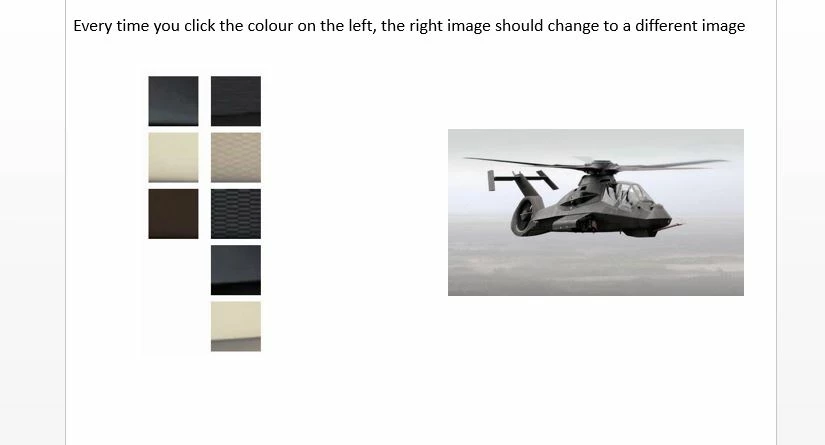
I have a screen which has eight images on the left , these eight images need to be clicked individually so eight other image are shown on the right side of the screen.

I have created them as buttons, but every time a button is clicked it shows the picture behind the previous image.

Also the images are not in visible
    This topic has been closed for replies.
    Correct answer Lilybiri

    Which version do you use? I would recommend to use a shared action instead of a simple Show action. Group the images and use a sequence of two commands:

    Hide Group_Image

    Show ImageX

    Both the group and the image will be parameters. Trigger this shared action by each button, you'll have to assign the two parameters (first will always be the same). Be sure to have the pausing point of the image buttons at the same moment on the timeline.

    Pausing Captivate's Timeline - Captivate blog

    3 replies

    Lilybiri
    LilybiriCorrect answer
    Legend
    March 29, 2017

    Which version do you use? I would recommend to use a shared action instead of a simple Show action. Group the images and use a sequence of two commands:

    Hide Group_Image

    Show ImageX

    Both the group and the image will be parameters. Trigger this shared action by each button, you'll have to assign the two parameters (first will always be the same). Be sure to have the pausing point of the image buttons at the same moment on the timeline.

    Pausing Captivate's Timeline - Captivate blog

    trevorh27446796
    Participating Frequently
    March 30, 2017

    Current using Captivate 7

    Lilybiri
    Legend
    March 30, 2017

    Shared actions appeared with Captivate 7. You cannot define variables/literals as parameters, but you don't need them in this case. You can read this article:

    Dare to Share - part 1 - Captivate blog

    Forget about the states, they are only available in CP9.

    RodWard
    Community Expert
    Community Expert
    March 29, 2017

    This involves triggering multiple actions from a single click, so you need to have the buttons execute an Advanced Action. If there is no requirement to have something different happen when you have clicked all eight images then you can just use a Standard Action.

    You will need to execute a different Standard Action for each button.

    Group the eight images and use the first action of the Standard Action to HIDE this entire group of images.

    Make the second action in the Standard Action list to SHOW the specific image that relates to the button that gets clicked.

    Participating Frequently
    March 29, 2017

    Hi Trevorh, here is a tutorial for you

    Adobe Captivate 9 - Change the State of an Inmage - YouTube

    Have a nice day!