Participant
May 26, 2017
Question

Captivate won't replace default swatch

  • May 26, 2017
  • 2 replies
  • 292 views

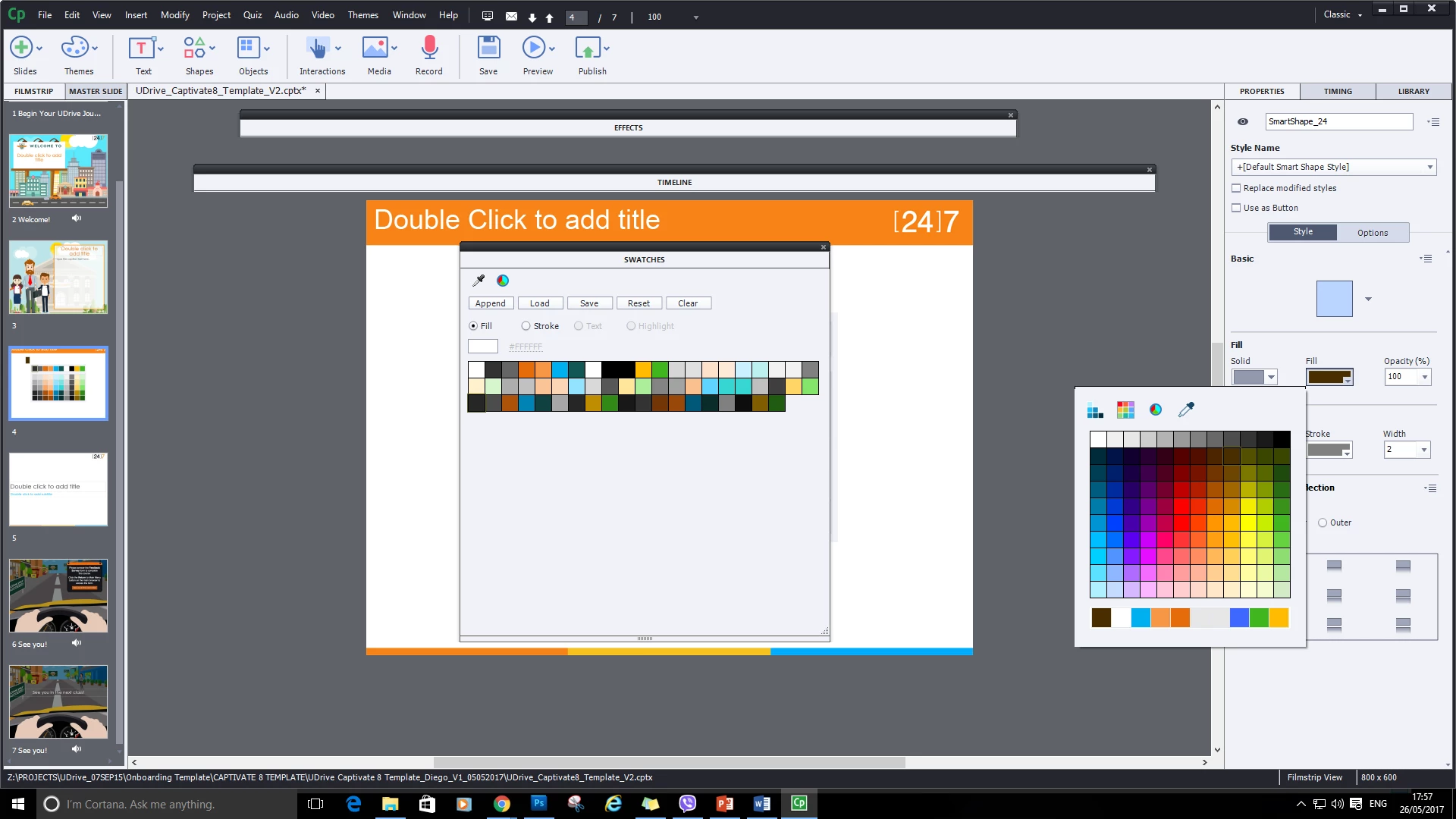
I cleared my current color palette and replaced it with an .ASE that I had created.

After loading it into captivate, my swatch didn't change (see swatches panel at the right side).

(the colors on the left are from my .ASE file, I assume that the moment that I have loaded it that the swatches on the bottom right would change buuut it didn't )

Please help, thank you.

Best regards,

Diego Fernando

This topic has been closed for replies.

2 replies

Participant
May 30, 2017

Its that one                                                                                                          ^^^^^^^^

Lilybiri
Legend
May 30, 2017

Sorry I still don't understand what you mean. You point at the Color dialog box, but maybe you have some misunderstanding about its design and functionality? Did you read the blog posts I mentioned, because I tried to explain. If you are talking about the list with swatches at the bottom, those are the last used colors, have nothing to do with replacing the default swatches.

Lilybiri
Legend
May 26, 2017

Can you point to what you mean by 'bottom right'? I never use the Swatch manager anymore since Theme Colors palette has been introduced. But I have several blog posts about colors in Captivate.  This old one explains the Swatch Manager:

Colorful 2015 with Adobe Captivate - Captivate blog

This one is about Theme colors:

Theme Colors - Captivate blog