
Participant
October 19, 2018
Question

Change roll-over style of many text buttons across many slides.

  • October 19, 2018
  • 2 replies
  • 250 views

Hello Everyone,

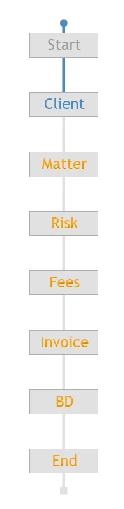
I have created the following navigation bar in order to quickly scroll through the different sections my 175 slides of my software simulation. It are all text buttons. I want to edit the roll-over style, since its now smaller and blue.

For an image button I would simply edit the button in the captivate program files gallery. However, for text button this is not possible.
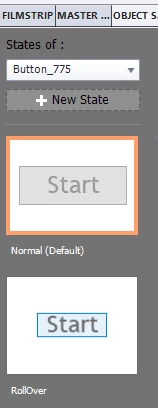
Edit: I though of changing the style manually and then , but it seems locked.
Thanks in advance!

Max

This topic has been closed for replies.

2 replies

RodWard
Community Expert
Community Expert
October 19, 2018

If you had inserted these buttons as image buttons from the Gallery, just changing the image for the rollover in the gallery would NOT have affected the buttons currently in your project because image buttons are cached in the project after insertion.  It's a bit of a gotcha.

Now that you have inserted these as Text buttons, you are also sort of stuck if you decide you would prefer to go with Smart Shape buttons because the Object Style for a Text Button or Transparent Button cannot be applied to a Shape Button.  They are totally different objects.

From where I sit, if transparent buttons will give you what you want, then they are likely to be your quickest fix.

Lilybiri
Legend
October 19, 2018

Which version are you using? Text buttons take over the style of your OS.

They are the least flexible of all button types. Why not use transparent or

shape buttons? Open their Object states.

Participant
October 19, 2018

Thanks for your reply. I'm using captivate 2017.

If that is a possibilty it would be perfect. Any suggestions on how to change this for all 175 slides for every button on the slide?

Lilybiri
Legend
October 19, 2018

If you kept the default style, and did not override it, you have just to  edit that default style. That is the power of Captivate's Themes. I fear however that you did override (look for a + sign in the Style Field), because Text buttons are rarely a default style since CP8. Even the quizzing buttons use a Transparent button style as default.