
Participant
July 8, 2016
Question

Change Size of TOC Image

  • July 8, 2016
  • 1 reply
  • 238 views

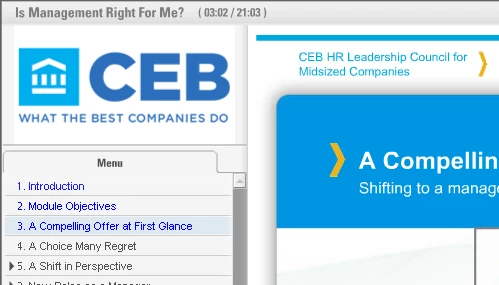
I have searched a great deal, but can't seem to find how to make this change -- and I KNOW it's possible. How does one customize the Captivate skin to accomodate a larger image at the top of the Table of Contents? I'm currently using Captivate 8. Here are a couple of examples:

This topic has been closed for replies.

1 reply

Captiv8r
Legend
July 8, 2016

Hi there

I'm not convinced that what you are seeing was produced entirely (if at all) by Captivate. It would appear to be a custom design of some sort or a different tool entirely.

When you supply an image for the TOC, you seem to be limited to presenting a maximum of 60x60 pixels.

I posted a workaround a day or two back about how you might coax a larger image if you need or want it. Click the link below for that.

Re: Logo above Table of Contents Is Too Small

Cheers... Rick