
Participating Frequently
Jan 30, 2020 8:50 PM UTC
Question

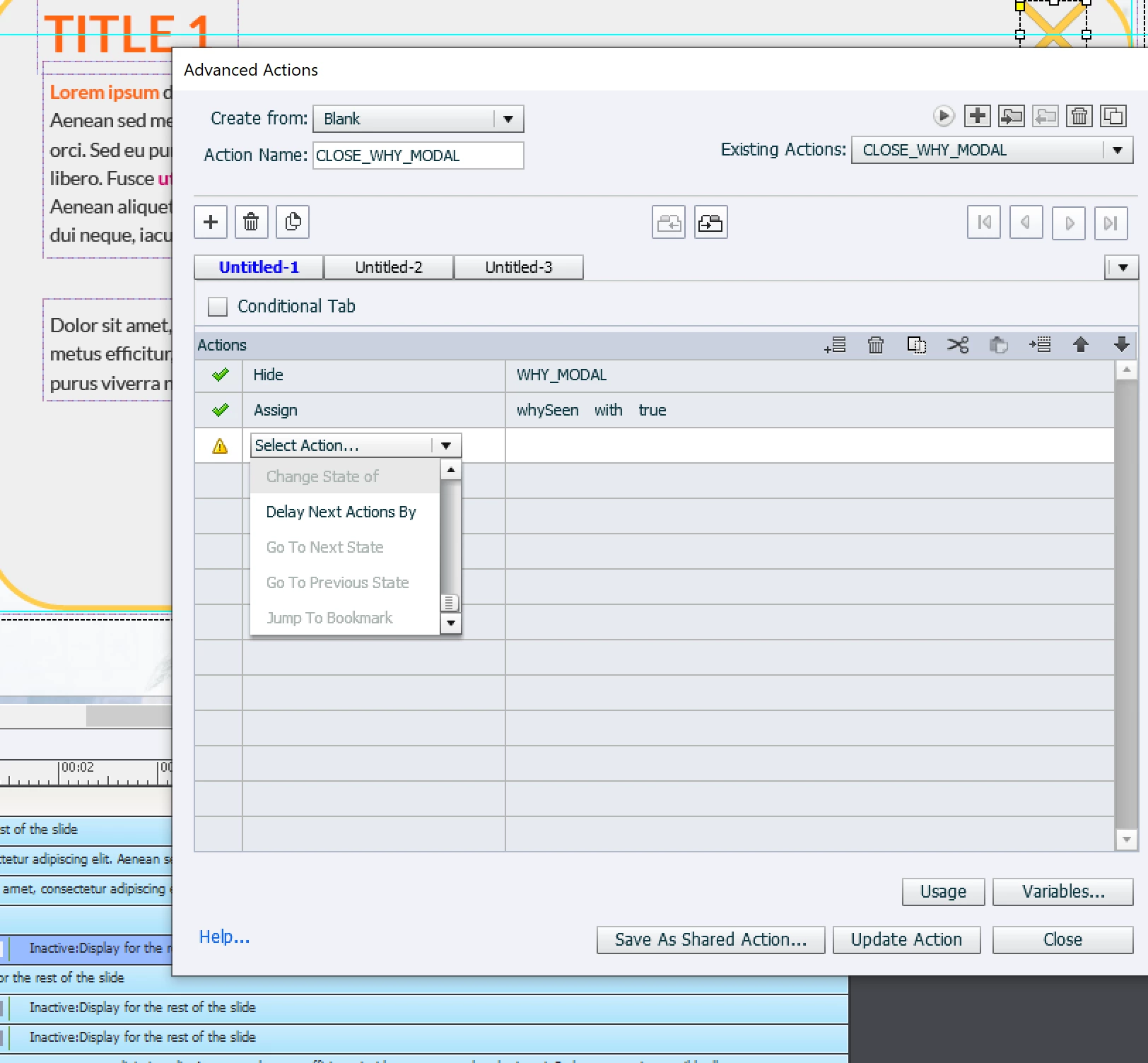
Change State of is grayed out on Advanced Actions Page

I am trying to imitate layer function of storyline by using groups. So I want to display a modal, when the click on the button. To close the modal, I also use X button(shape). I want to close the modal + change the state of button that is clicked for opening this modal.  But as you can see it is grayed out.
 

This topic is closed to new replies. Start a new post to keep the conversation going.

6 replies

Participant
Jan 26, 2021 2:50 PM UTC

I have the same problem. I have just created over 27 hotspots with a custom visited state. However, I cannot select the Change state action for any of these objects (image buttons).

Translate
Lilybiri
Legend
Jan 26, 2021 3:47 PM UTC

Did you read the thread? Are you sure that you talk about a 'custom' state because there is an InBuilt Visited state which appears when the interactive object has been clicked at least once. Maybe insert a screenshot of the Object State panel to check?

Translate
Participant
Apr 5, 2023 5:27 PM UTC

we read the thread, none of this stuff works it is still greyed out. Could you perhaps provide some screen captures of a step by step? Thanks! 

Translate
Lilybiri
Legend
Jan 30, 2020 10:02 PM UTC

If it is grayed out, you don't have custom states for that button, nor a Visited InBuilt state. You cannot change to the InBuilt Rollover nor Down state.

http://blog.lilybiri.com/about-state-commands-and-a-progress-bar

Translate
TLCMediaDesign
Inspiring
Jan 31, 2020 2:26 PM UTC

I would think that there aren't any objects with states at all.

Translate