Thank you for the detailed response, Rod.
If I am understanding correctly from what you said, my click box that is set to pause at the end of the timeline, even when it is not clicked (which I am trying to ensure that as it is very small and in the lower right corner), will let the slide advance when an interactive button is clicked and the playhead is at the end of the timeline? I have not run into this before and it seems that this method has worked to stop the playhead at the end of the timeline and the slide from advancing, unless an interactive object (next or back button, for example) is clicked to take them to a different slide or interactive objects (smartshape buttons, buttons, click boxes) on the slide to show/hide objects via advanced actions, etc.
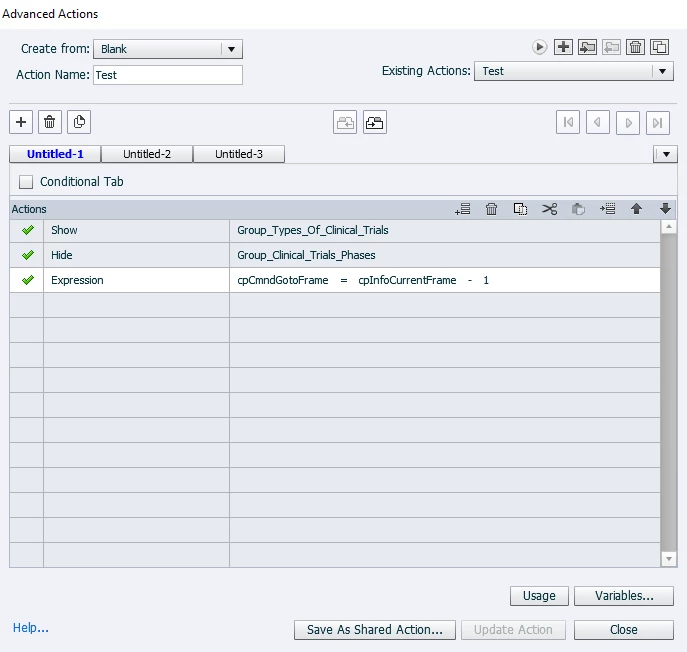
Anyways, for my situation I figured out a work-around for the slide not advancing when I click on an interactive object. At the end of a Standard Advanced Action on two smartshape buttons, I just used the Expression:
cpCmndGoToFrame = cpInfoCurrentFrame - 1.
Essentially now, even if the playhead reaches the end of the timeline, and the click box pauses it like it should, if either one of my shape buttons is clicked, it backs the timeline up 1 frame and stops again at the end. I'm not sure if this is the best workaround, but it works. I would appreciate any ideas you have as well.
Here is a screenshot of the slide in the project. The two smartshape buttons are around the blue underlined text. They trigger the object groups below to show/hide when clicked. The click box to pause the slide at the end of the timeline is on the lower right hand side.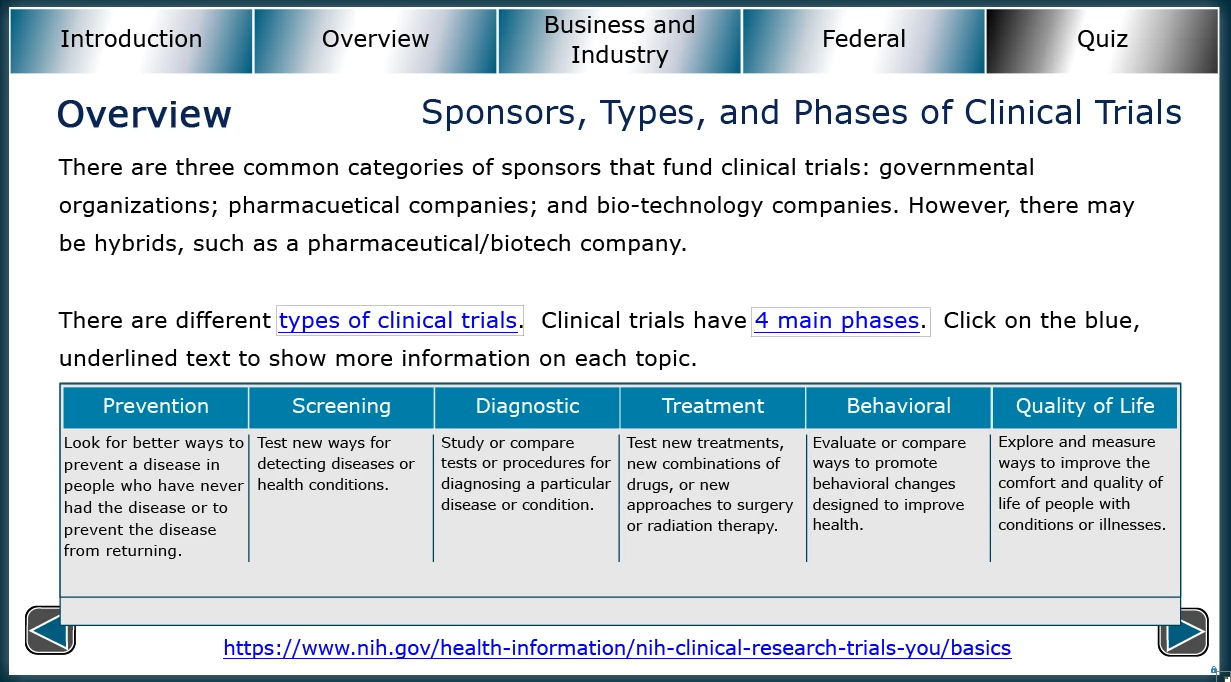
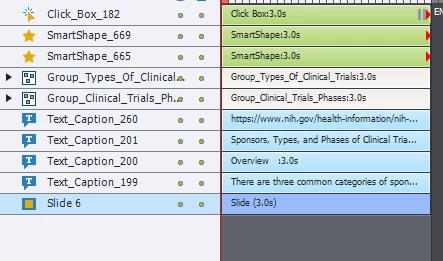
And the timeline for the slide:
And one of the advanced actions for a smartshape button:
If I still am misunderstanding the timeline, and if there is a way around doing it this way, please let me know. Thank You
If all you want for your click box is that it pauses the timeline and does nothing else, you can just set its action to No Action in the Actions drop down menu.
You should not need to have your other interactive objects rewinding the timeline as you are currently doing.



 AdChoices