Known Participant
November 13, 2017
Answered

Click Box Issues

  • November 13, 2017
  • 1 reply
  • 1153 views

I have a slide with a background, then 3 captions and on top of those three captions are click boxes which are supposed to direct the user back to different parts of the content. The first two click boxes do not have a pause control, but the third one does. Each of the click boxes have been arranged to bring them in front of the captions, each of them is set to appear on the slide the rest of the slide.

I used transparent click boxes over text captions, because I couldn't get the buttons to look the way I wanted.  

The only one that works is the one set to exit. The ones set to go to prior slides do not work. You can hear the click noise (which I need to turn off), but the content doesn't go anywhere.

I need help with steps on how to troubleshoot this or some ideas on what might be causing the problem.

Thanks in advance.
    This topic has been closed for replies.
    Correct answer Lilybiri

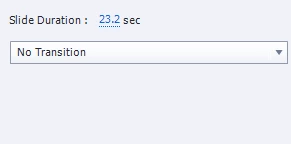
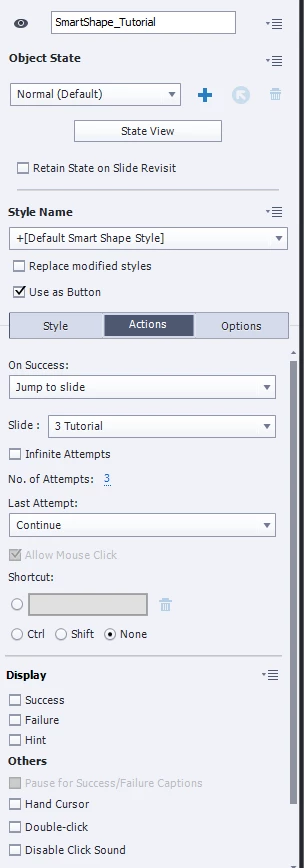
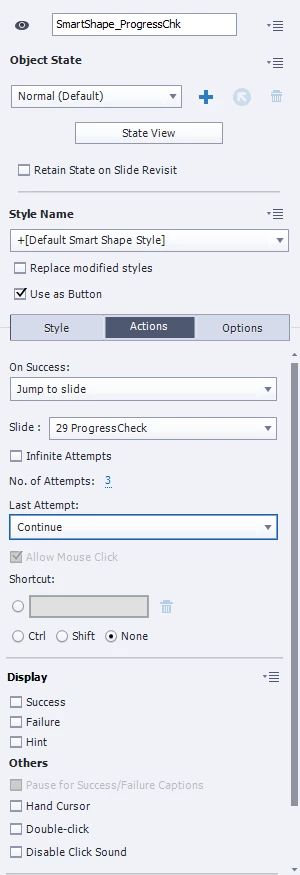
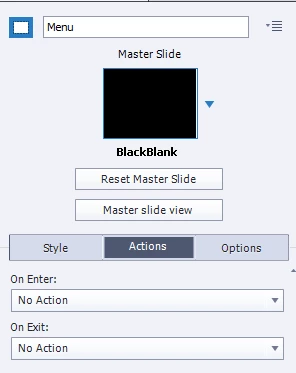
    Hi - I finally got back to this. I created buttons that look exactly the way I want - thanks for the tip above. My buttons do not have any kind of effect applied at all right now. My issue now is that the slide will not wait for the user to click the button - the audio plays, and the slide transitions without ever given the user a chance to click a button. How do I make a button pause until something is clicked?  I have inserted below the properties on the slide and on each button.

    Any help on what I am doing wrong would be greatly appreciated.


    Normally when you convert a shape to a button, a default pause is inserted at 1,5secs. Check in the Timing Properites or on the TImeline of those buttons.

    You could have kept the Entrance effects, but make sure that the pausing point is after the end of the Effect.

    Careful; you have now only one attempt for those buttons (I would have kept Infinite), and the Last attempt is set to Continue. Set the attempts back to Infinite.

    1 reply

    Lilybiri
    Legend
    November 13, 2017

    Please, click boxes over text captions are the 'old' way of proceeding. WHy don't you uise shape buttons that double as text containers.

    As for your issue, can you please insert a screenshot of the timeline?

    Known Participant
    November 14, 2017

    I don't use those buttons because I don't like the way they look and I haven't found a way to edit the style on any of them. 

    I tried to post a screen print of the timeline but the add media is telling me it can't do it "at this time. try again later." All of the items on the time line, the slide, all three click boxes and all three text captions all reflect the same length of time and occurring simultaneously on the timeline.