Inspiring
November 20, 2017
Question

CLICK BOX-USING IN QUIZ

  • November 20, 2017
  • 1 reply
  • 746 views

Hello,

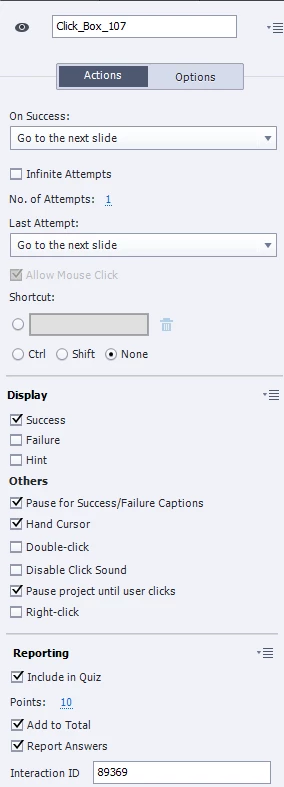
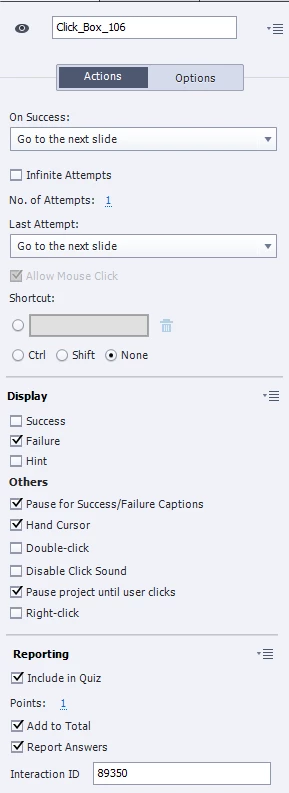
I am using Captivate 2017. I am trying to use click boxes in my quiz so I can have questions with a little more artistic freedom. So I have set my correct click box to 10 points (there are 10 questions in the quiz), but it won't let me set my incorrect question to "0"; it defaults to "1" point. What am I doing wrong, and do I have this set up properly?

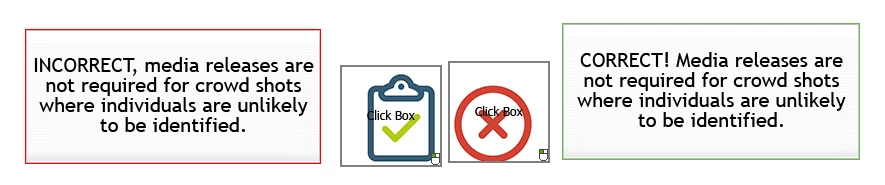
I used 2 click boxes on the slide. One of them I deleted the hint and incorrect message box; the other I deleted the hint and correct message boxes. See my settings in the images I screenshot. Does this look right? This is the first time I'm trying to use click boxes in a quiz, so I'm not sure if I am doing it correctly or not. Any feedback would be appreciated, as well as why I can't set the incorrect answer to zero.

Thanks!

Tanya
    This topic has been closed for replies.

    1 reply

    Lilybiri
    Legend
    November 20, 2017

    You want to include the score of the interactive object in a Quiz? IYou have a click box that is over the wrong, and onte over the correct answer? Give only a score to the oe over the correct answer. You probably misunderstand the Success and Last Attempt events for interactibe objects? Success event happens when the learner clicks ON the click box, the Last Attempts when he clicks OUTSIDE of the click box. You need to use the Success event for both click boxes to decide what has to happen after choosing one of them. Set all the Last Attempt actios to 'No Action'.

    Be careful: click boxes are not supported in responsie projects developed with Fluid Boxes!

    Inspiring
    November 20, 2017

    Thank you - so I did that; I changed both to success click boxes and just change the color to red for the incorrect one, but for my "wrong" answer it still won't let me change the points to zero points. I still have to include it in the quiz, right, in order for the quiz to know that they got the answer wrong? If they get the answer incorrect, I don't want them to get any points...is there a different way to achieve what I'm doing? I don't understand why I can include these in the quiz but it won't let me set the points to zero.

    Lilybiri
    Legend
    November 20, 2017

    The 'correct click box needs a score, the wrong click box not. Can you check that in the Advanced Interaction panel (F9). The wrong doesn't have to be included in Reporting.

    You can never have the same reporting with question slides built in a custom way as you have with the default type of question slides. Same for Review functioality. Having the correct score is perfectly possible, but the reporting will be less powerful.