Known Participant
December 1, 2020
Answered

Clickbox Accessibility question

  • December 1, 2020
  • 1 reply
  • 1112 views

Hello,

I haven't used Captivate in a while. 

Are the clickboxes keyboard accessible?  I don't see them in the tab order, but didn't know if some new update/procedure makes them accessible to a screen reader and keyboard.

Although in preview, it doesn't seem to be keyboard accessible. 


Thanks,

Sam

    This topic has been closed for replies.
    Correct answer Lilybiri

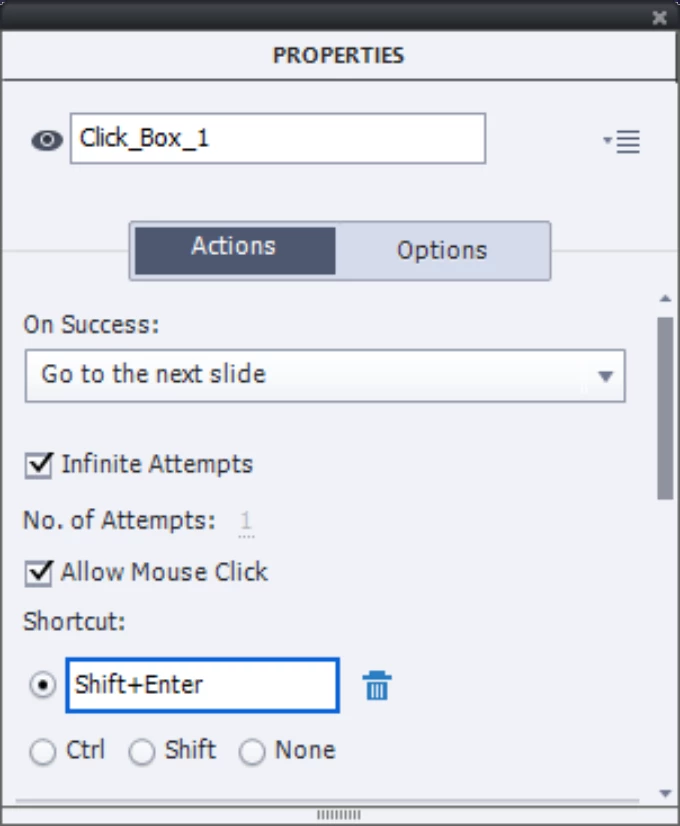
    Like any other interactive object, a click box can have a shortcut key. Doesn't that mean that it is keyboard accessible?

    1 reply

    Lilybiri
    LilybiriCorrect answer
    Legend
    December 1, 2020

    Like any other interactive object, a click box can have a shortcut key. Doesn't that mean that it is keyboard accessible?

    Known Participant
    December 1, 2020

    Is there an easy way to select all the click boxes and assign a keyboard shortcut. Or would I have to go through it one by one and add the keyboard shortcut.


    Lilybiri
    Legend
    December 1, 2020

    There is no quick way to do so.  To save some time I would use the Advanced Interaction panel. Filter only on the Click boxes. Since it is linked dynamically to the Properties panel, you can quickly navigate to the click boxes. More about this panel in a blog post:

    http://blog.lilybiri.com/advanced-interaction-panel-q-and-a