
Participating Frequently
February 6, 2020
Question

Clicking a button activates other buttons in Captivate presentation

  • February 6, 2020
  • 2 replies
  • 587 views

I'm making a presentation for a client and have noticed an issue on one particular page: when I click buttons slowly (approx. 0.5-1s between clicks) then the slide functions as expected; when you spam-click, the incorrect button activates. This page is set up as a number of smart shapes that either flip a card or reset the slide (see screenshot), but for some reason when you are quickly clicking it seems to think that the card to the left is being clicked instead.
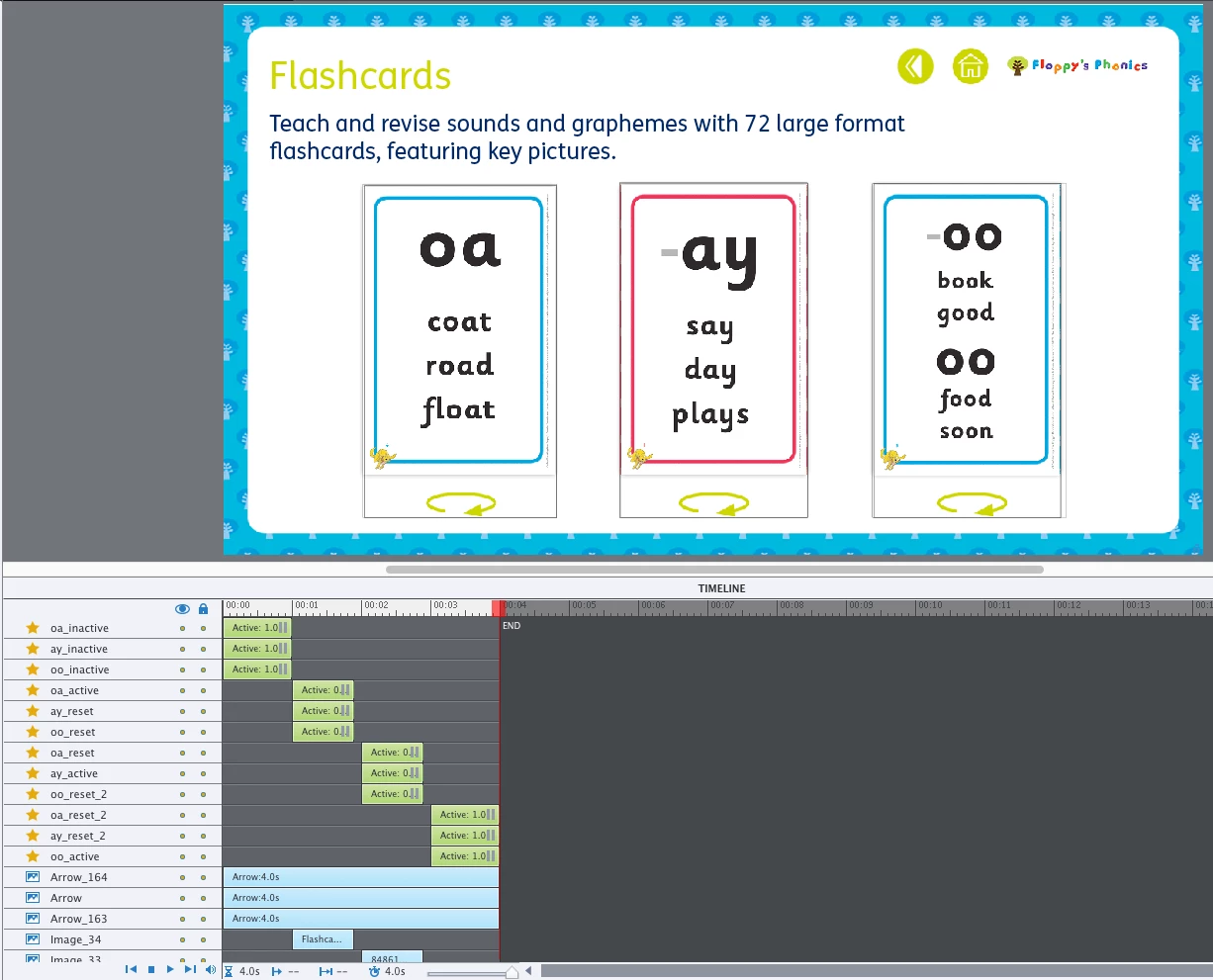


Please see attached video to show this issue:


Has anyone encountered this issue before?

This topic has been closed for replies.

2 replies

Stagprime2687219
Legend
February 6, 2020

For what it is worth - an easier approach to keeping all this on one slide might be to make each of the flash cards as an image with a second state for the back side.

Then put a click box over the top and just have that action go to the next the state for that card.

Since there are only two states - it would be an effective toggle without variables.

There are other ways to do this of course and it may be too much work to change at this point for you but something to chew on nonetheless.


Lilybiri
Legend
February 6, 2020

Without seeing the actions triggered by those 9 interactive objects, not much can be told...

Participating Frequently
February 6, 2020

Hiya, what's the easiest way for me to show that? Is there a way to package up the file so it can be looked at?

Lilybiri
Legend
February 6, 2020

Sorry I don't accept to debug files. Which type of actions do you use? Why are the interactive object staggered on the timeline? How is the functionality set up...