Participant
March 3, 2016
Answered

Close Caption in interactions in Captivate 9

  • March 3, 2016
  • 4 replies
  • 1535 views

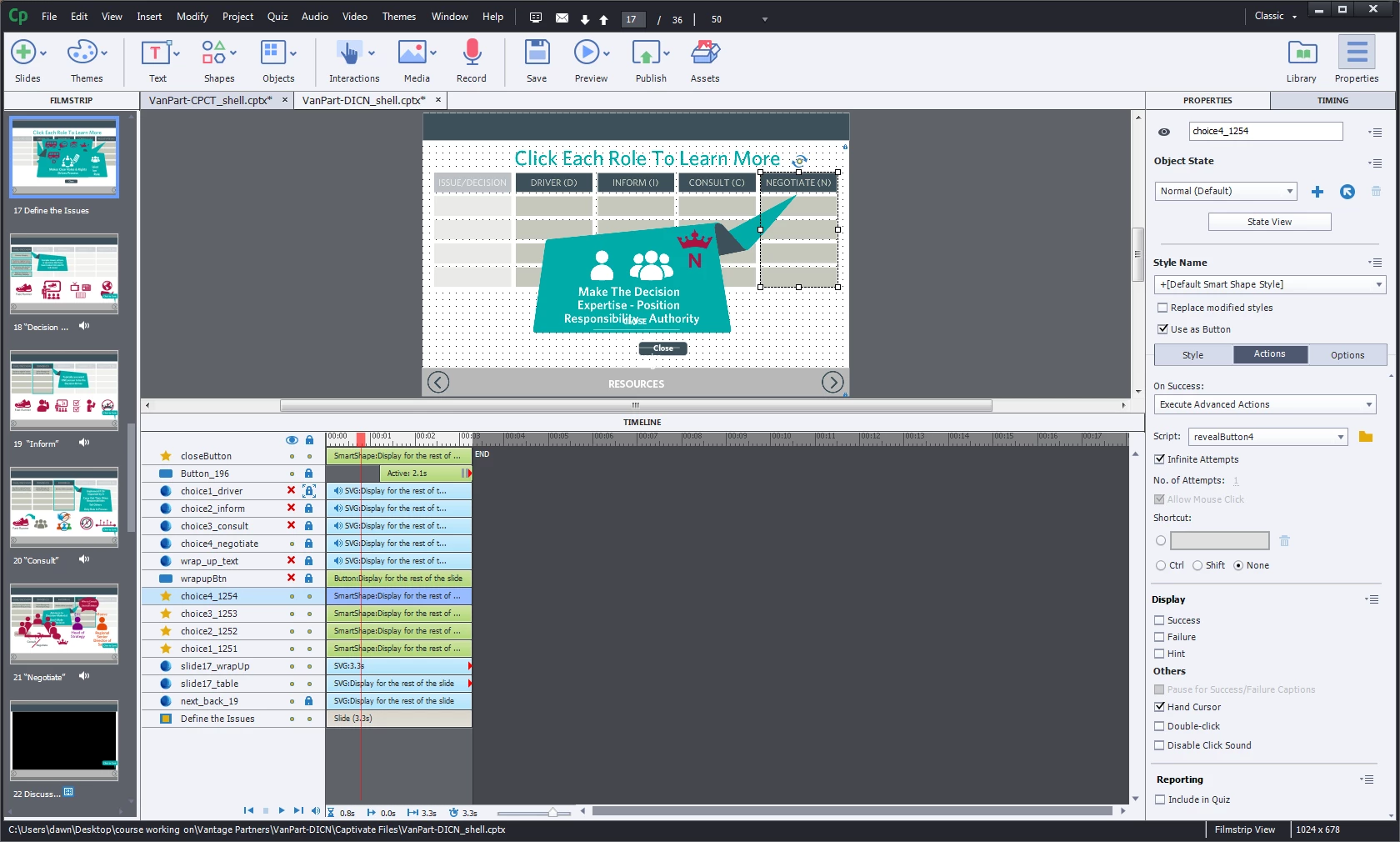
Hello. I have captivate slide that we made interactive. You have to click on a header in a table and then a pop appears, there five clickable areas each with their own audio file. I need to be to add CC to this interaction. I hope the image helps.

Any info would be grateful.

This topic has been closed for replies.
Correct answer TLCMediaDesign

We are currently doing what Rod suggests in a large project of 10 courses. But we increase the height of the pseudo CC box to accommodate more text. There isn't a way to cycle different amounts of text for long audio files.

We actually can interject with JavaScript, text into Captivates CC, but the same problem exists, unless the amount of CC text is hardcoded. Right now this has to be done post/publish for every file. Not a good solution.

Another option is to use one audio file and use micro-navigation to jump around the slide, with click boxes to pause the slide at the end of each section. This way you can use Captivates CC.

We are currently working on a JavaScript solution to set-up the micro-navigation dynamically, so that changes to the slide do not affect the timing of the CC. Also the pausing will happen dynamically without using the click boxes as you can determine how many audio files there are and their length.

4 replies

elearningbuilder11
Inspiring
February 5, 2018

Ok Thanks Mr. Ward,

I was looking for the latter.

elearningbuilder11
Inspiring
February 2, 2018

I am meaning for buttons with advanced actions, can we call/trigger/activate a CC using an advanced action script?

RodWard
Community Expert
Community Expert
February 2, 2018

OK.  If you want to open the slide's Closed Caption area by clicking a button, all you need to do is set the button action to Toggle the value of the System Variable called cpCmndCC from 0 to 1.  That will open or close the Closed Caption area each time the button is clicked.

But this is only for the SLIDE's closed captioning.  If you were hoping to call up closed captioning for audio added to a slide object, then you need to put that caption text in a Smart Shape and use the button action to SHOW or HIDE the Smart Shape.

TLCMediaDesign
TLCMediaDesignCorrect answer
Inspiring
March 8, 2016

We are currently doing what Rod suggests in a large project of 10 courses. But we increase the height of the pseudo CC box to accommodate more text. There isn't a way to cycle different amounts of text for long audio files.

We actually can interject with JavaScript, text into Captivates CC, but the same problem exists, unless the amount of CC text is hardcoded. Right now this has to be done post/publish for every file. Not a good solution.

Another option is to use one audio file and use micro-navigation to jump around the slide, with click boxes to pause the slide at the end of each section. This way you can use Captivates CC.

We are currently working on a JavaScript solution to set-up the micro-navigation dynamically, so that changes to the slide do not affect the timing of the CC. Also the pausing will happen dynamically without using the click boxes as you can determine how many audio files there are and their length.

RodWard
Community Expert
Community Expert
March 3, 2016

If you are referring to the Closed Captioning text that appears at the bottom of the slide and can be synchronized with Slide Level audio, that CC text cannot be synched with Object Level audio (which is what you are trying to do).

You could however, use Advanced Actions to turn off the default CC text and show/hide Smart Shapes with text in the same location to create what LOOKS LIKE Closed Captioning.

elearningbuilder11
Inspiring
January 30, 2018

Hi Rod,

What would you recommend when trying to attach CC advanced action (as you have suggested, thank you) on buttons?

RodWard
Community Expert
Community Expert
January 31, 2018

Are you saying there is audio that will play when the user clicks the button, or when the button enters the timeline?